Gurukulam
A training and placement platform: one system for the office that runs the courses, the trainers who teach, the colleges that pay and the students who want the job.
- Client
- Gurukulam
- Industry
- Education and training
- Platforms
- Web portals, Mobile web, AI

- 4Portals: office, trainers, colleges and students
- 2Ways to sell: college batches and individual learners
- 1Shared record behind every session, score and fee
The client
Gurukulam trains students for their first job. Its tagline is Learn. Grow. Belong. It runs courses such as Data Analytics, Full Stack Java and MBA Placement Readiness in two ways: inside colleges, for a whole batch of students, and at its own centres, for individual learners who sign up and pay themselves.
That means four groups of people, each with a different job to do: the Gurukulam office that sells, plans and bills; the trainers who teach; the colleges whose placement cells need to know who is ready; and the students who want the job.
The problem
Training companies like Gurukulam usually run on spreadsheets and messages.
- The office tracks batches, trainers, fees and college contracts in separate sheets, and can't see in one place what is owed, by whom, and for how long.
- Trainers take attendance on paper, share recordings in chat groups and mark tests by hand.
- Colleges pay for training but get little proof of what changed, and still decide placement eligibility from a spreadsheet of marks.
- Students don't know how close they are to being placement-ready, or what to do next.
What we built
One platform with four portals, all working from the same records:
- Office console: colleges, courses, batches, sessions, students, trainers, fees, payouts, reports and an audit log.
- Trainer portal: sessions, registers, recordings, tests, marking and end-of-training reports.
- College portal: a campus war room for training, results, placement eligibility and the college's own placement tools.
- Student portal: classes, recordings, tests, assignments, placement readiness, certificates and jobs, on desktop and phone.
For the Gurukulam office
One view of the business
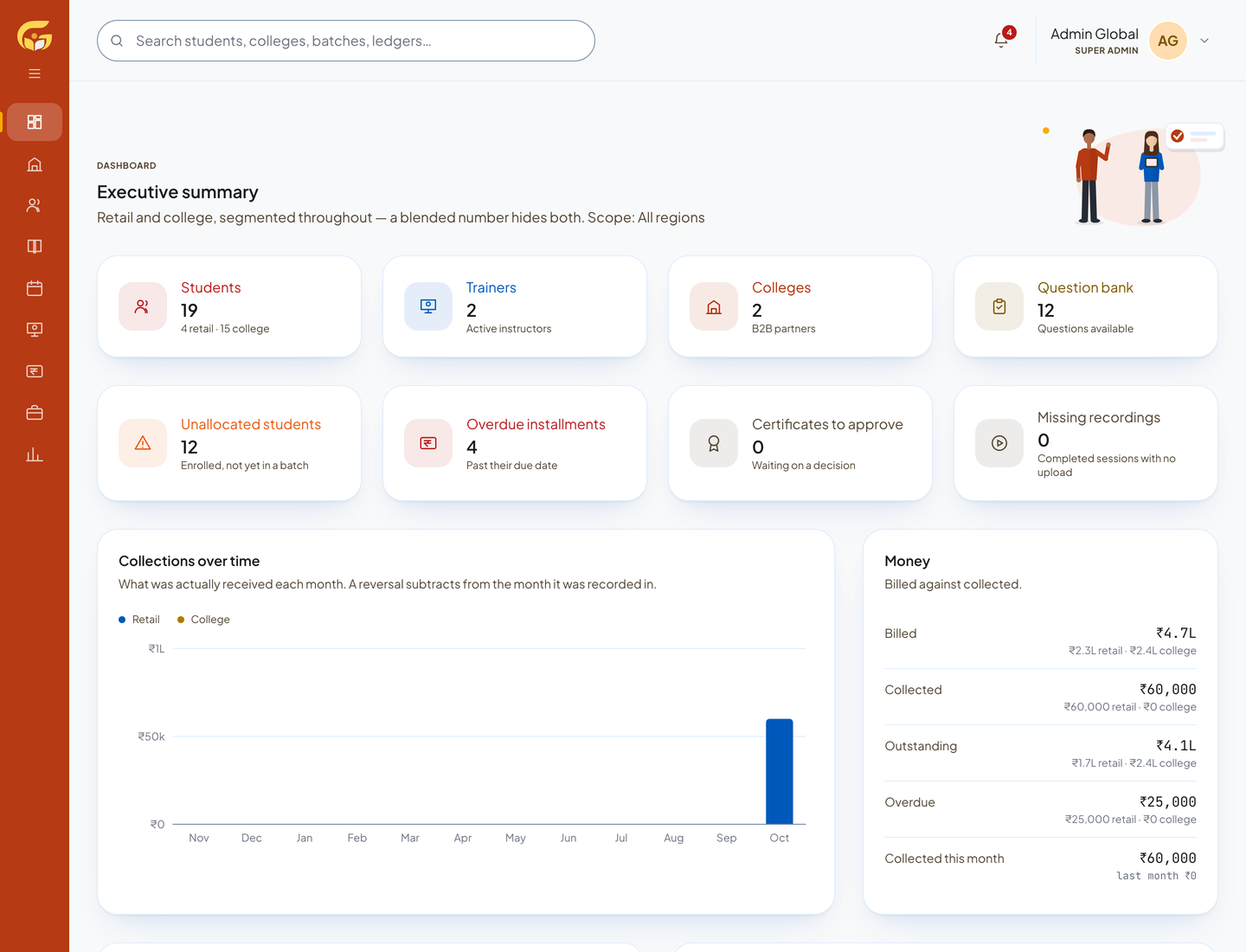
The executive summary shows students, trainers, colleges and the question bank, and what needs attention: students enrolled but not yet in a batch, overdue instalments, certificates waiting for approval and sessions with no recording. Retail and college money are kept apart throughout, because a blended number hides both.
Colleges as relationships, not rows
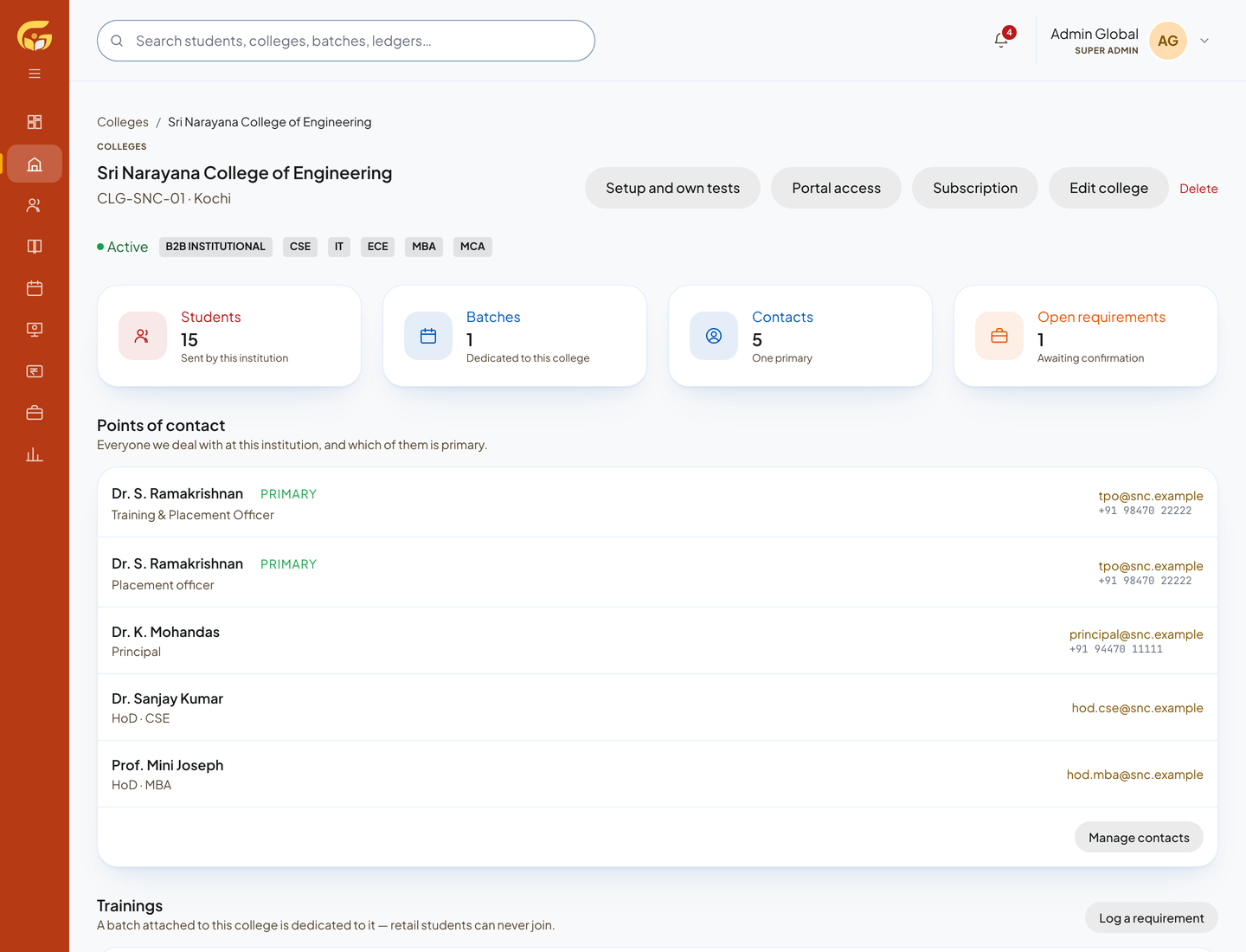
Each college has its own record: its points of contact and who is primary, its training requirements, its students, its batches, its contract value and its portal access. Colleges can subscribe to the placement tools, with a plan, a term and a number of seats.
Batches, sessions and trainers
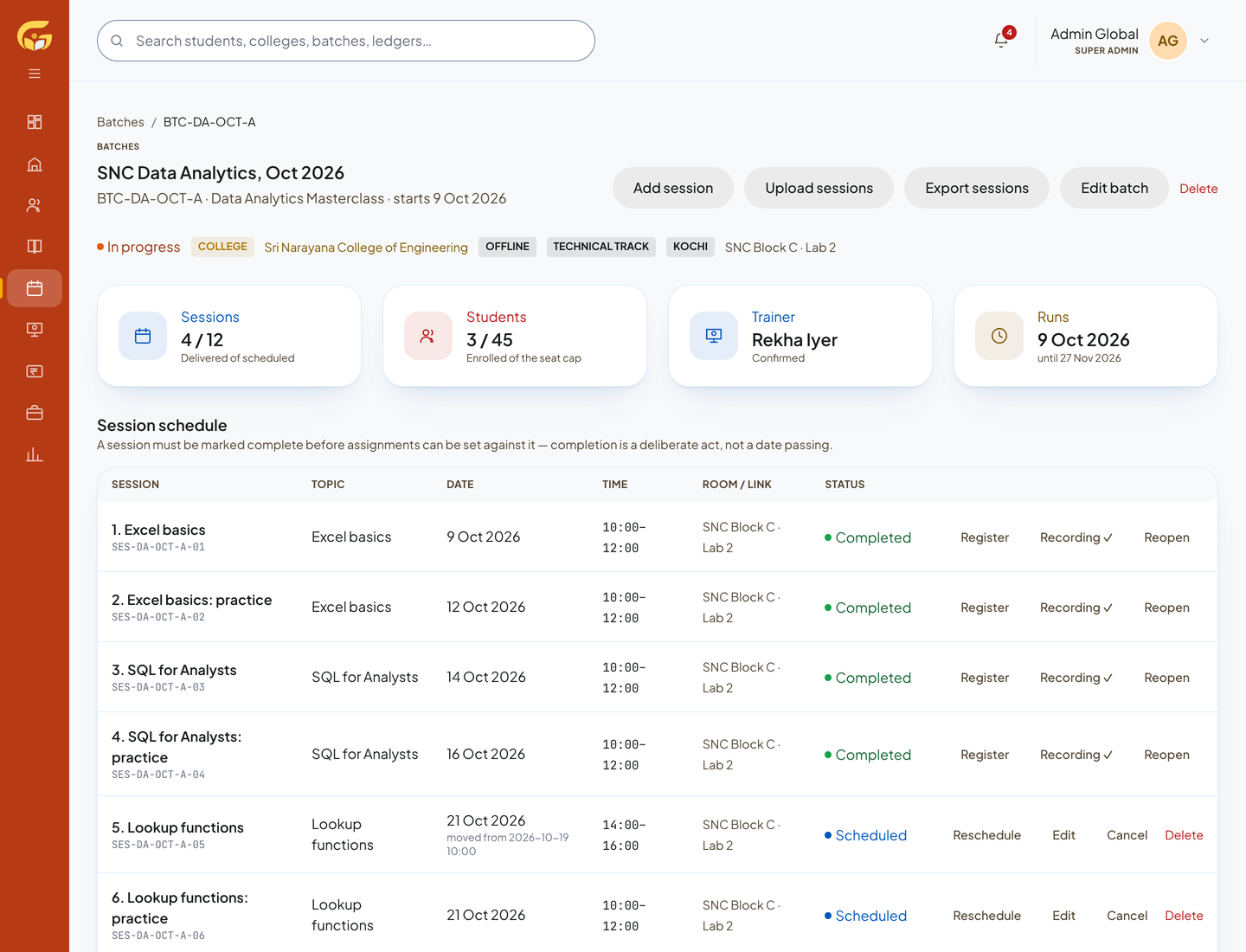
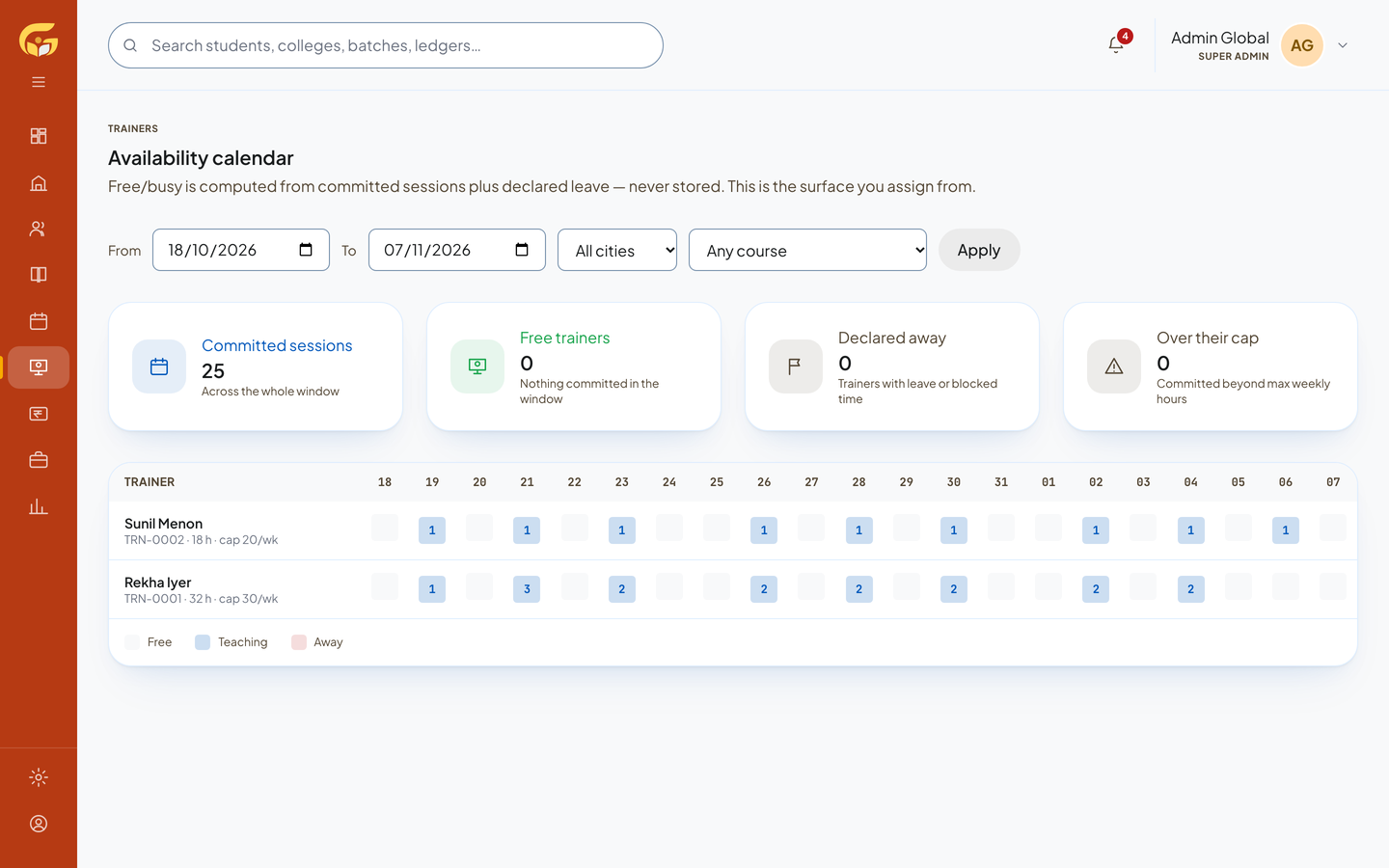
A course is a set of topics; a batch runs that course on a schedule, with a trainer, a room or a joining link, a roster and its assessments. The trainer calendar is worked out from the sessions each trainer is committed to and the leave they have declared, so the office never books someone who is away.
Fees, payouts and reports
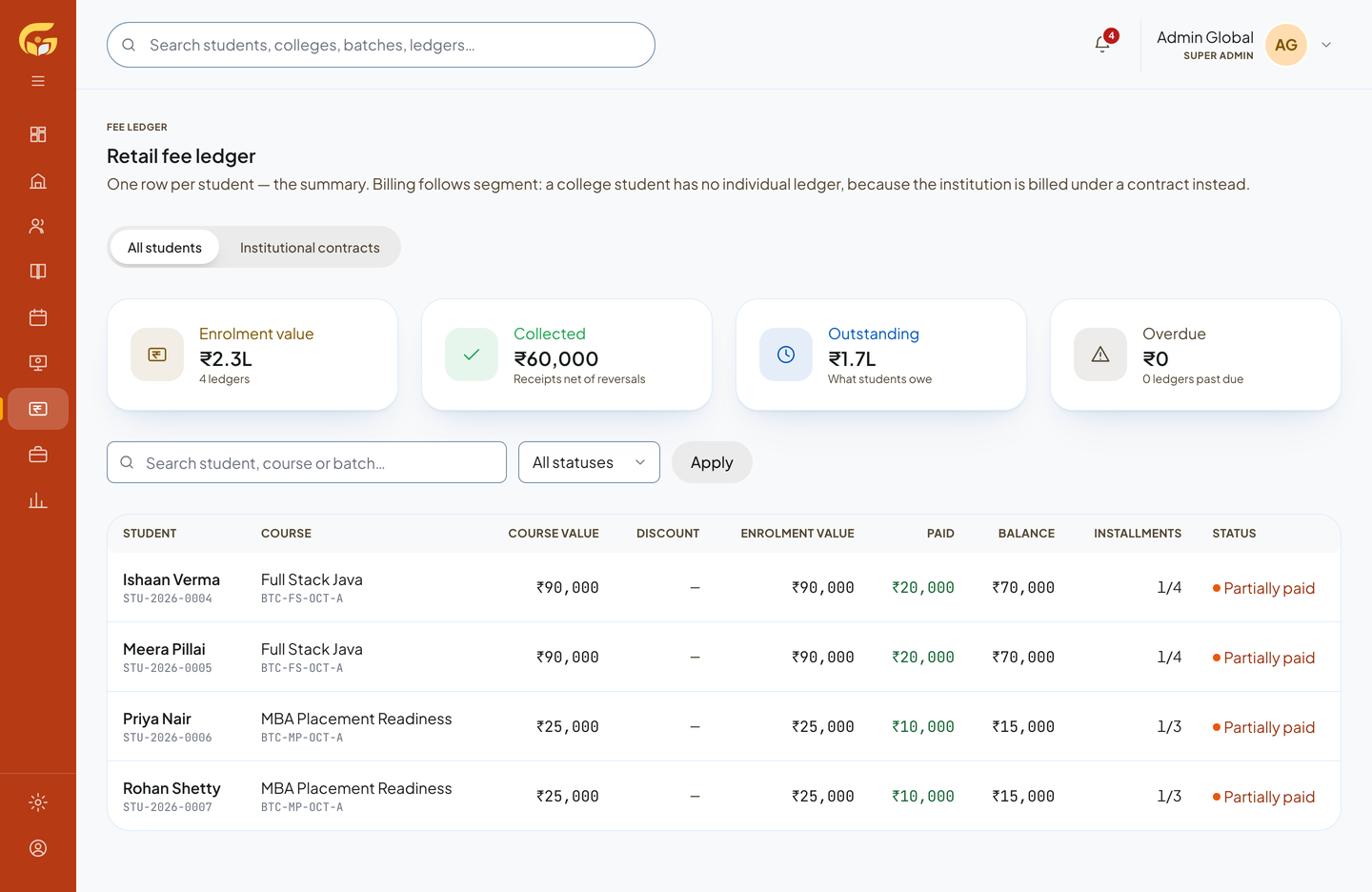
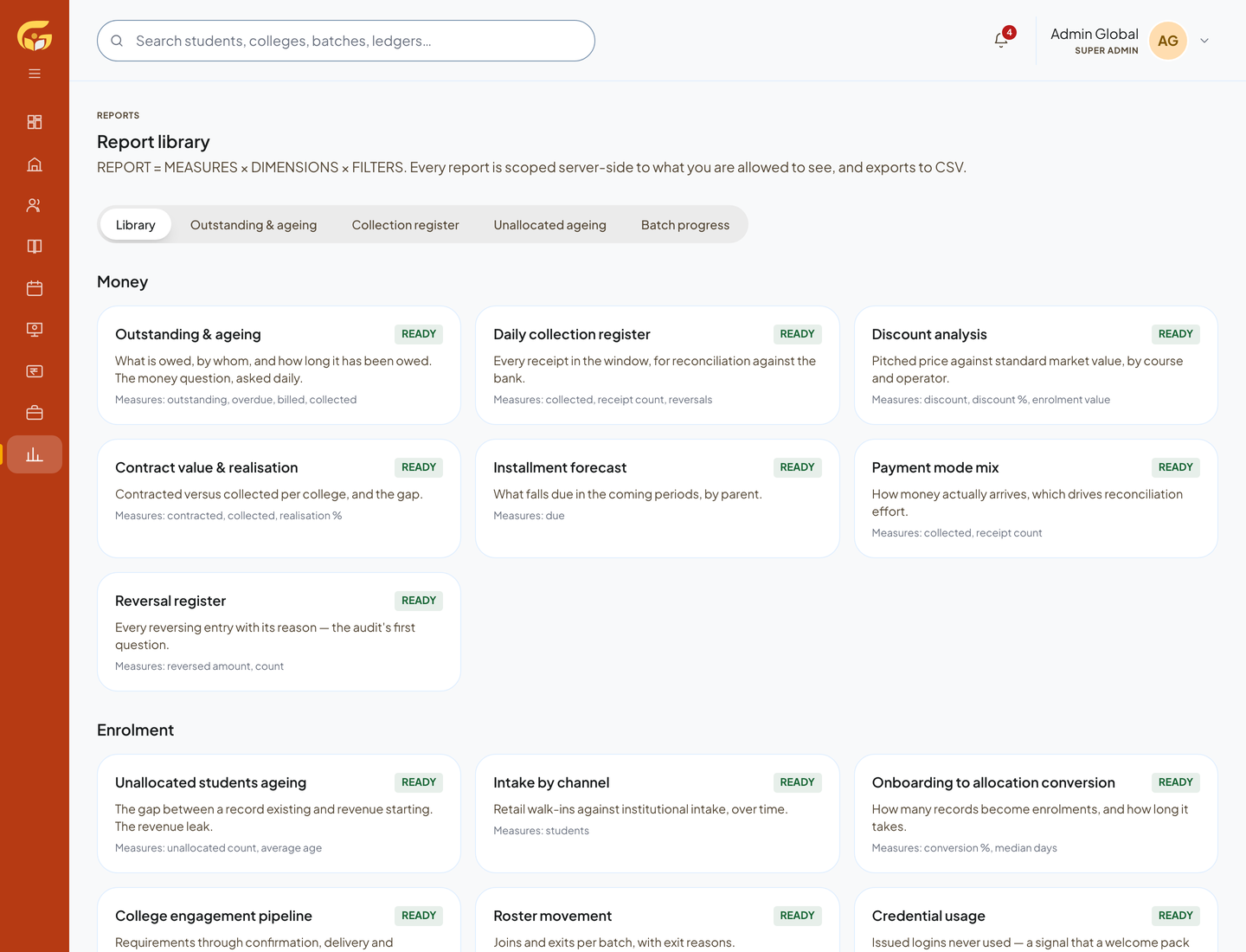
Retail students pay in instalments, and the fee ledger shows what each one has paid and what is still due; colleges are billed under their contracts instead. Freelance trainers are paid per session from the rate on their record, with finance approving each payout and TDS recorded. A reports library covers outstanding and ageing, daily collections, discounts, contract realisation, instalment forecasts and more, each exportable to CSV.
Every change made by anyone, from the office to a student, is written to an audit log that cannot be edited or deleted.
For trainers
Teaching, not paperwork
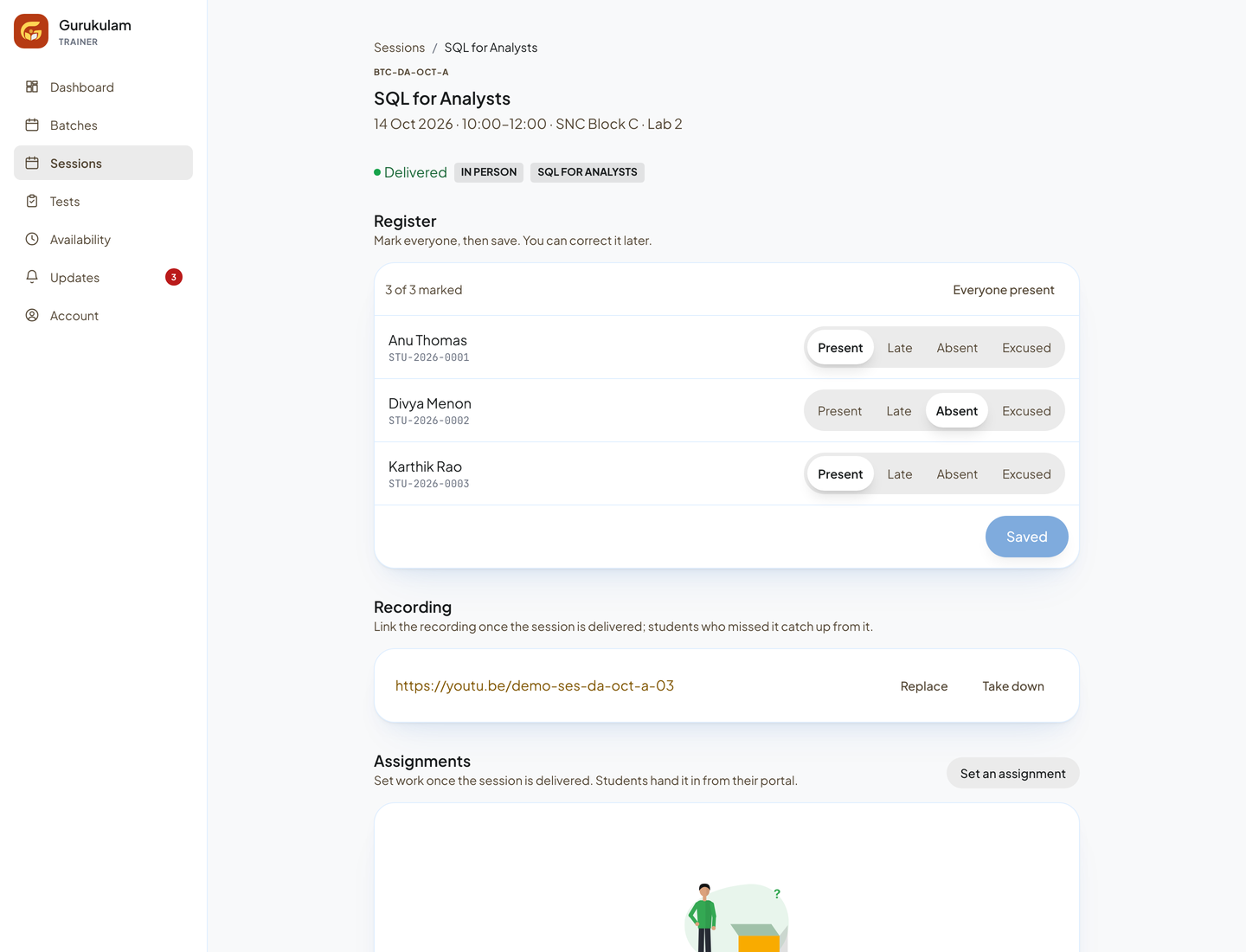
Trainers sign in with their mobile number and see what they are teaching next. For each session they mark the register (present, late, absent or excused), link the recording so absent students can catch up, and set an assignment.
Tests that teach the trainer something
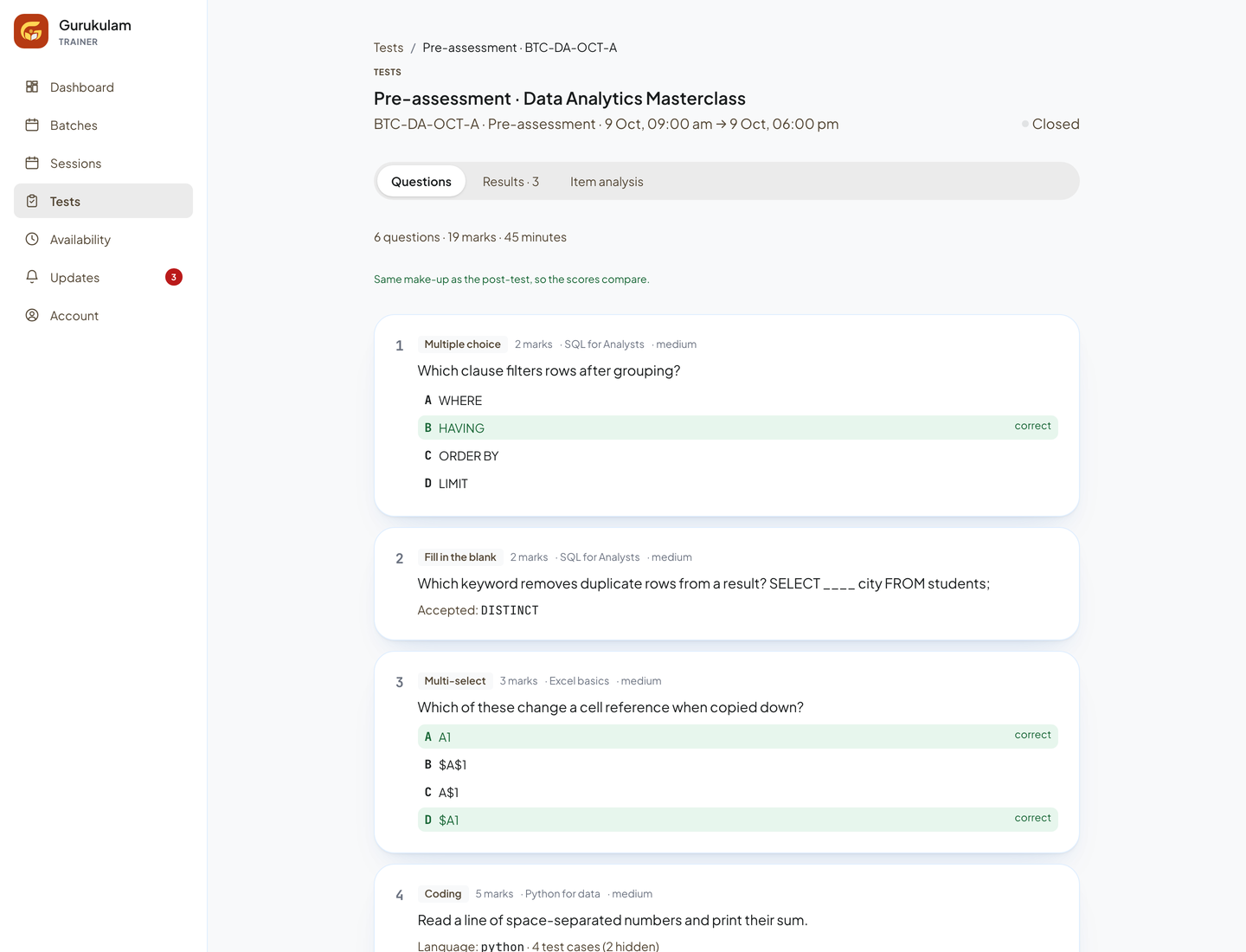
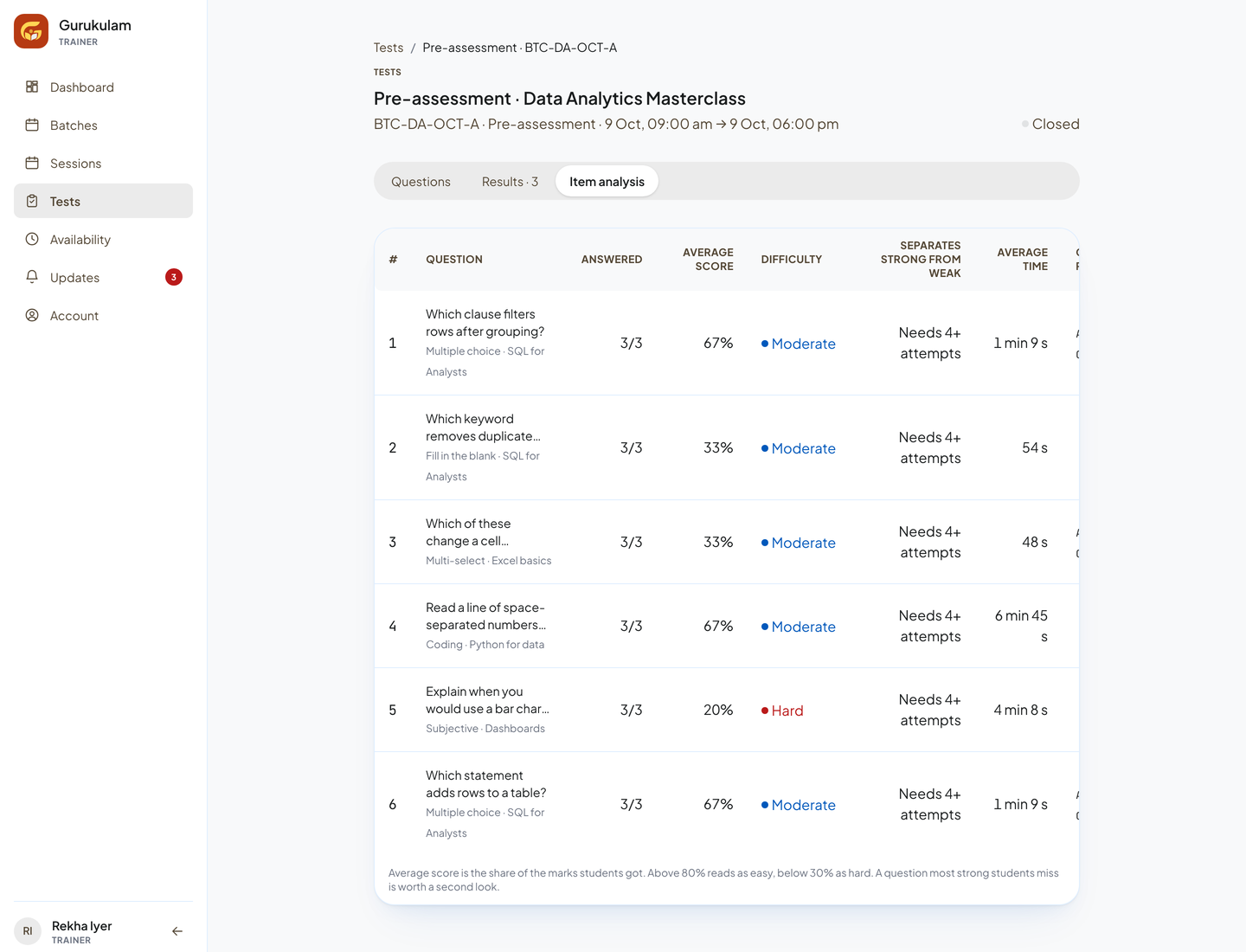
Trainers build pre- and post-assessments and class quizzes from the question bank, with multiple choice, fill in the blank, multi-select, coding and written questions. Results come back per student, and item analysis shows how hard each question was and how well it separated stronger and weaker students.
The end-of-training report
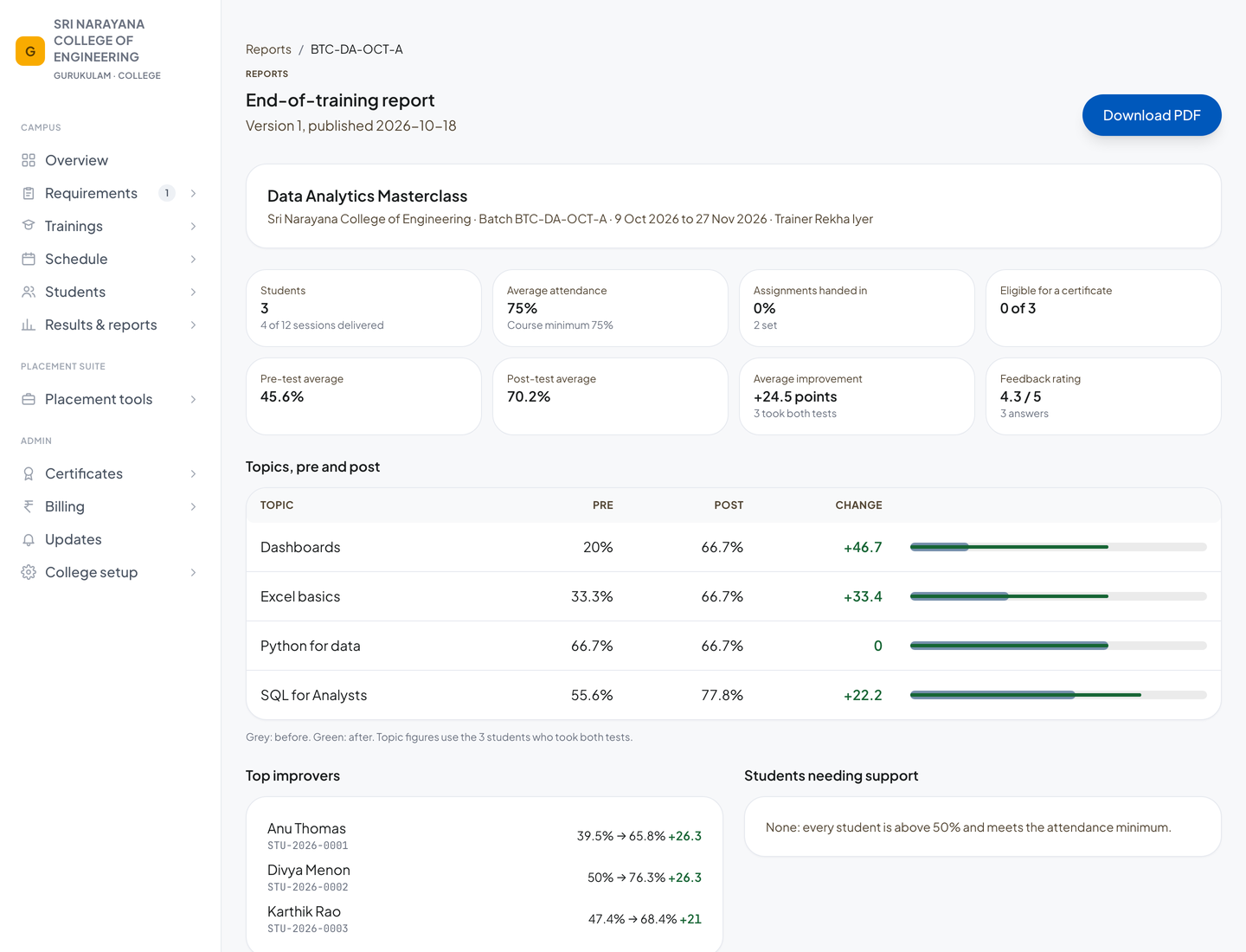
At the end of a batch, the trainer writes their remarks and sends the report to the office. The office reviews it and publishes it to the college. If anything changes later, it becomes a new version and the college is told.
For colleges
The campus war room
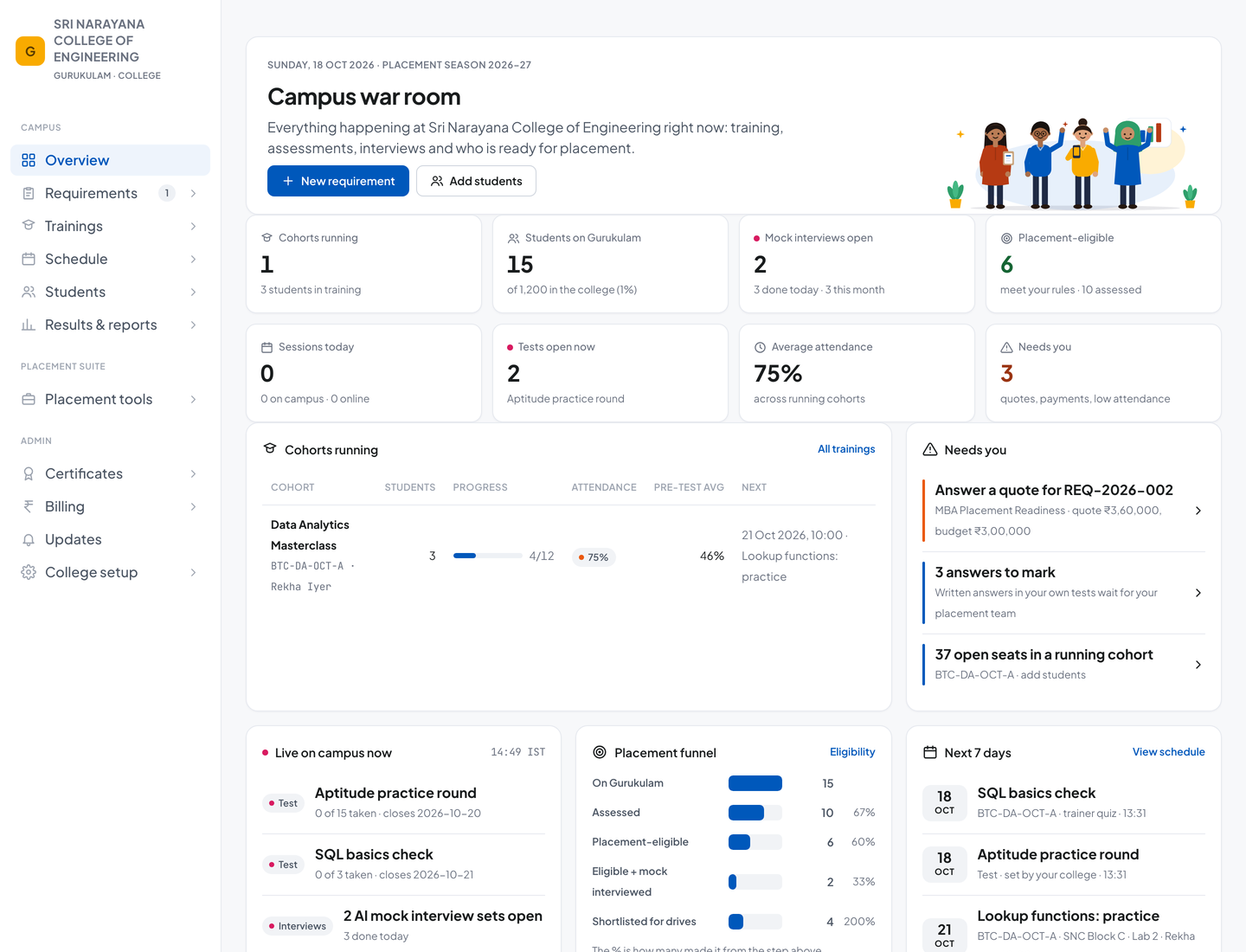
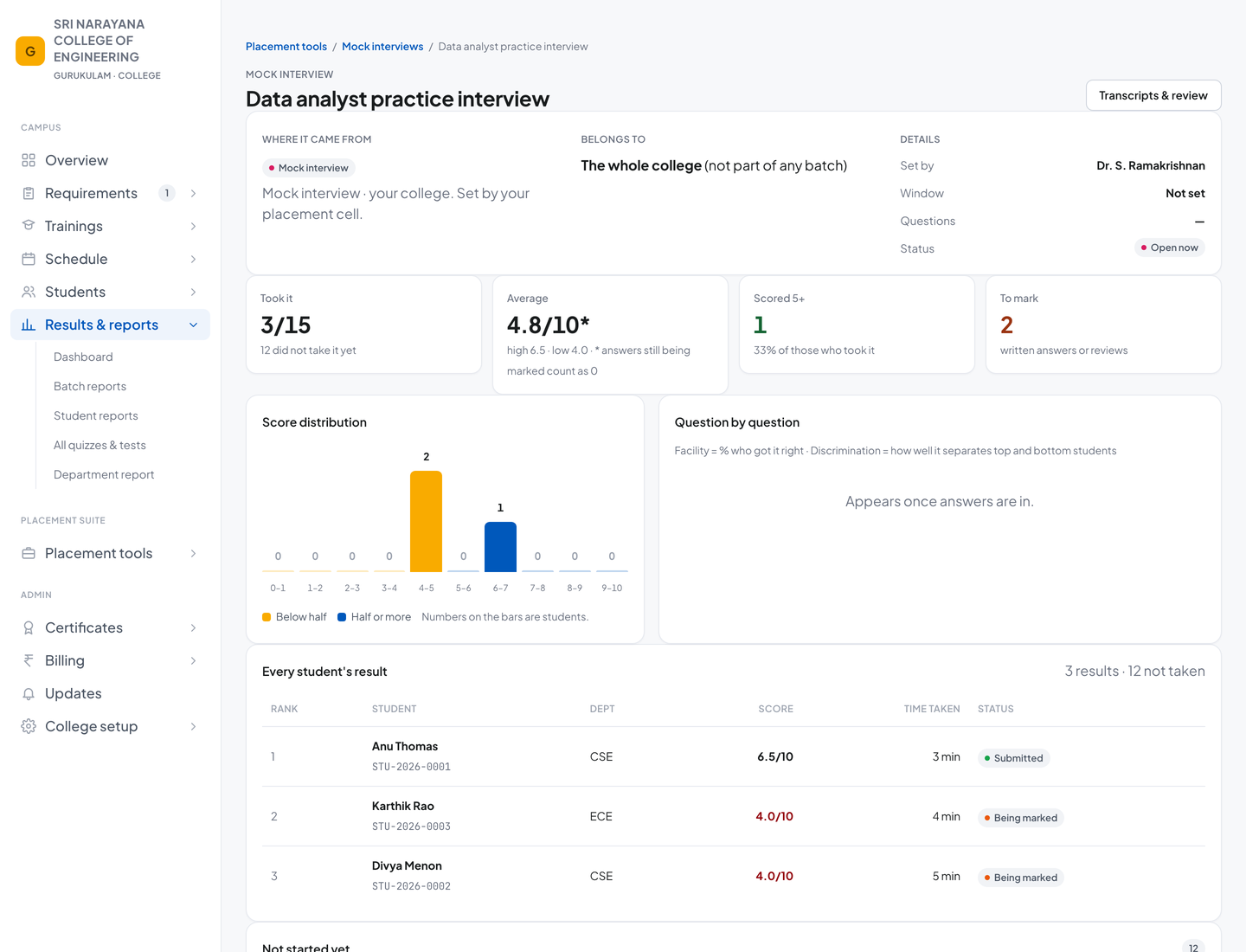
The college portal opens on everything happening on campus right now: cohorts running, students on Gurukulam, mock interviews open, who is placement-eligible, average attendance, and what needs the placement cell's attention, such as a quote to answer or answers to mark.
Proof that the training worked
Every batch ends with a published report: attendance, assignments, pre-test and post-test averages, the improvement on each topic, top improvers and anyone who needs support. The college can download it as a PDF. Every score for every student, from every test, is one click away.
Placement eligibility, by the college's own rules
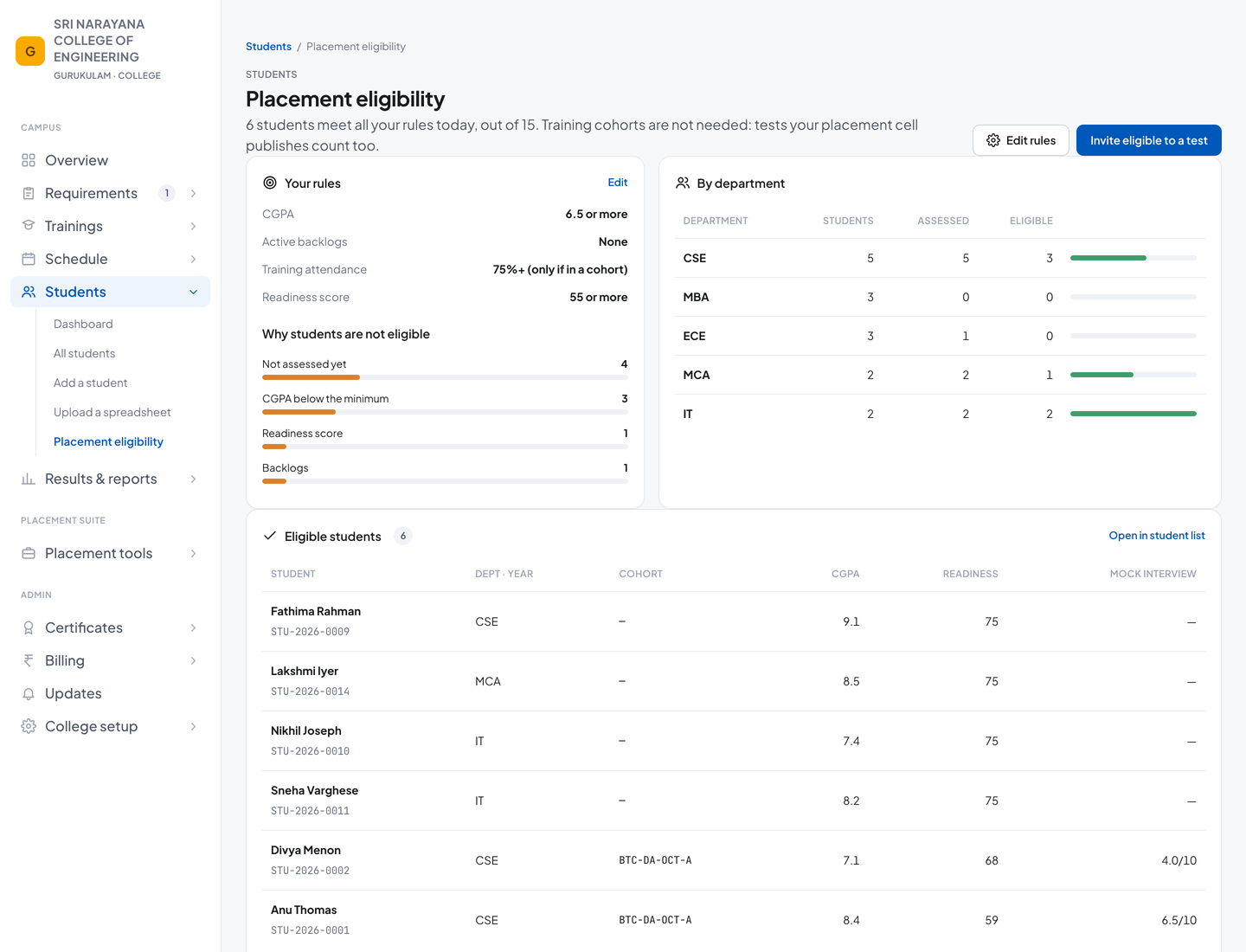
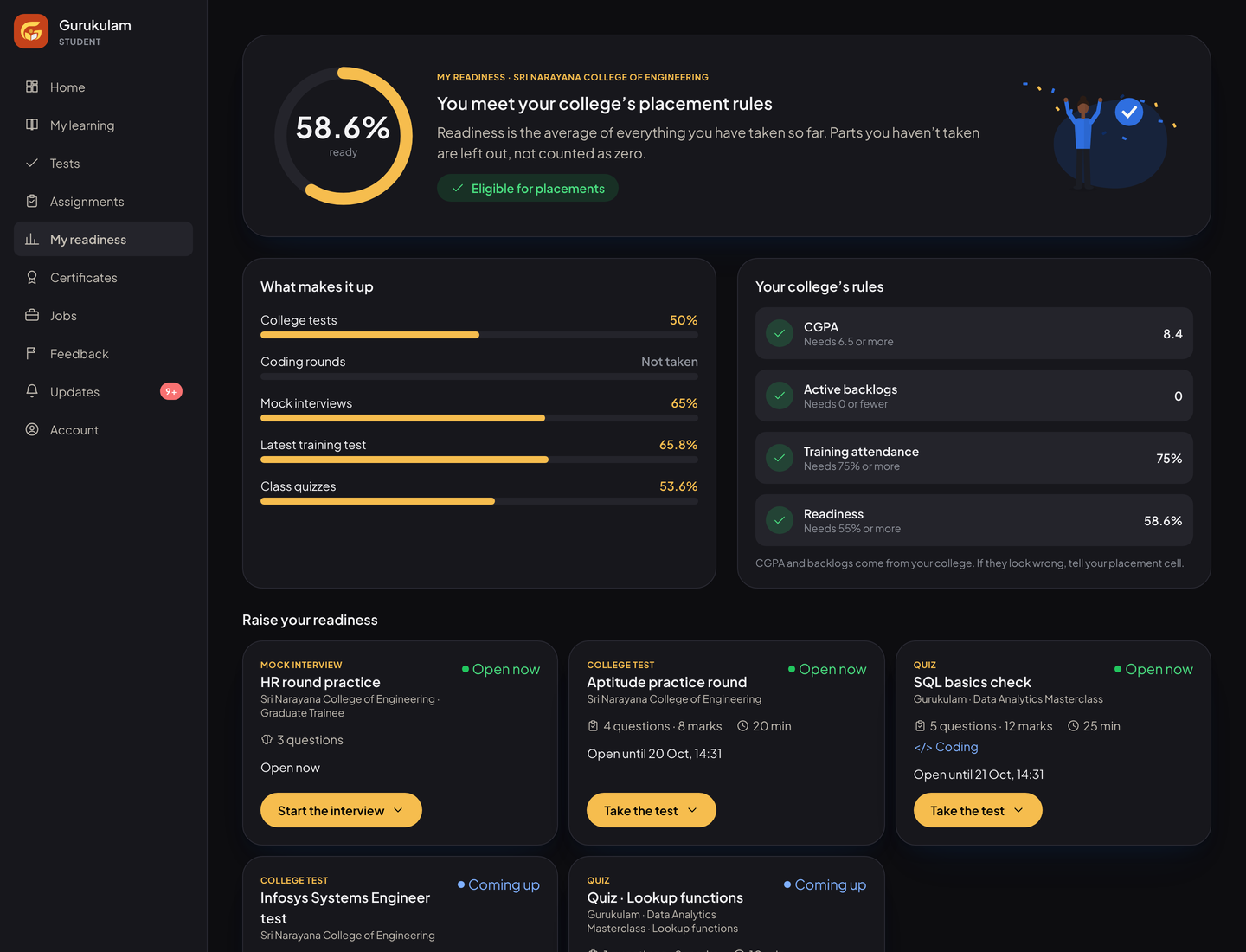
The placement cell sets its rules: minimum CGPA, active backlogs, training attendance and a readiness score. The portal shows who is eligible today, by department, and why the others are not, so the cell can invite exactly the right students to a test or a drive.
The college's own placement tools
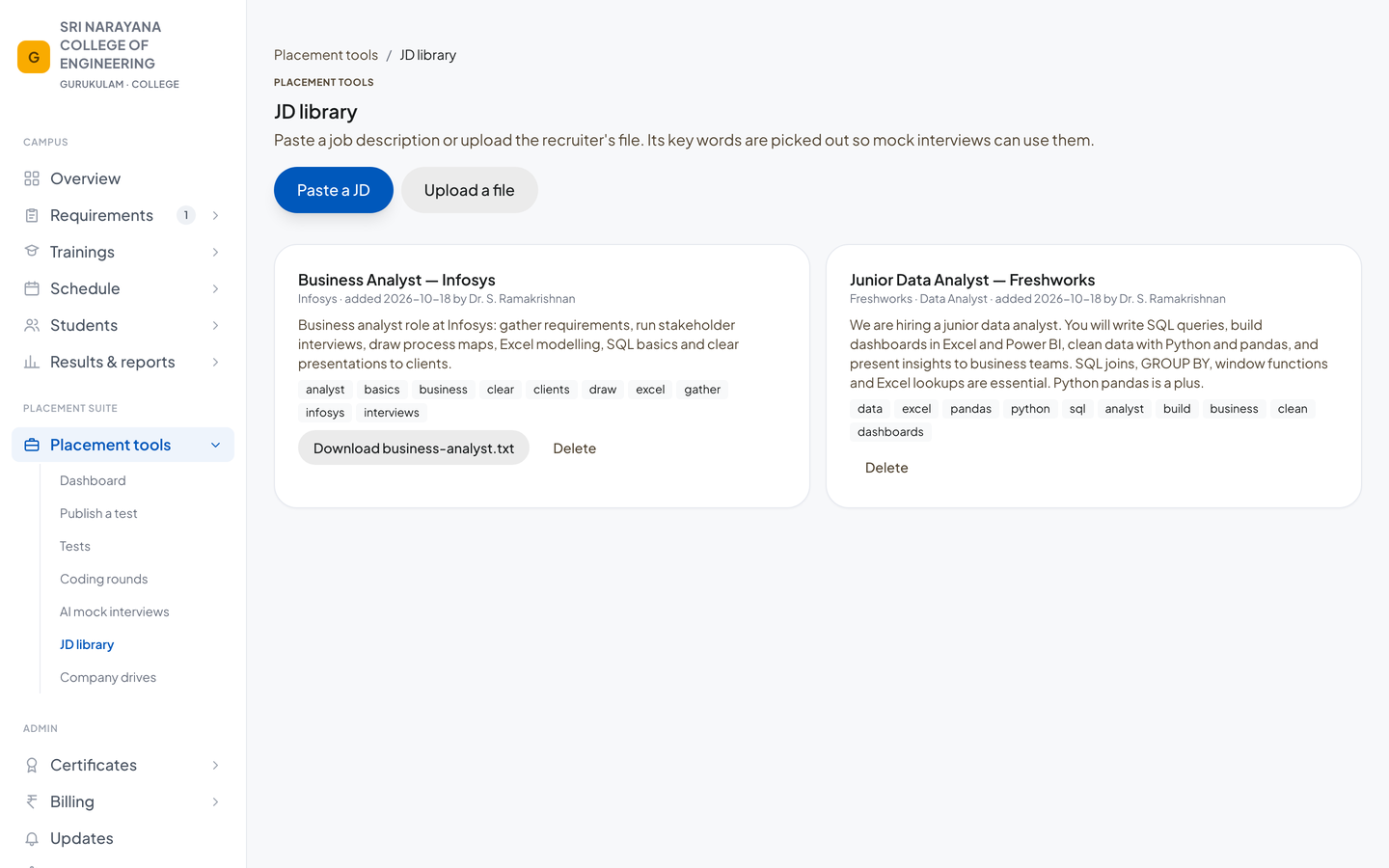
With a placement tools subscription, the college runs its own aptitude tests and coding rounds, keeps a library of job descriptions whose keywords feed its mock interviews, and tracks company drives: who is eligible, who is shortlisted and the offers made. AI mock interviews score every answer on the same five-point rubric, and a person can review every transcript.
For students
Everything in one place
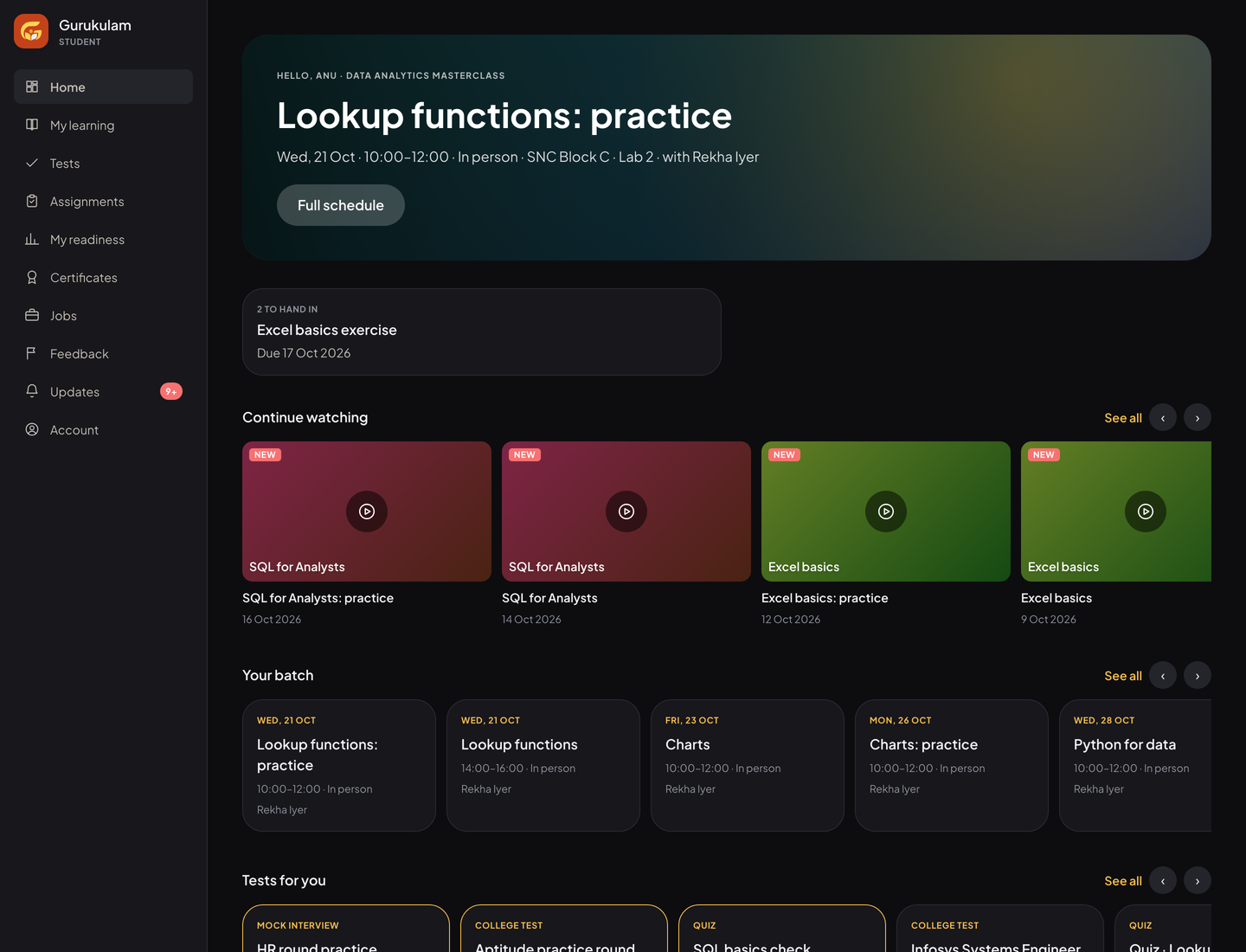
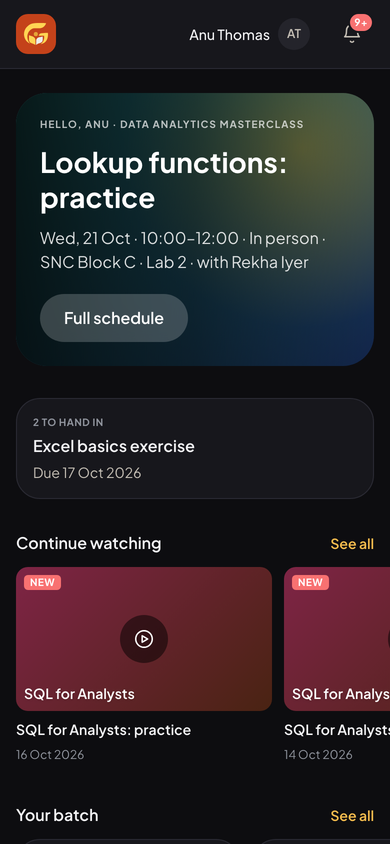
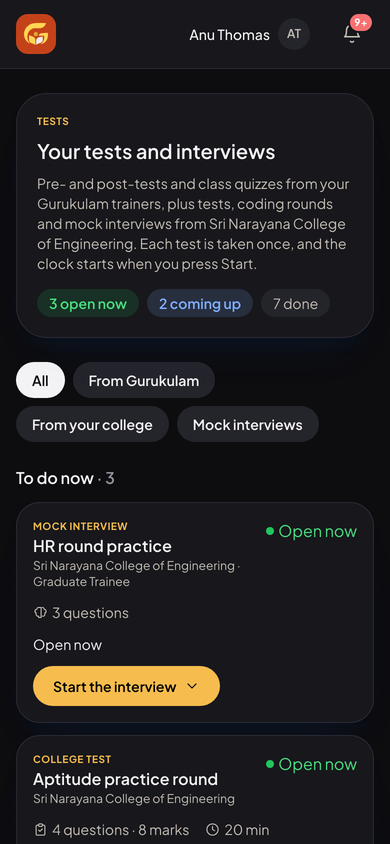
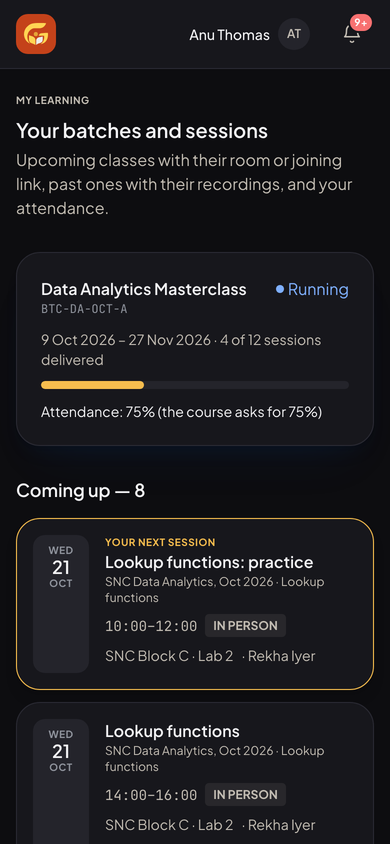
Students sign in with their mobile number. Their home shows the next class, work to hand in, recordings to catch up on and the rest of their batch. The student portal ships in a dark theme and works just as well on a phone.
Know how ready you are
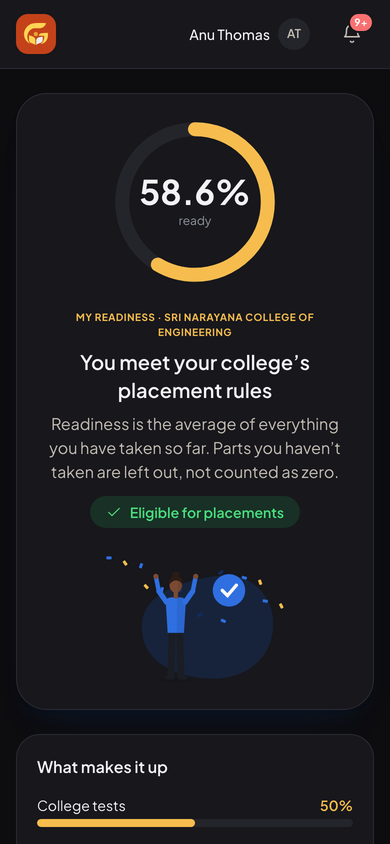
Readiness brings together college tests, coding rounds, mock interviews, the latest training test and class quizzes, and checks them against the college's placement rules. Students see exactly what makes up their score and which open tests and interviews would raise it.
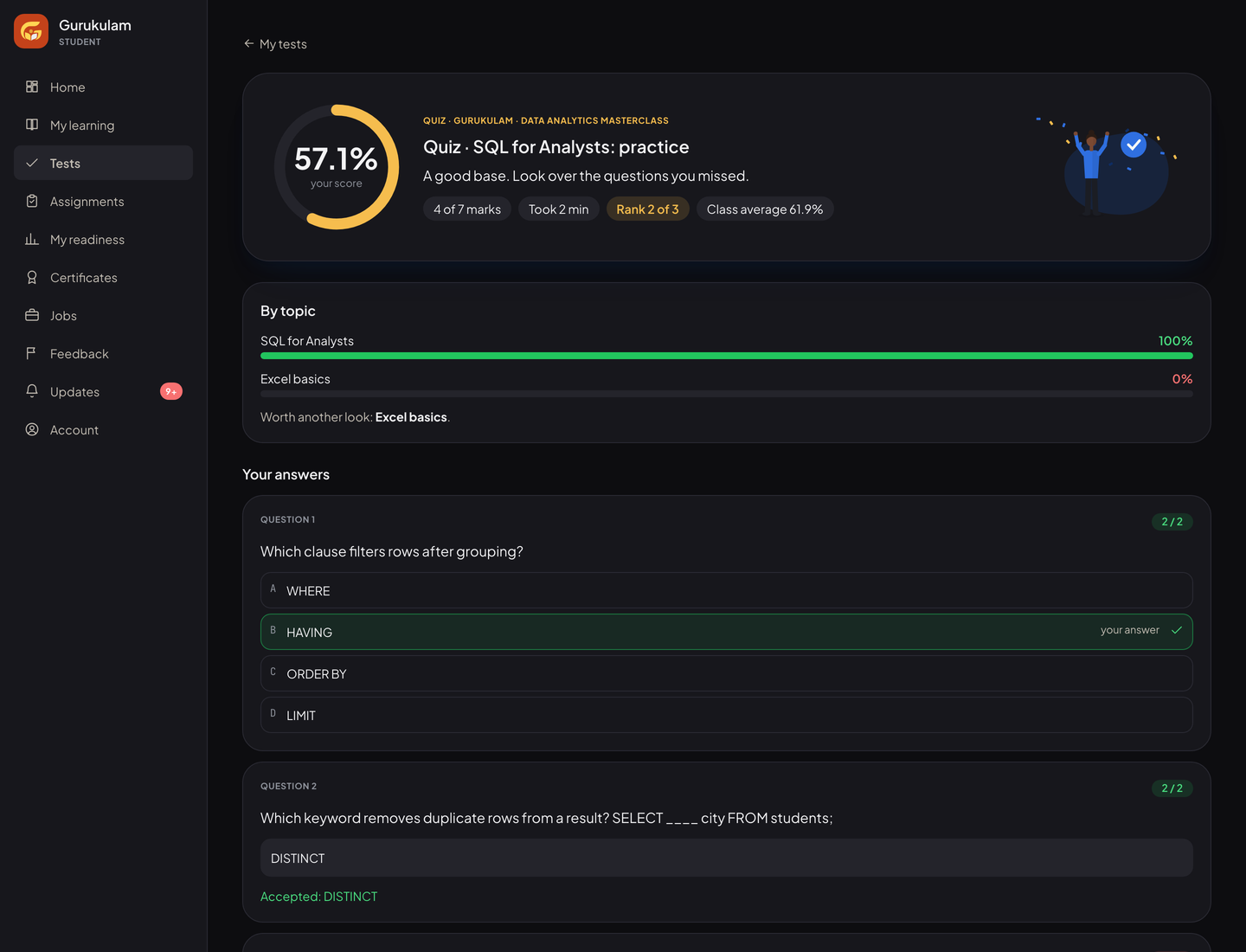
Finished courses earn certificates with a verification link an employer can check, and a jobs board lists openings shared by Gurukulam's hiring partners.
How we built it
We built Gurukulam with AI-native development on Firebase and Google Cloud: four portals sharing one set of records, so a session a trainer delivers updates the student's attendance, the college's report and the office's payout in one step. Every person sees only what their role allows, and every change is logged.
Built with
- Firebase
- Google Cloud

