The April AI
An AI legal platform for India: people, businesses and lawyers get legal help in plain words, with contracts drafted, checked, approved and signed in one place.
- Client
- The April AI
- Industry
- Legal tech
- Platforms
- Web portals, Mobile app, Website, AI

- 4Portals: people, businesses, lawyers and the April team
- 1Contract workflow, from first draft to e-signature
- 0Commission taken from lawyers
The client
The April AI is building legal help that anyone in India can use. It is part of NVIDIA Inception and Google for Startups, and its tagline says what it stands for: You ^ AI, AI that raises what you can do on your own, with a lawyer one step away.
Its AI, April, answers in plain language under the law of the state you live in. When a question needs a professional, April hands you to a verified lawyer.
The problem
Most people meet the law through a contract, and most can't tell if a clause is fair.
- People sign rental and work agreements they don't fully understand, and don't know where to find a lawyer or what one costs.
- Businesses draft and sign contracts over email, with no shared rules on liability or payment terms, and no record of who approved what.
- Lawyers track cases, hearings and clients across diaries and messages, and find new clients by word of mouth.
What we built
One platform, with a portal for each way of working:
- People portal: ask April, draft, check and sign contracts, and find and book a lawyer.
- Business portal: team contracts with approvals, a company playbook, offices, roles and signing authority.
- Lawyer portal: clients, cases, hearings and eCourts, AI research, and new work from April.
- April team console: a CRM, a sales pipeline and role-based access for the April team.
- Website and mobile app: the front door to April, with the same accounts on web and phone.
For people
Ask in your own words
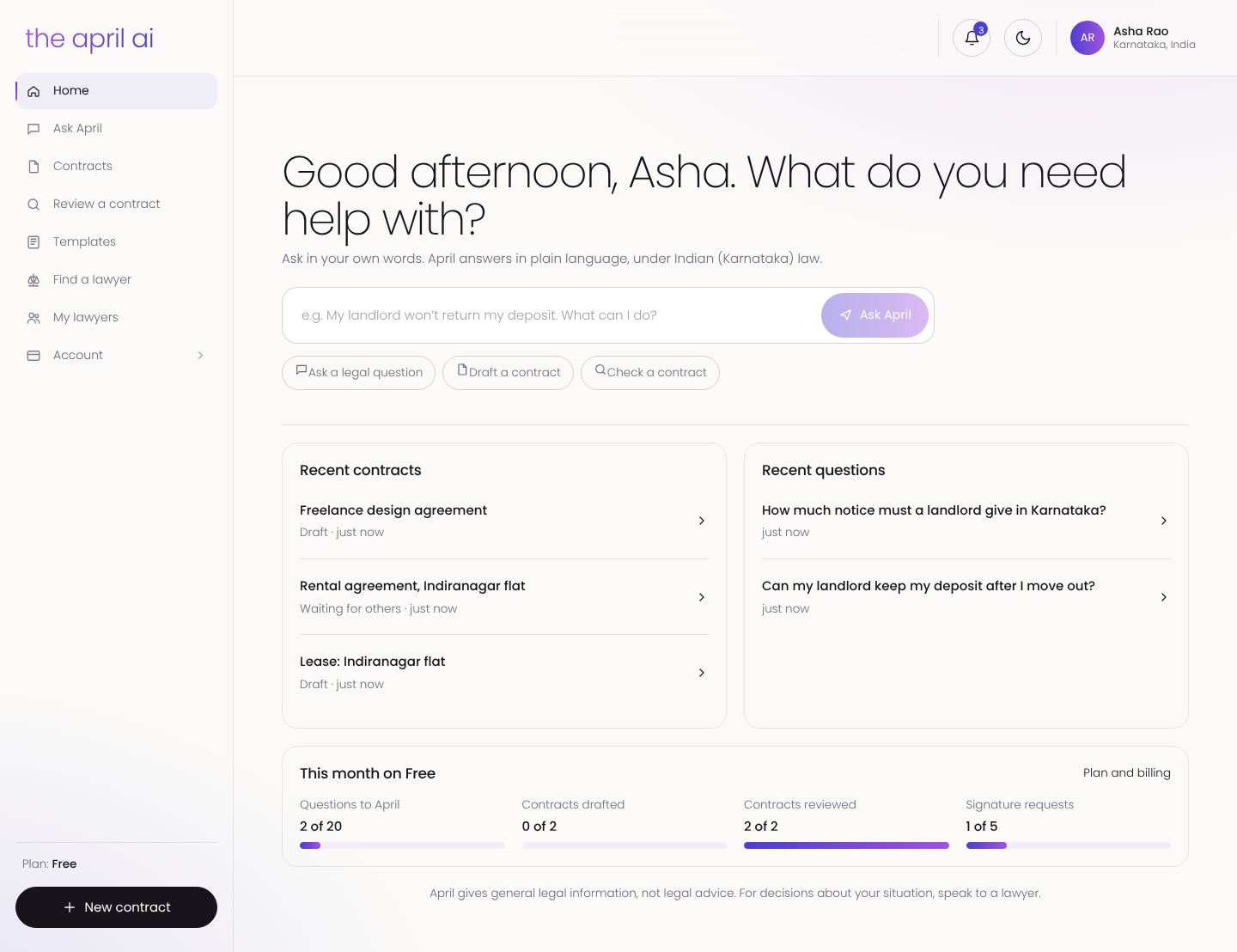
The home screen starts with a question box. Type it the way you'd say it, "My landlord won't return my deposit", and April answers under Indian law, for the state you live in, in the language you choose. Recent questions and contracts wait on the same screen.
Draft a contract in minutes
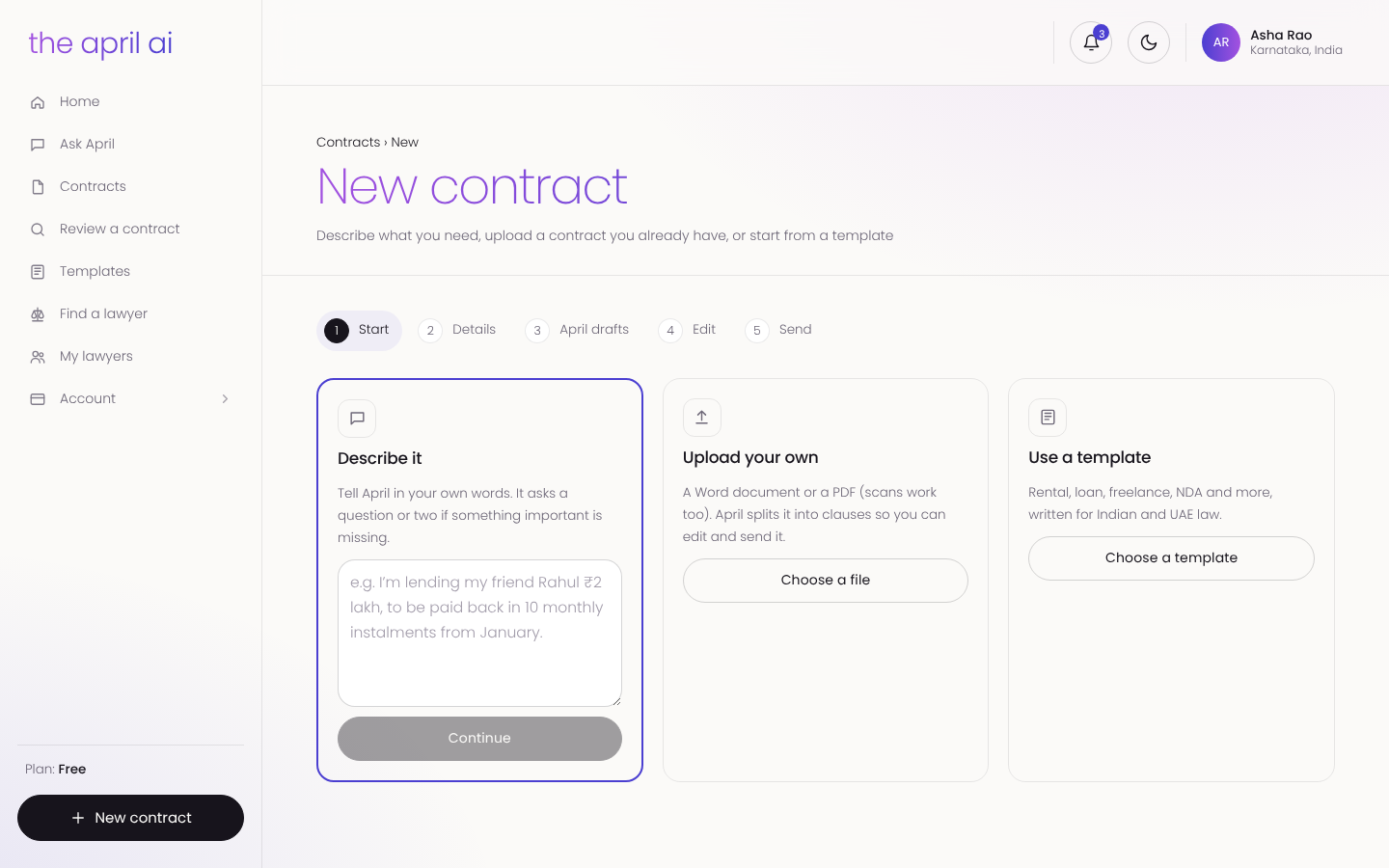
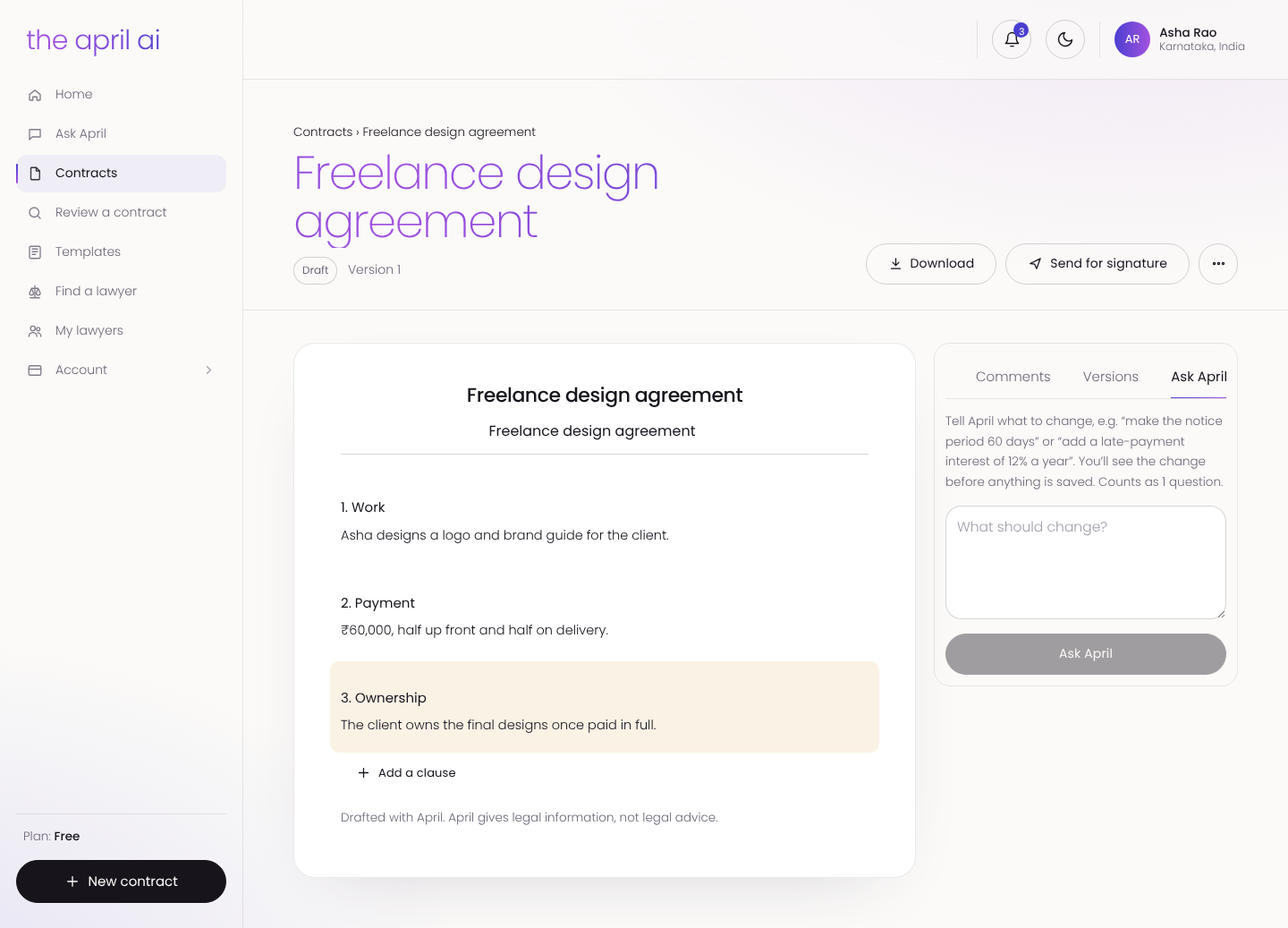
People start a contract three ways: describe it in their own words, upload a Word or PDF file, or pick one of April's templates. In the editor, April explains each risky clause, suggests better wording and flags what is missing. Comments and versions sit beside the document, and you can simply tell April what to change.
Signed online, with proof
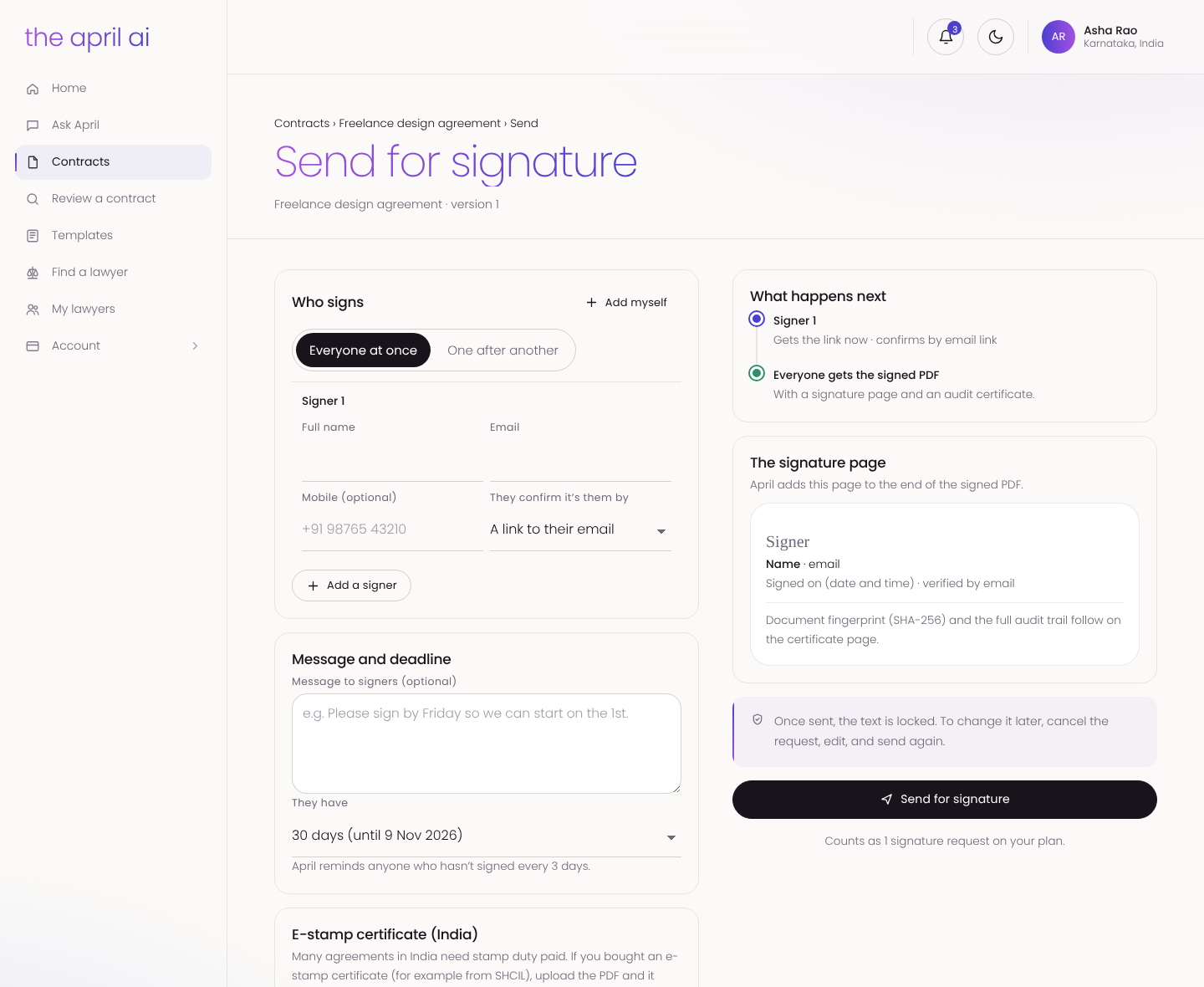
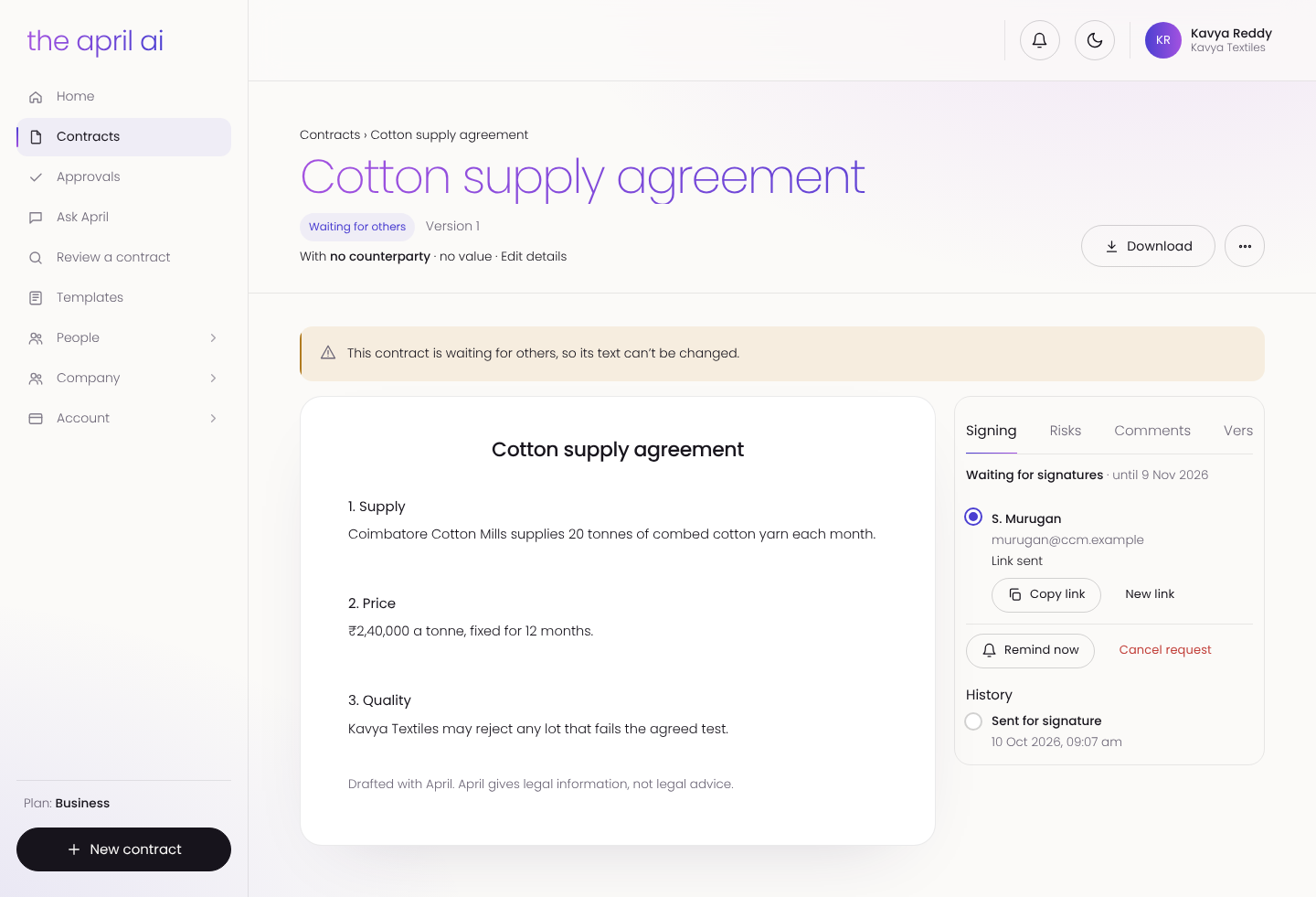
When the contract is ready, it goes out for e-signature. Signers confirm by email and sign at once or one after another. April adds a signature page to the signed PDF, with the document's fingerprint and a full audit trail. Once sent, the text is locked, and every party gets the signed copy.
A verified lawyer, one tap away
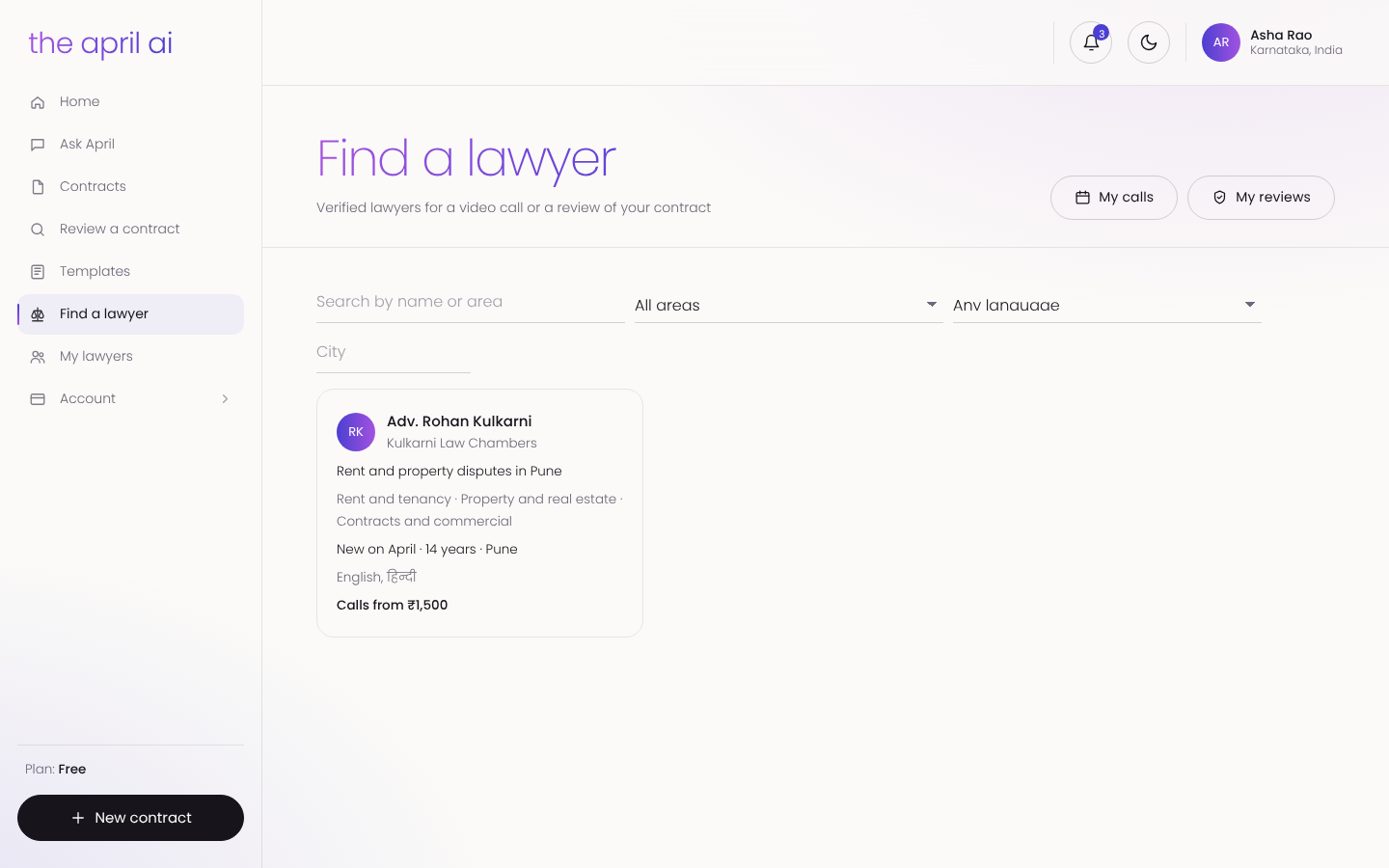
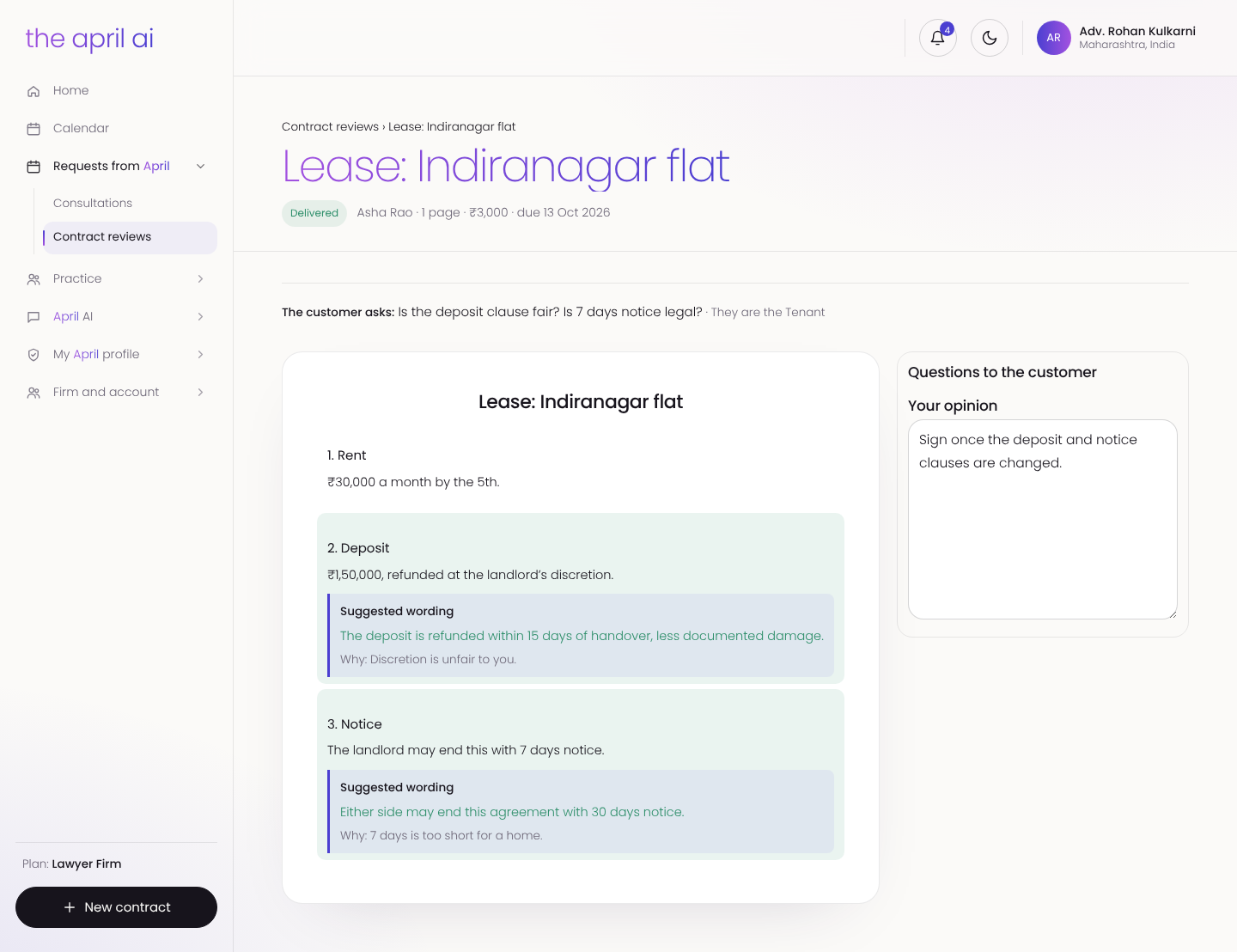
People find lawyers by practice area, city and language, and every lawyer is verified by April. They book a video call or send a contract for review, with fees shown up front. The review comes back in their portal with wording to use and the lawyer's opinion.
For businesses
Contracts for the whole company
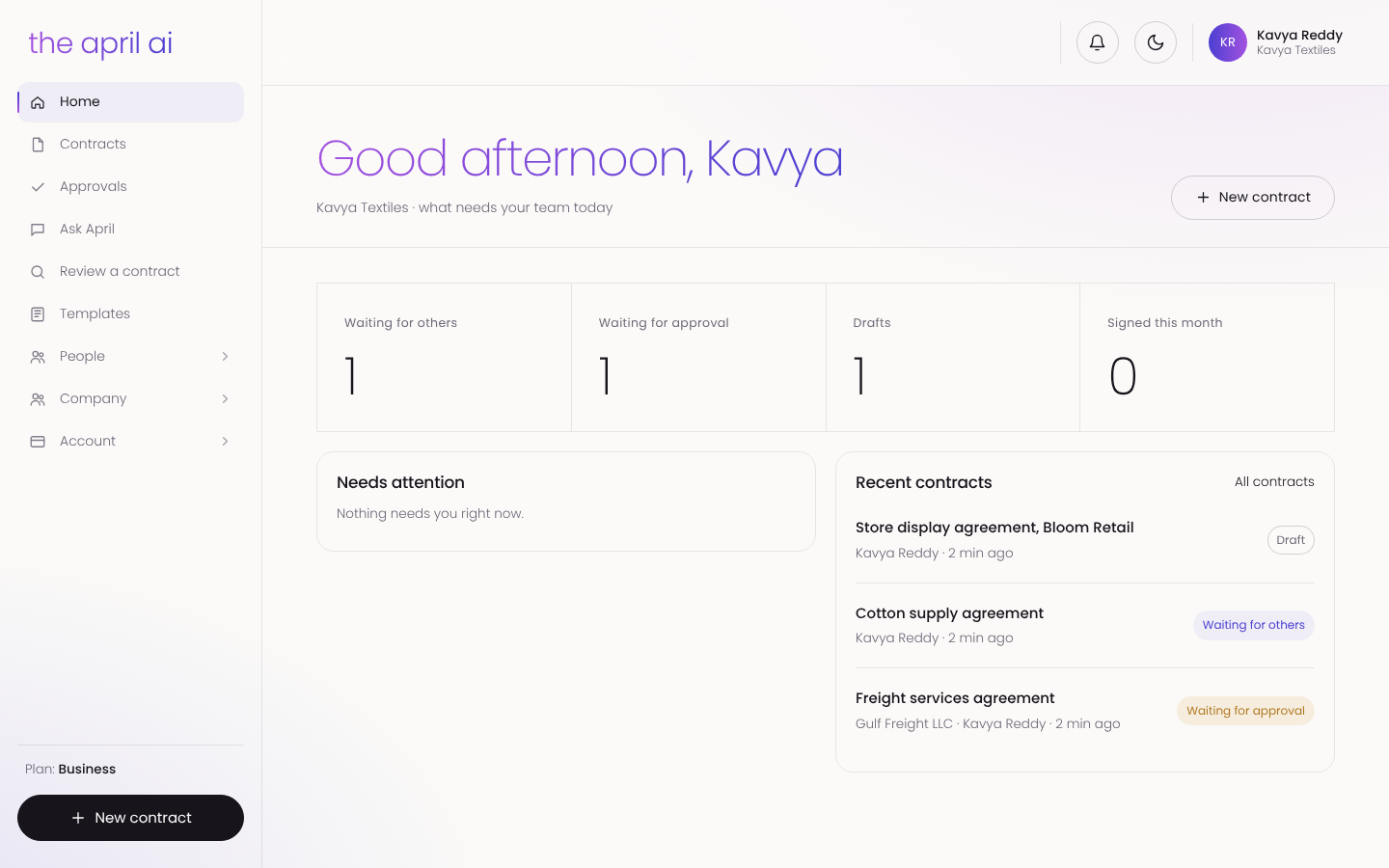
The business portal shows what is in draft, waiting for approval, waiting for others and signed. Every contract carries its counterparty, value and status, with signing reminders, links and a full history.
Approvals that follow the rules
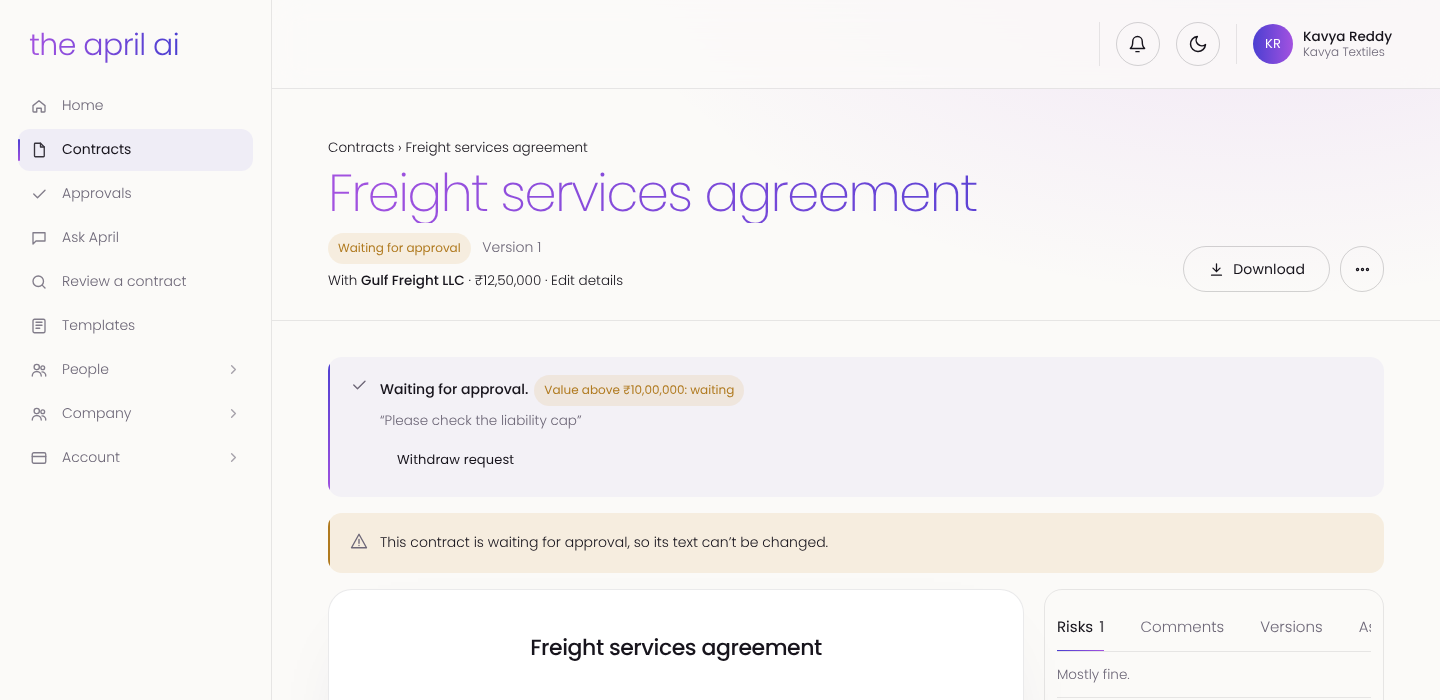
Companies set approval rules by value. A ₹12.5 lakh freight contract waits for an approver before it can be sent, and while it waits its text is locked, so what is approved is what gets signed.
The company's own positions
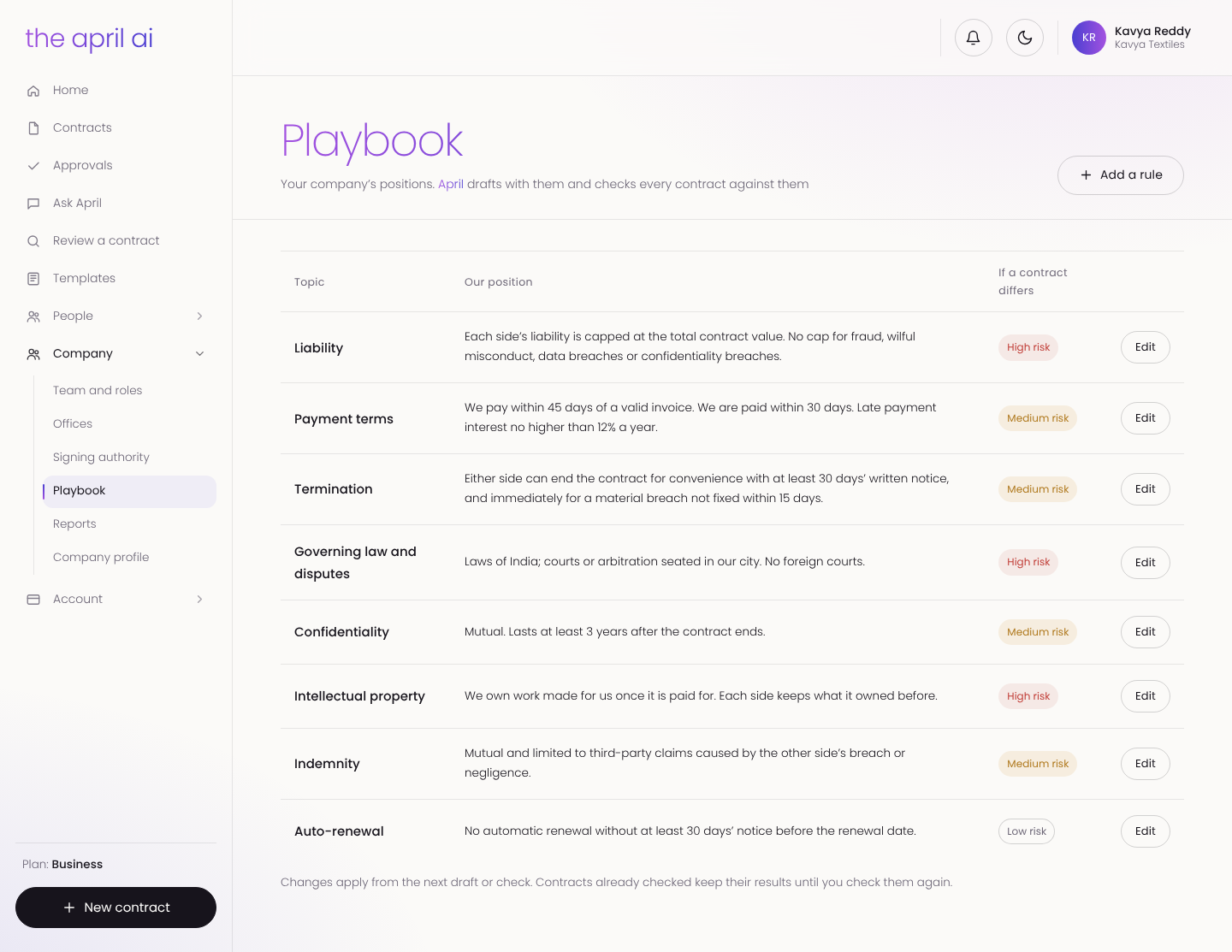
Each business writes its playbook: its positions on liability, payment terms, termination, governing law, confidentiality and more. April checks every contract against the playbook and marks each difference by risk, so the whole team negotiates from the same rules.
Roles, offices and who can sign
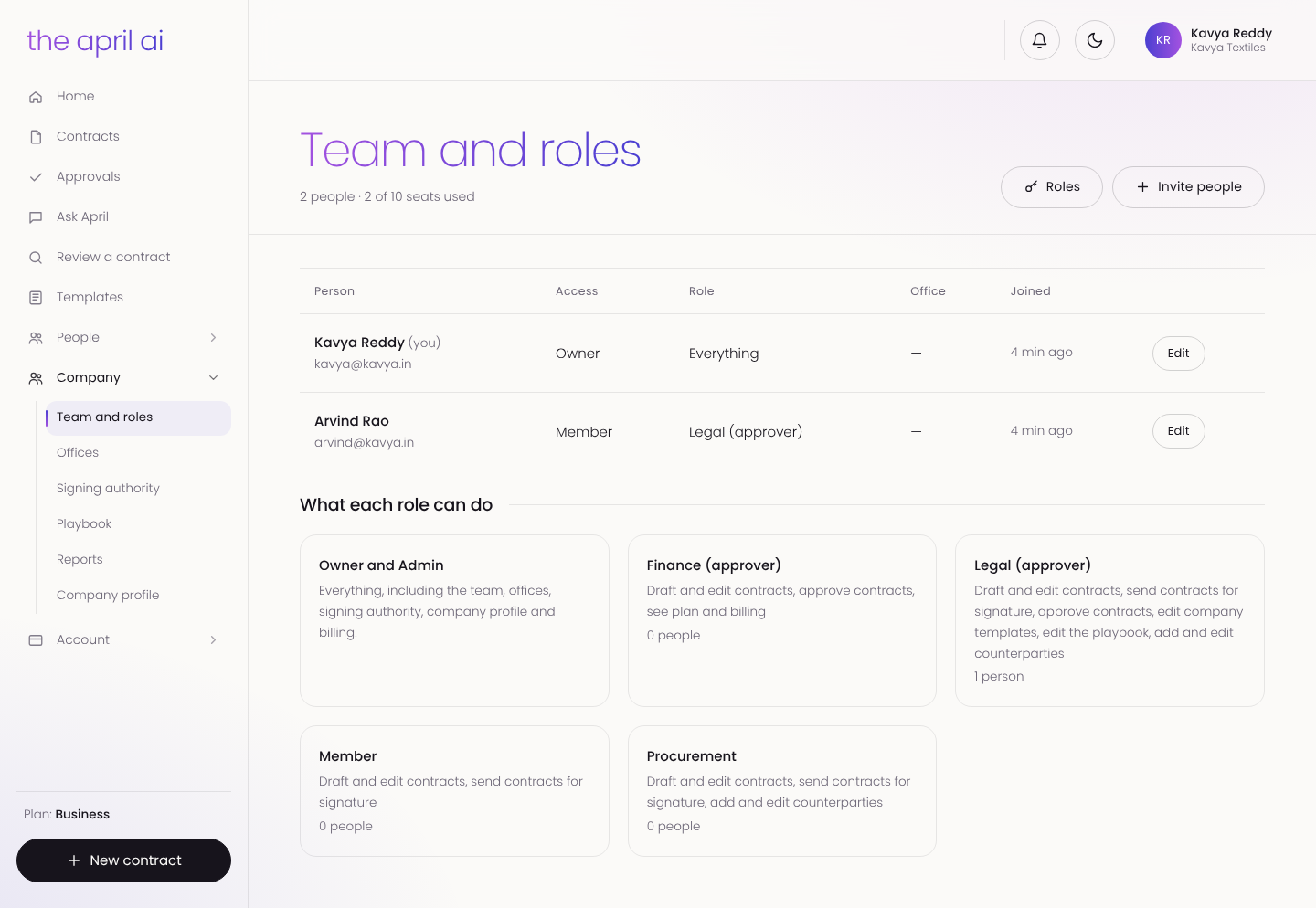
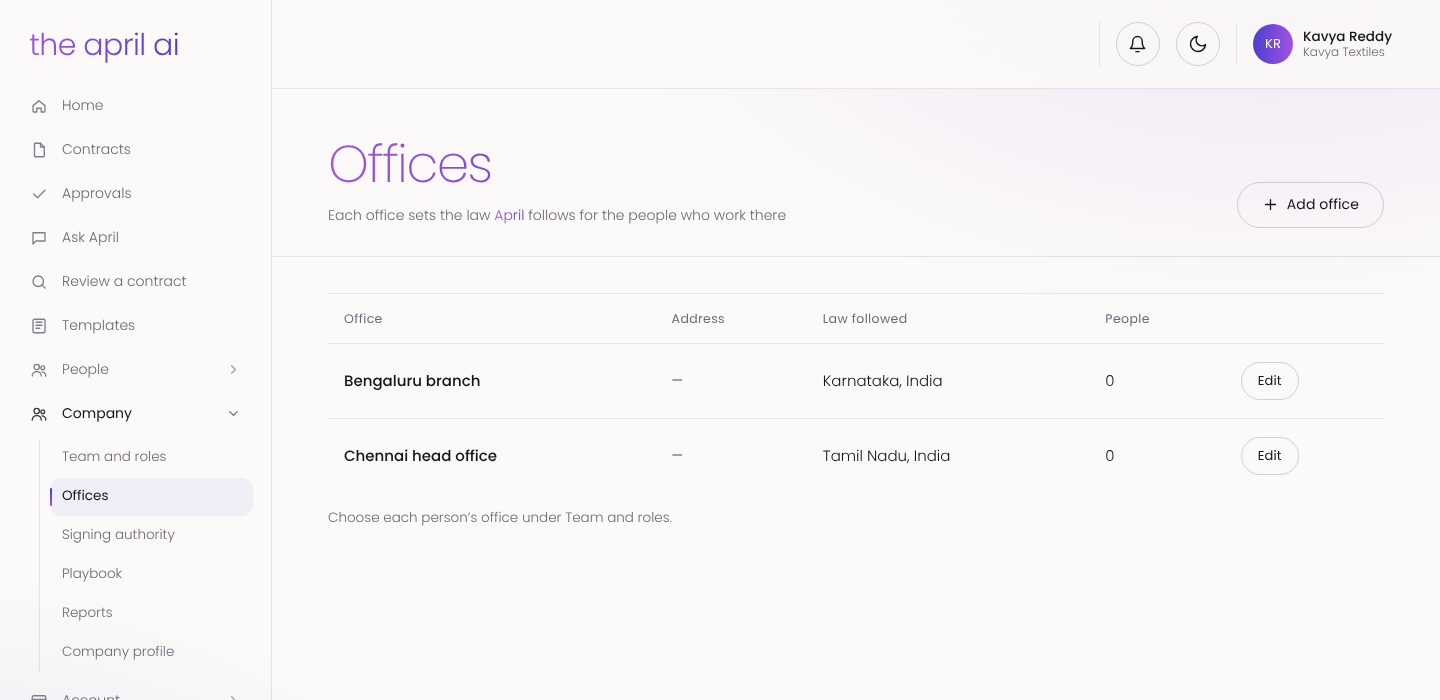
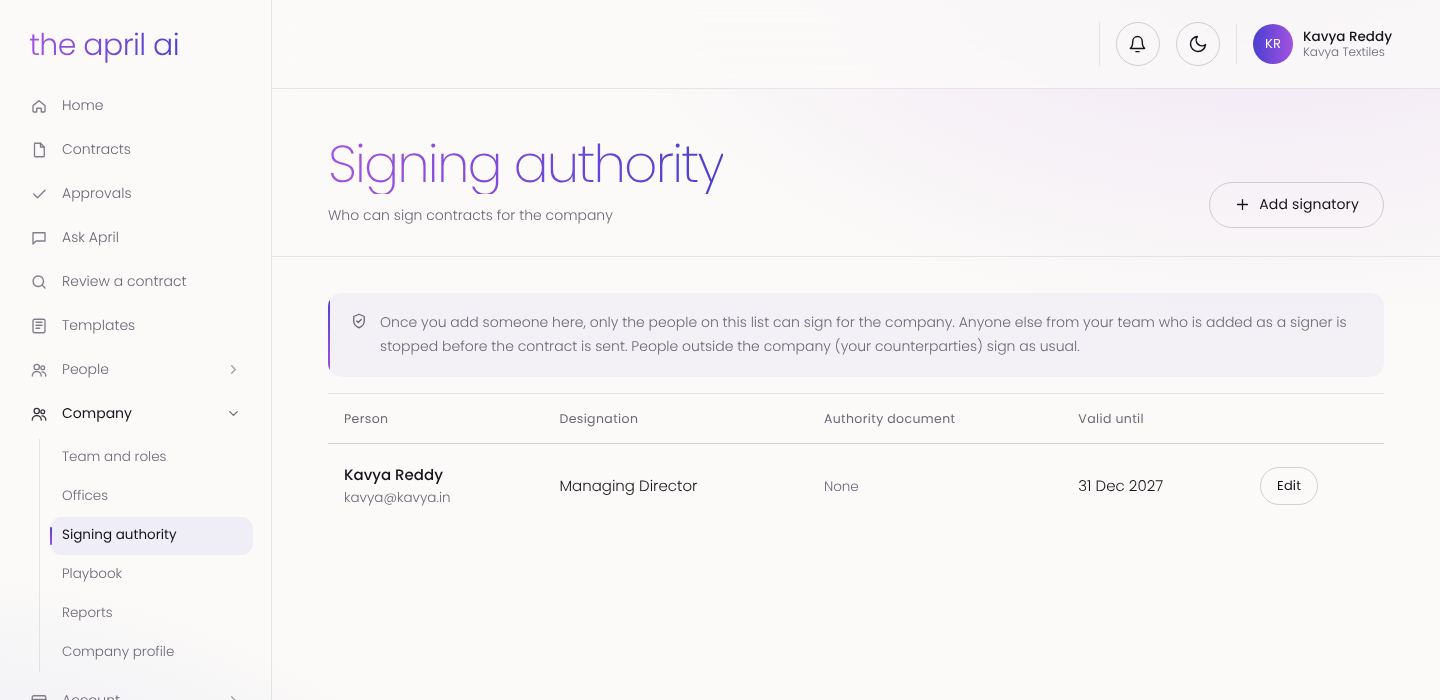
Owner, finance, legal, procurement and member roles decide who drafts, approves and signs. Each office sets the state law April follows for the people who work there, so a Bengaluru team works under Karnataka law and a Chennai team under Tamil Nadu law. Only listed signatories can sign for the company; anyone else is stopped before the contract is sent.
For lawyers
The practice, in one place
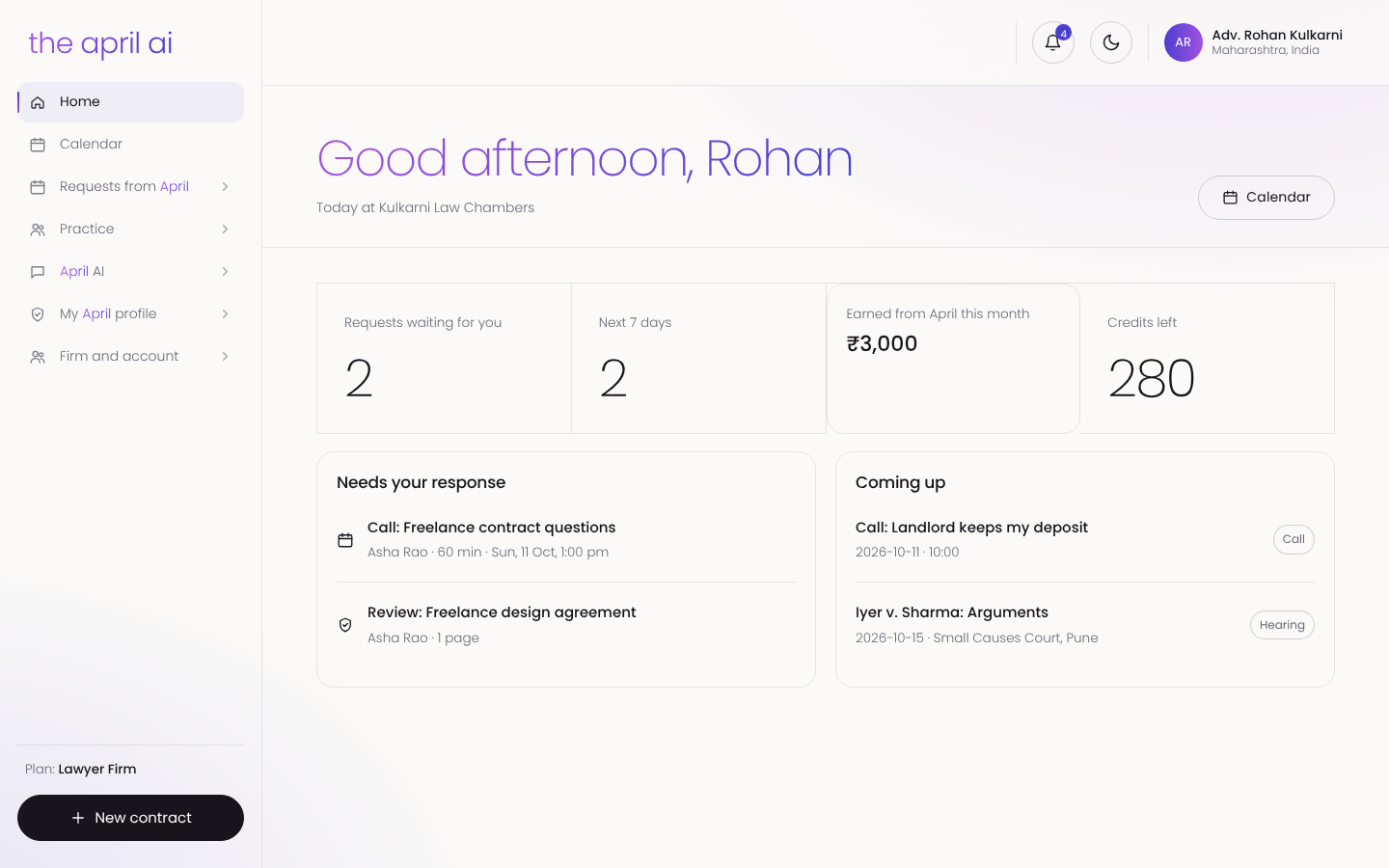
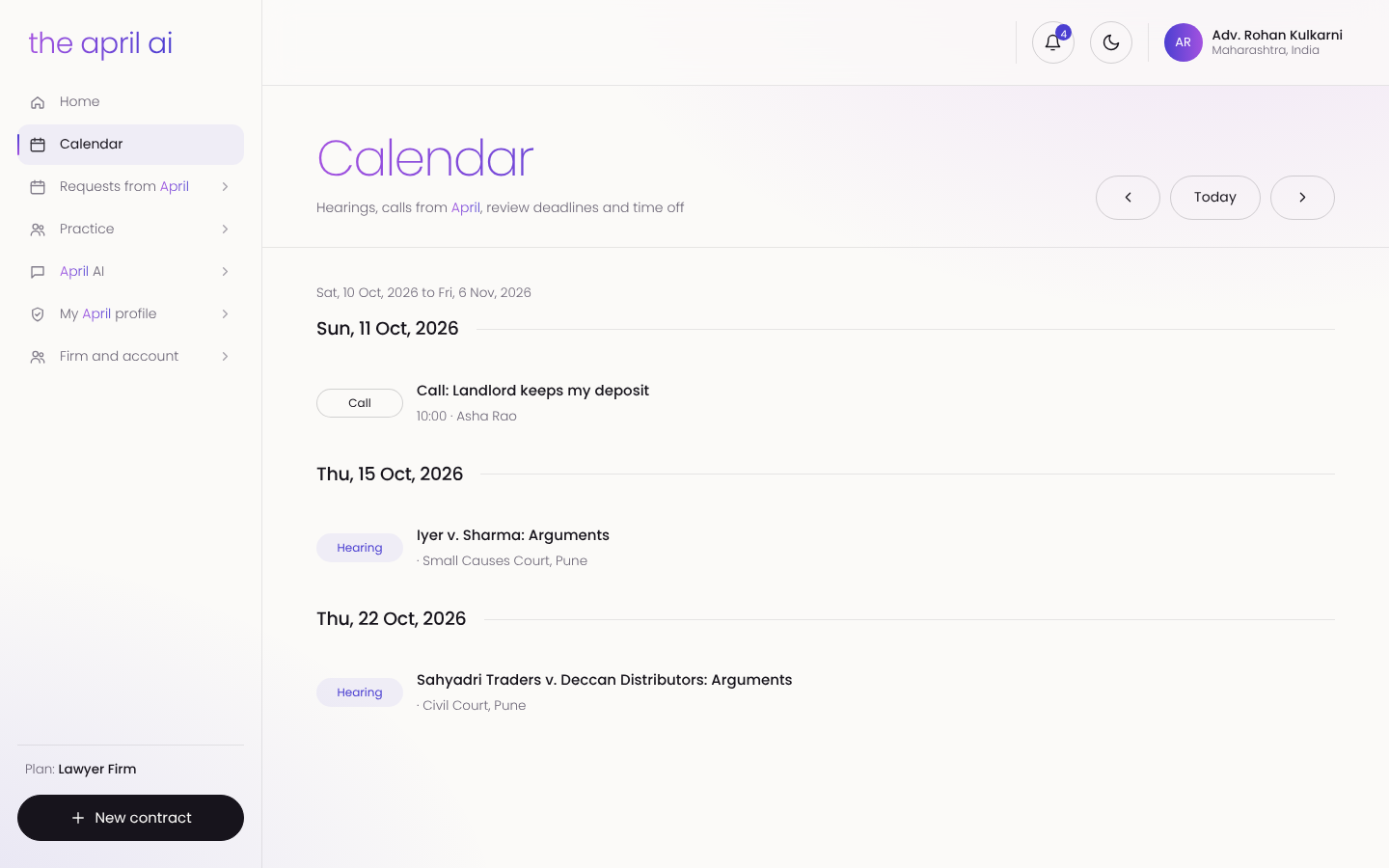
Lawyers see the requests waiting for them, the next seven days, their earnings from April and their credits on one screen. One calendar holds hearings, client calls and review deadlines.
Never miss a hearing
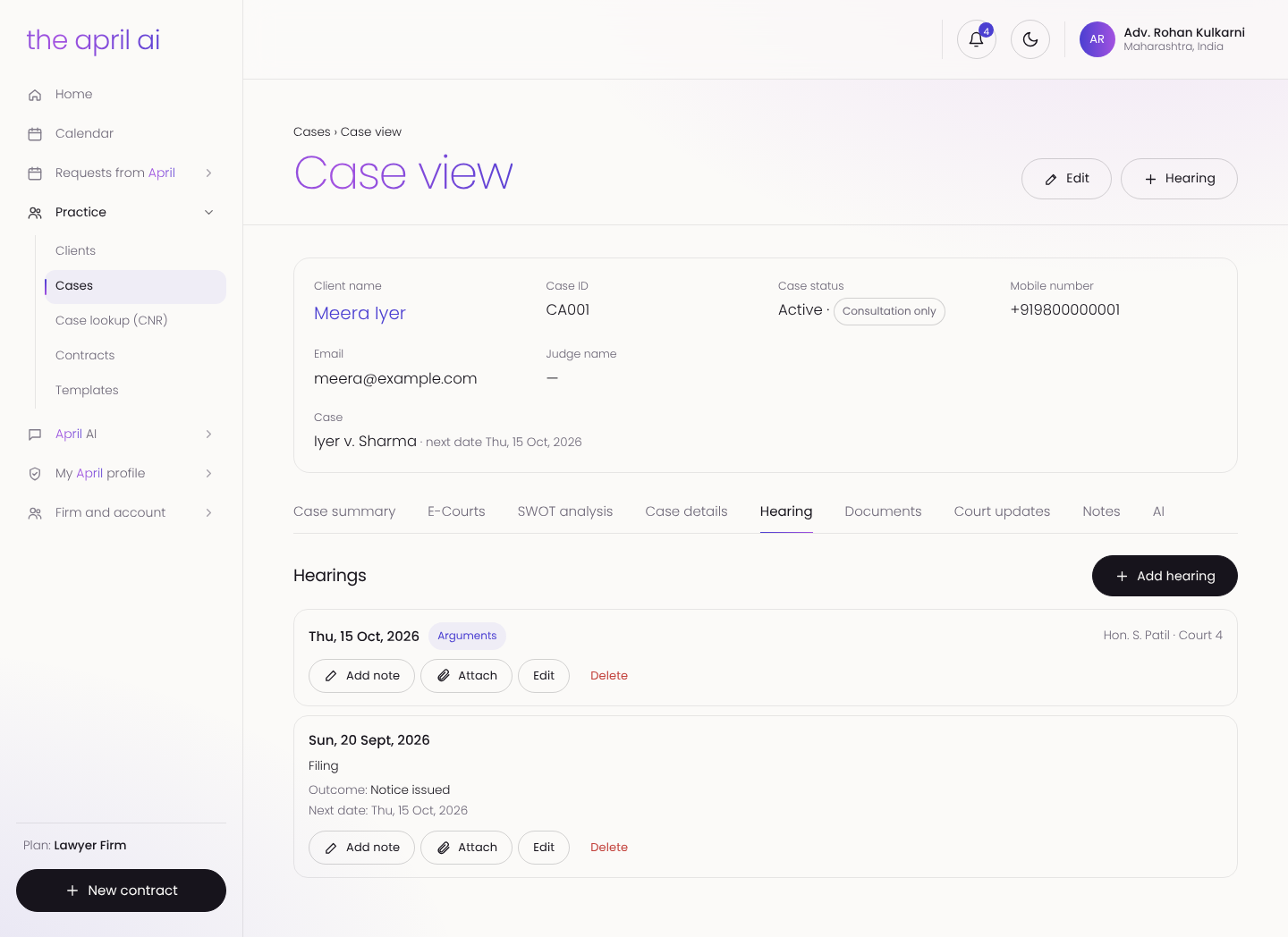
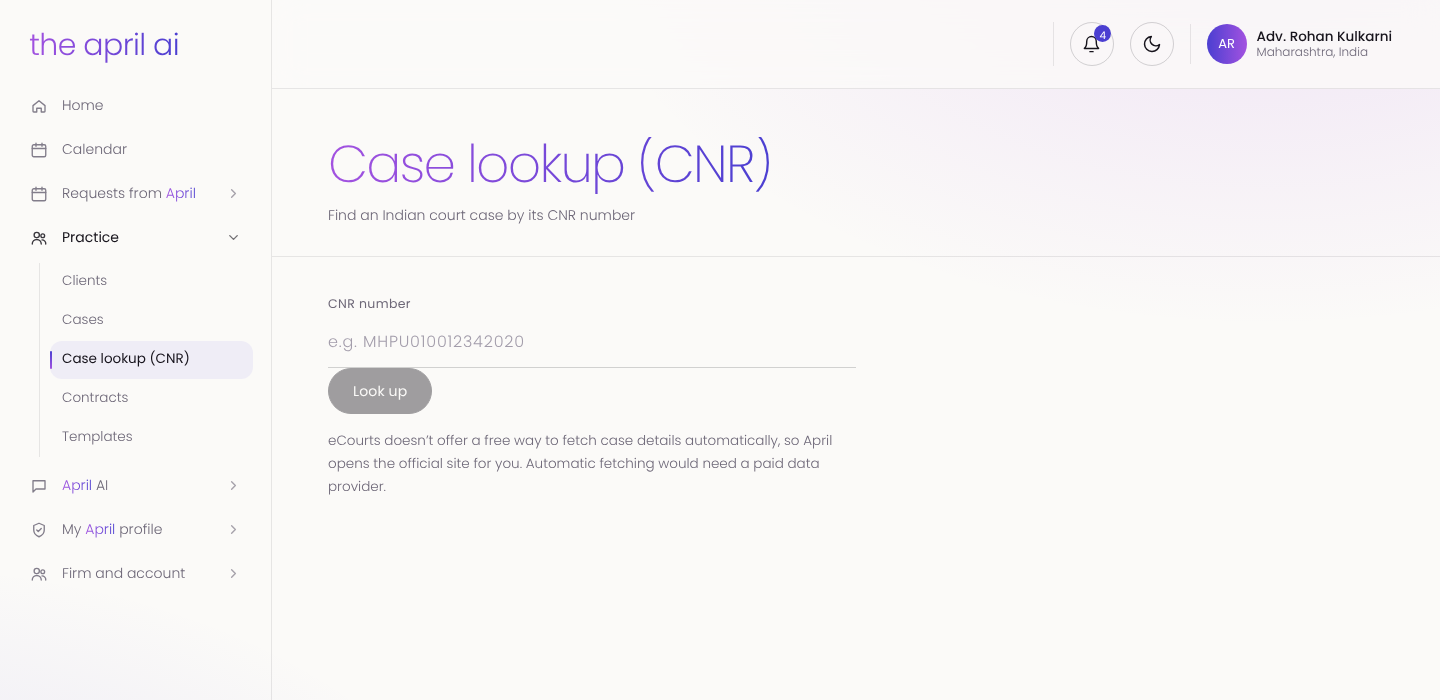
Every case has its own page with hearings and outcomes, documents, court updates and notes. Lawyers look up a case by its CNR number and open it on eCourts, and April can summarise a case or prepare a SWOT analysis from its records.
Every client, with April beside you
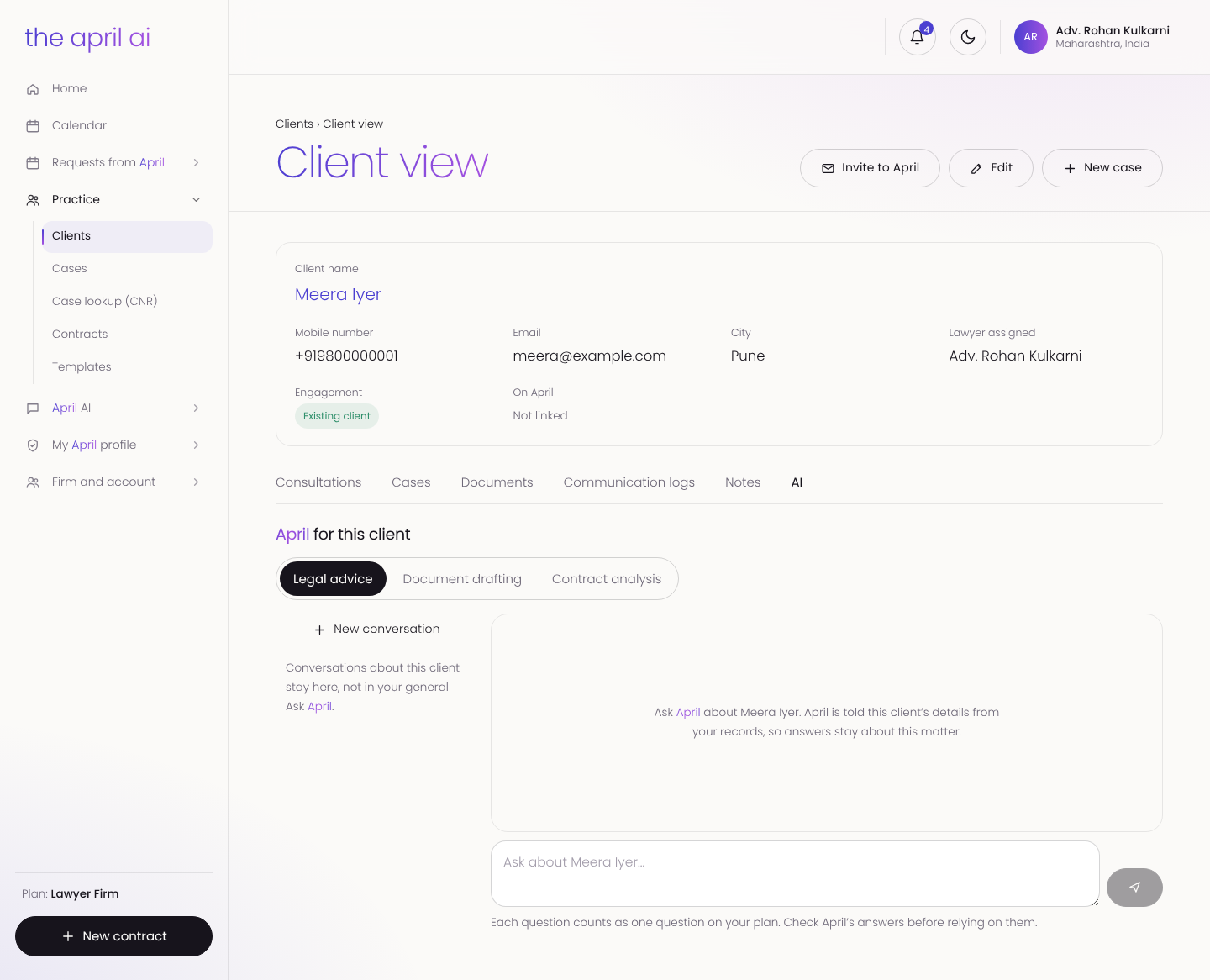
Client pages hold cases, documents, communication logs and notes. Lawyers can ask April about a client, for legal advice, drafting or contract analysis, and April answers with that client's matter in mind.
New work from April, without commission
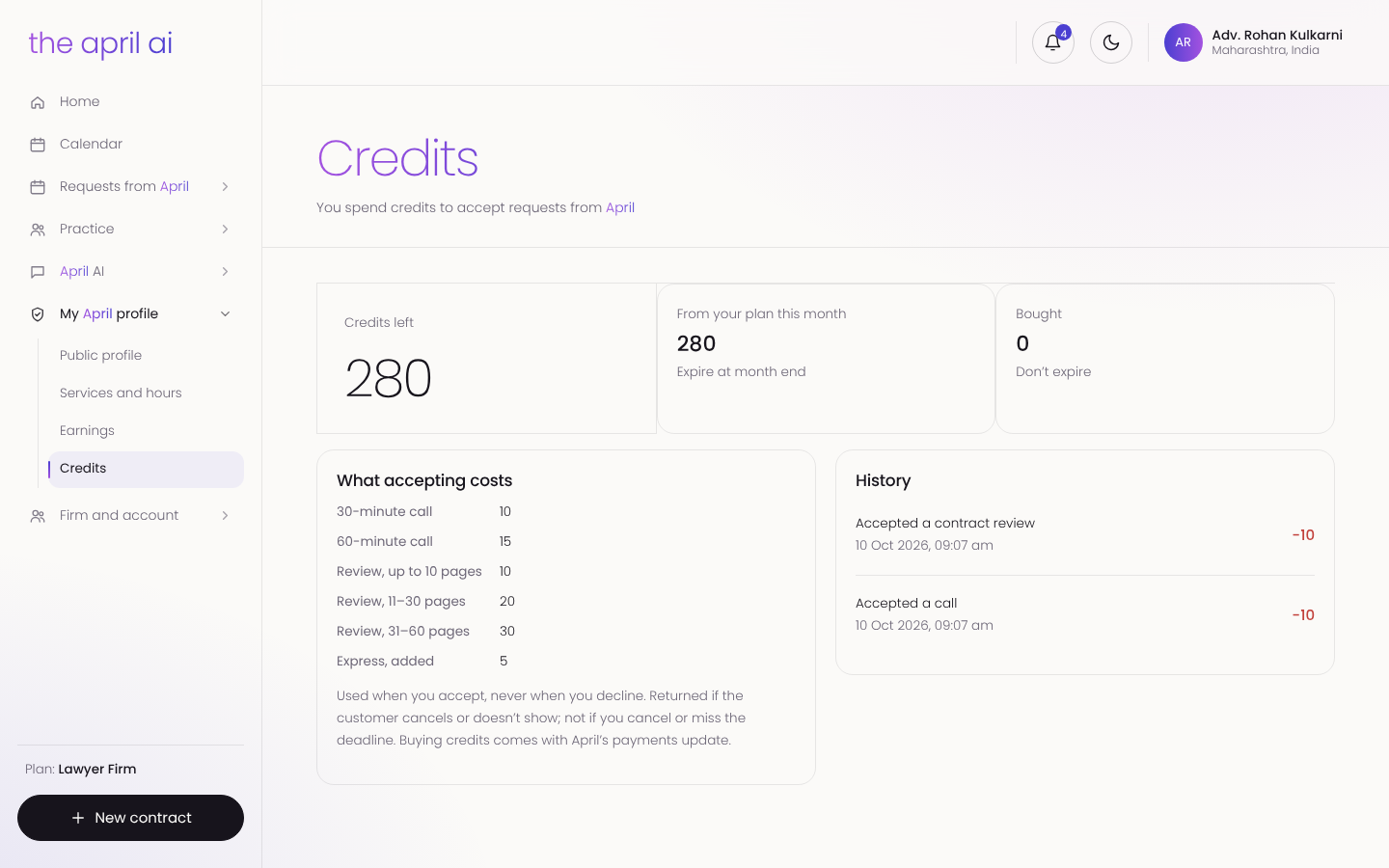
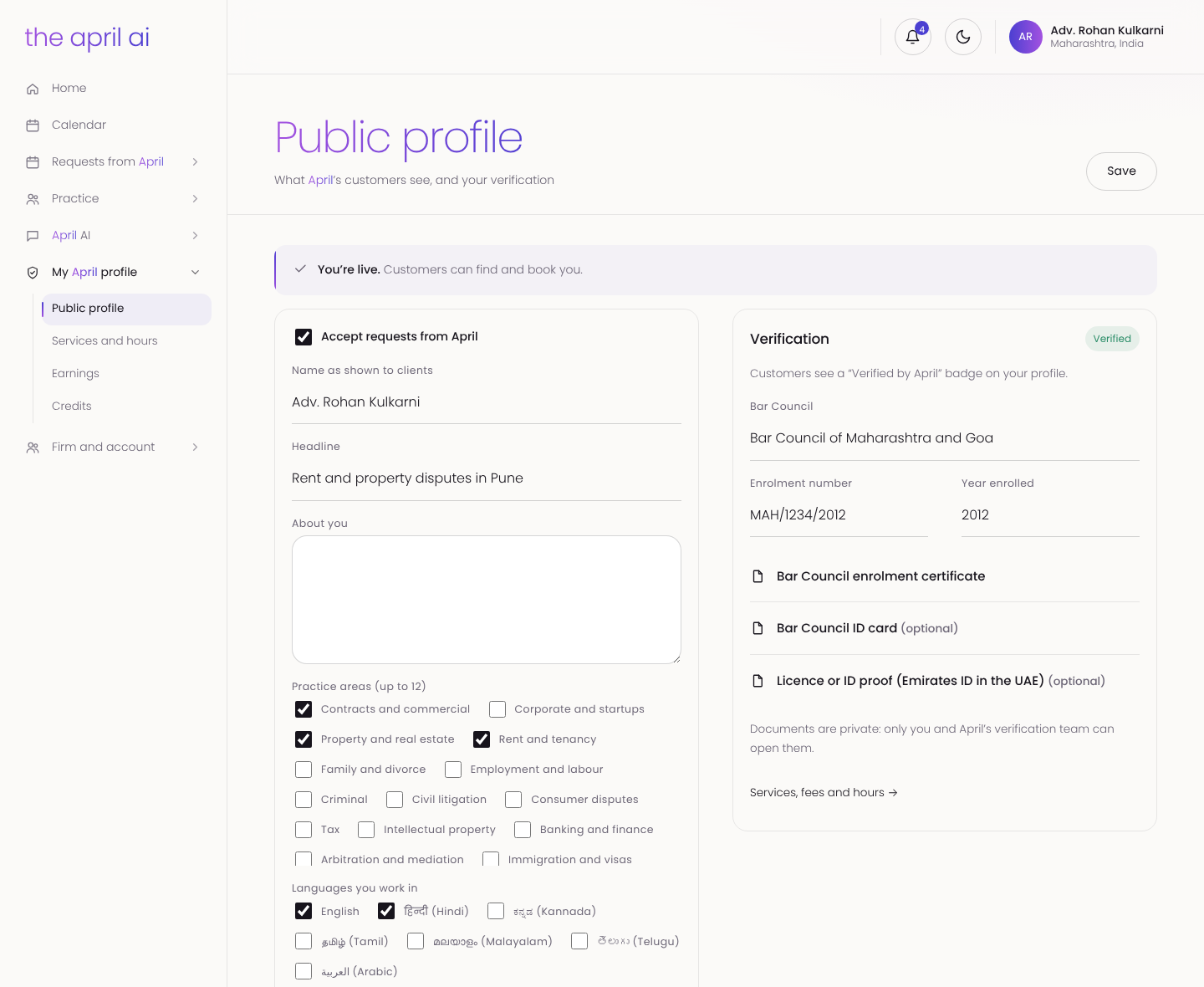
People and businesses book consultations and contract reviews through April. Instead of April taking a commission, lawyers spend credits to accept a request and keep their full fee; credits come back if the customer cancels. Each lawyer has a public profile, verified against their Bar Council enrolment, with their fees and weekly hours.
For the April team
Behind the three portals sits the April team's own console, built for onboarding, sales and support. It has a CRM to onboard customers and lawyers and give free access, a sales pipeline where each customer is mapped to a sales person, and a sales role that sees its accounts' status, renewals and usage and can top up credits.
One workflow for everyone
A person, a business and a lawyer work on contracts the same way: draft, check, comment and version, approve, sign, and receive the signed PDF. A contract can move from a tenant to their lawyer, or from a supplier to a company's legal team, without anyone changing tools.
How we built it
We built The April AI with AI-native development on Google Cloud and Firebase: a website, a mobile app and four web portals, sharing one set of accounts, contracts and AI. A feature built once works for people, businesses and lawyers alike.
A calm design language of thin type and hairlines, in light and dark themes, carries the brand from the website to every portal.
Built with
- Firebase
- Google Cloud

