Sugraasa
A client app and an admin portal for a nutrition practice: diet plans checked against each client’s conditions, daily meal tracking, check-ins, consultations and payments, from first enquiry to renewal.
- Client
- Sugraasa
- Industry
- Health and nutrition
- Platforms
- Mobile app, Admin portal

- 2Apps: a client app and an admin portal
- 8Steps from enquiry to renewal, in one place
- 1Plan builder that checks every dish against the client’s conditions
The client
Sugraasa is a nutrition practice. Its dietitians build meal plans for people managing type 2 diabetes, PCOS, thyroid, blood pressure, cholesterol and kidney health, and for weight loss, using the regional Indian food each client already eats at home: Tamil, Udupi, Kerala, Hyderabadi, Maharashtrian, Gujarati and more.
The practice asked us to put the whole client relationship into one system: an admin portal where the team runs the practice, and an app where every client follows their plan, day by day.
The brief
A diet plan only works if the client follows it, and if the dietitian can see whether they do. Sugraasa needed plans that respect each client’s conditions and allergies, a simple way for clients to tick off meals and check in, and one place for consultations, messages, payments and renewals.
The admin portal
One client, from enquiry to renewal
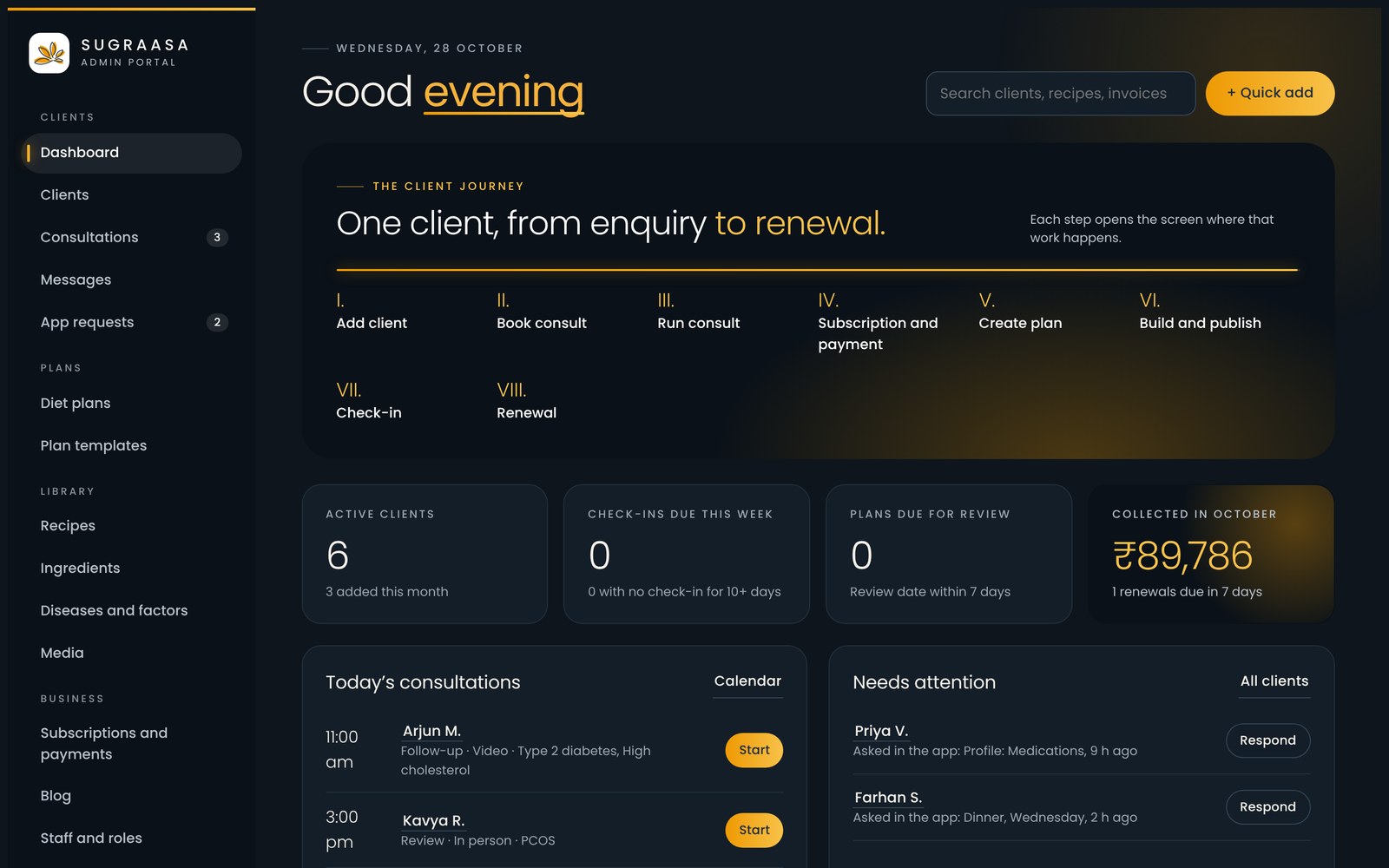
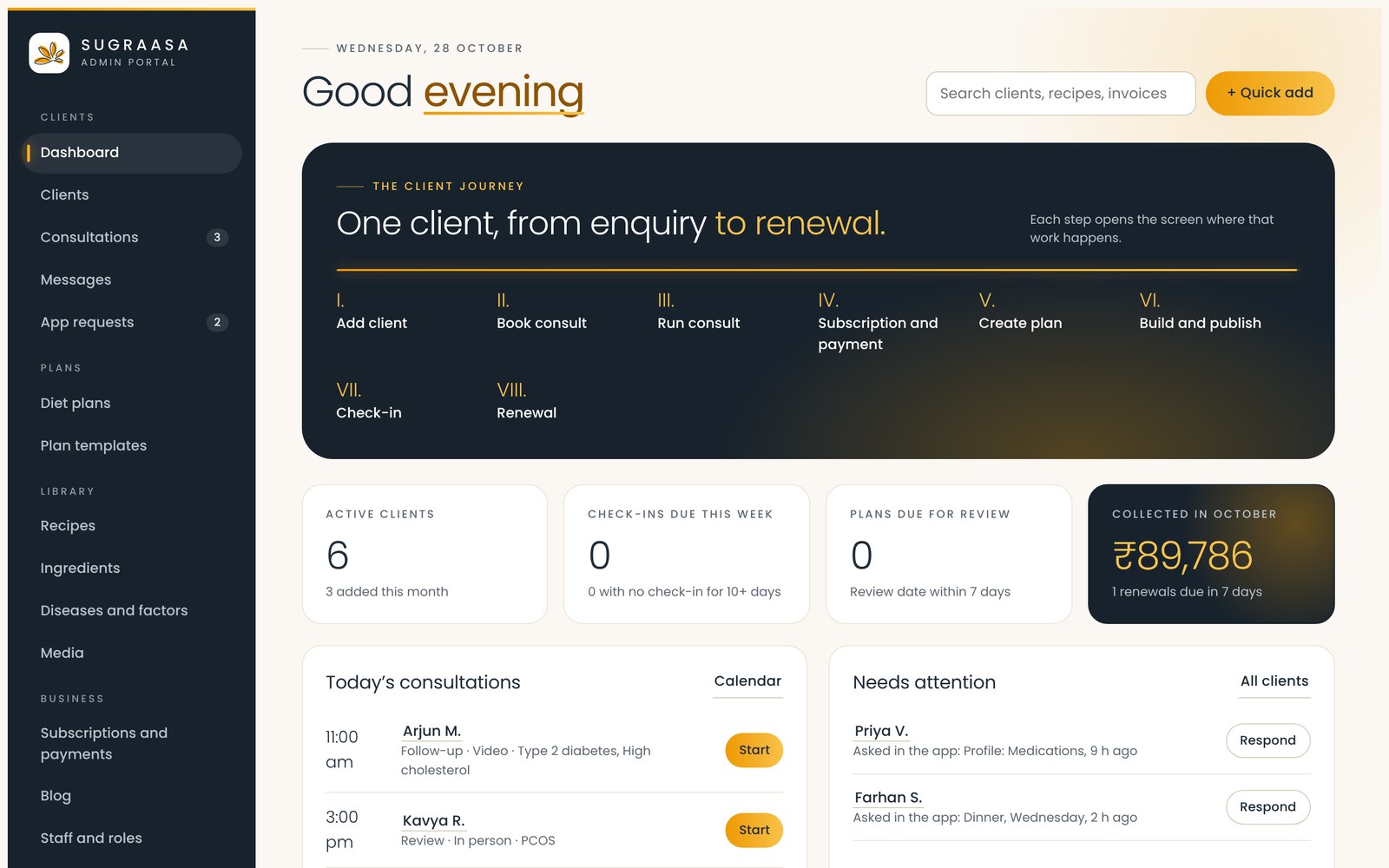
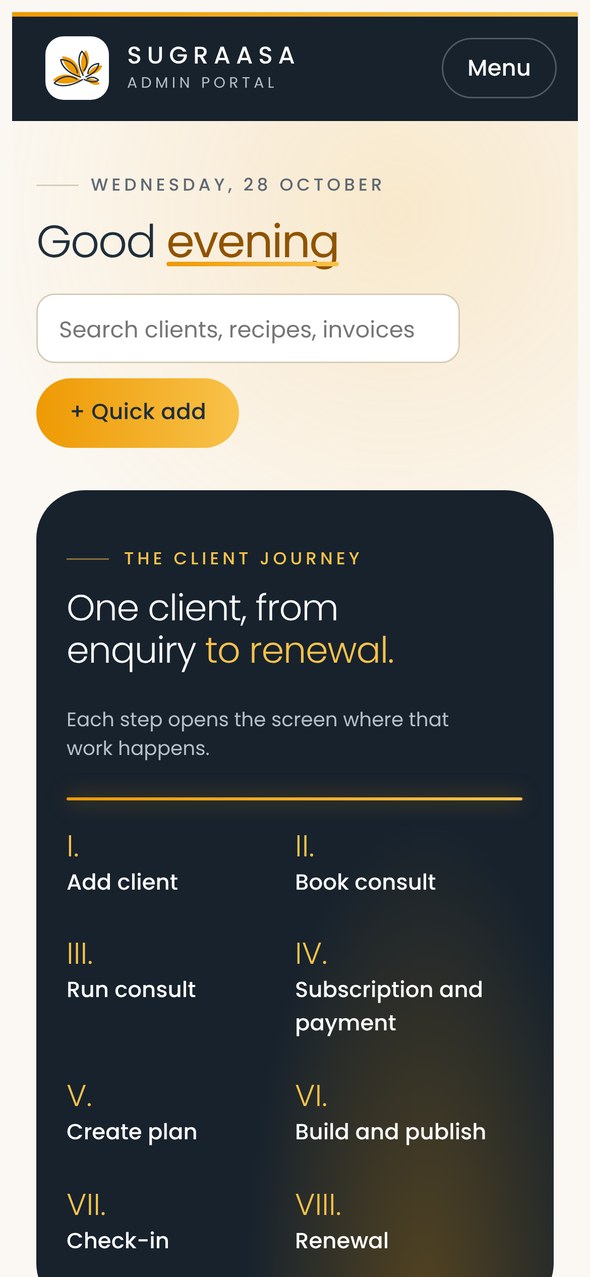
The dashboard lays out the client journey in eight steps: add the client, book a consultation, run it, take the subscription and payment, create the plan, build and publish it, check in, and renew. Each step opens the screen where that work happens. Alongside sit today’s consultations, check-ins due, plans due for review, the month’s collections, and anything that needs attention.
Every client, at a glance
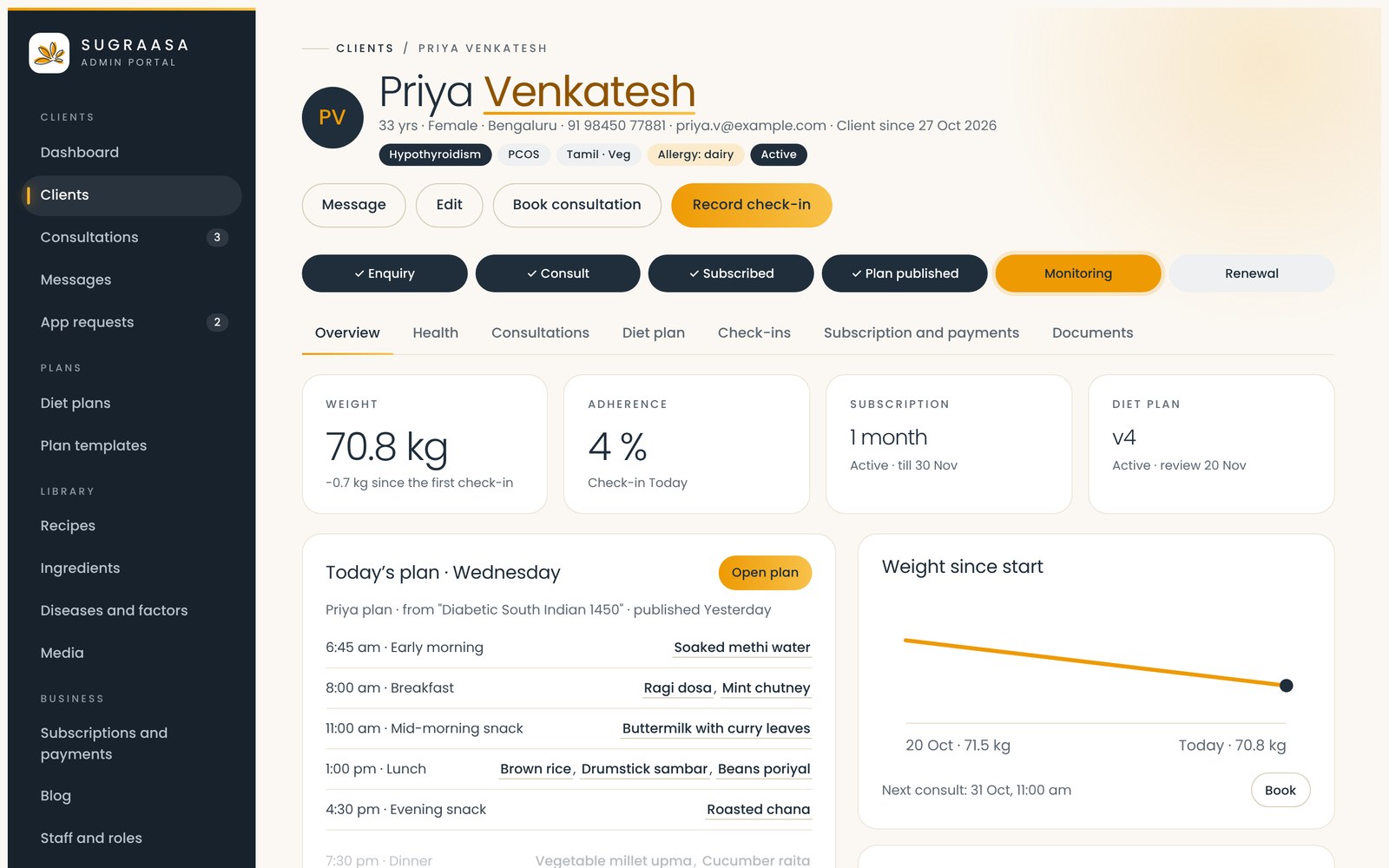
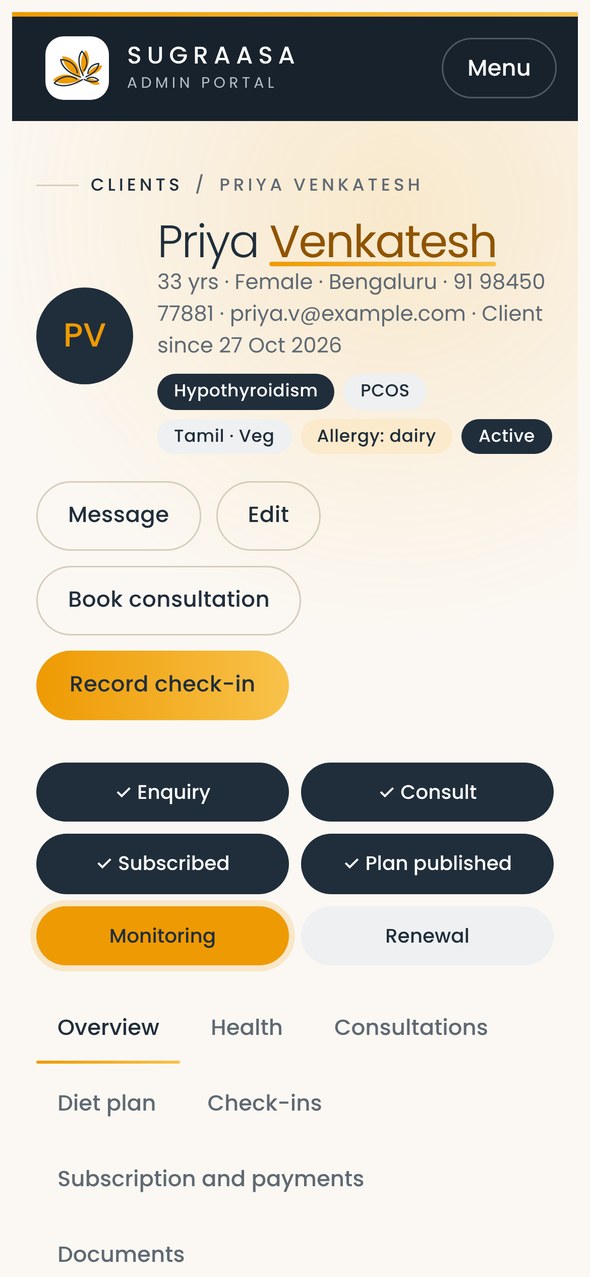
The client list shows each person’s conditions, cuisine and diet, subscription, last check-in and status, with filters for consultations pending and clients who need action. Each client profile tracks where they are in the journey, with their weight, adherence, subscription, current plan version, consultations, check-ins and documents.
A plan builder that knows the client
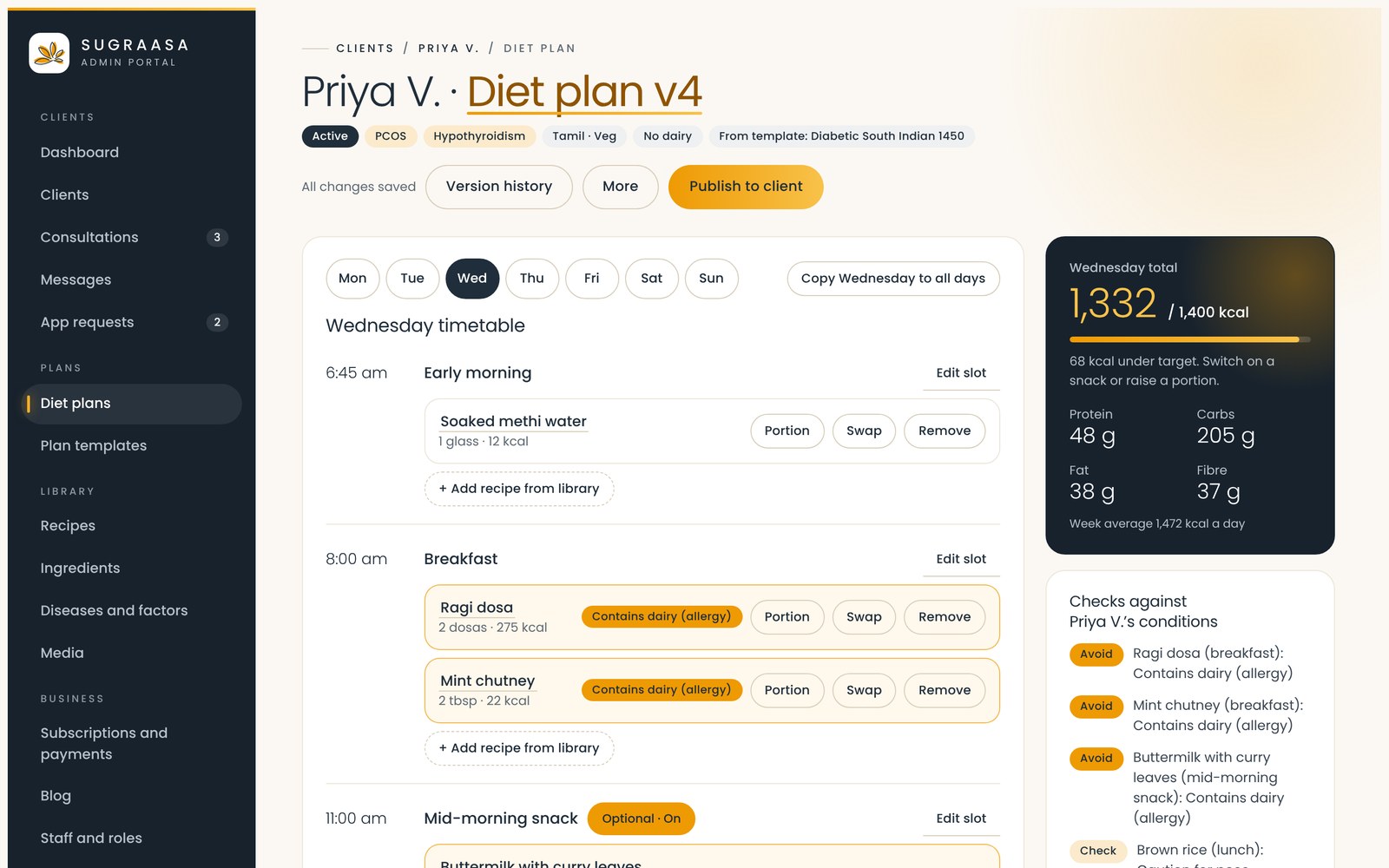
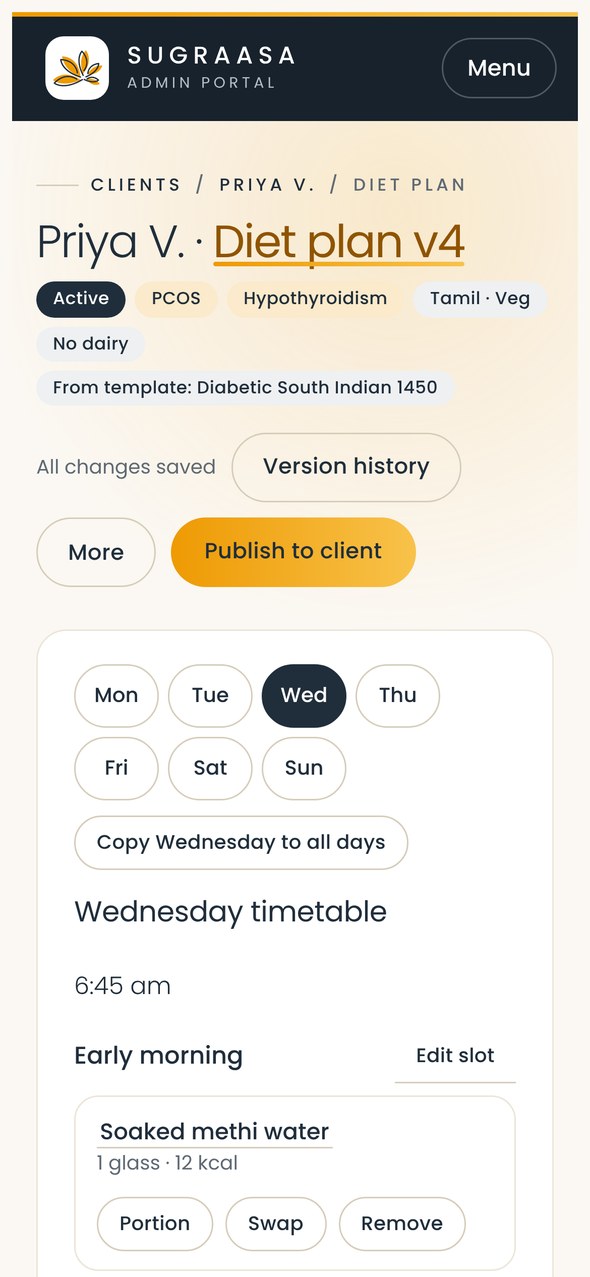
Dietitians build a week of meals slot by slot, adding recipes from the library, adjusting portions and swapping dishes. The day’s calories, protein, carbs, fat and fibre update against the client’s target as they work. Every dish is checked against the client’s conditions and allergies, so a dairy allergy or a kidney-friendly limit is flagged before the plan goes out. Plans are versioned and published to the client’s app in one click.
Templates, recipes and ingredients
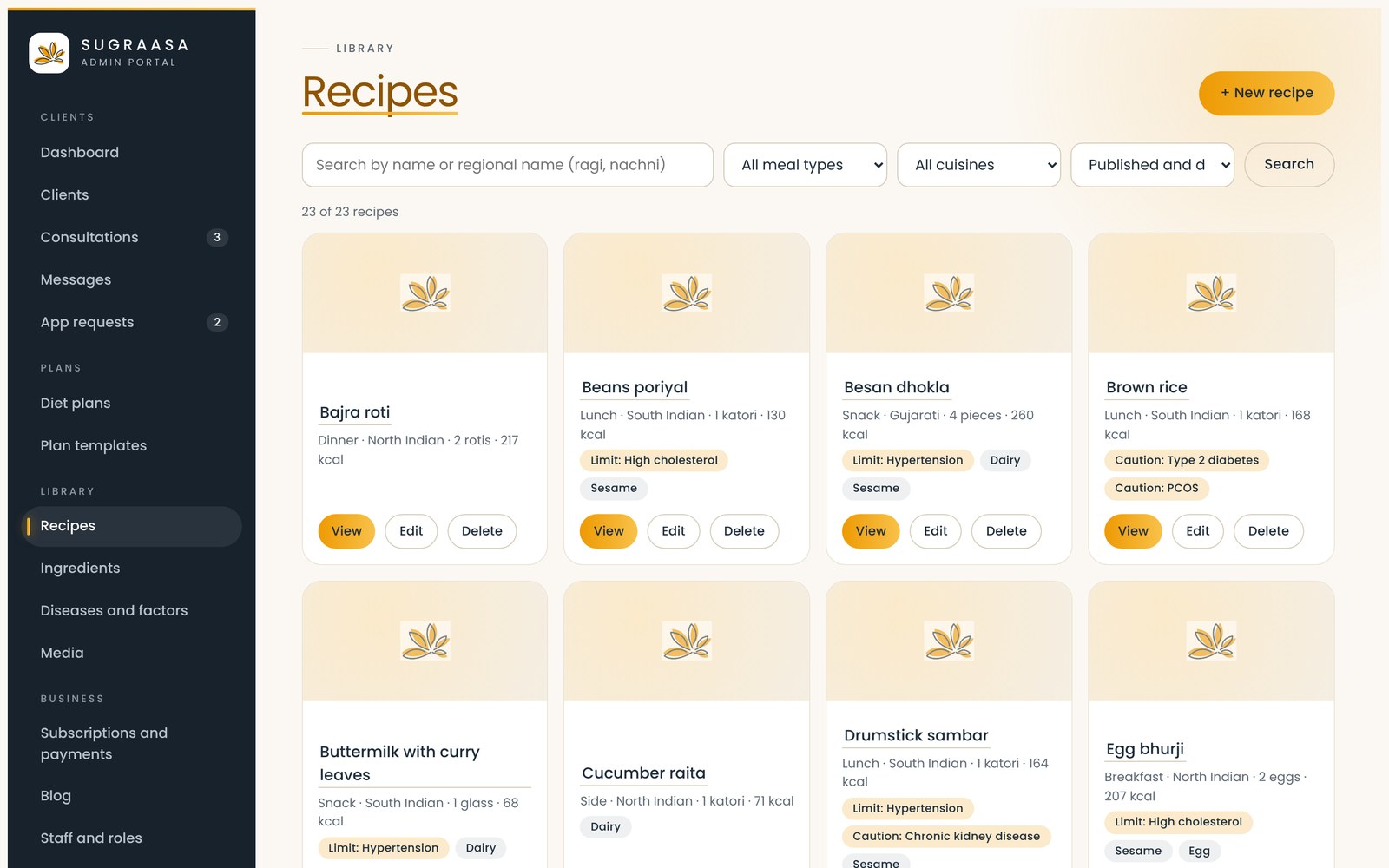
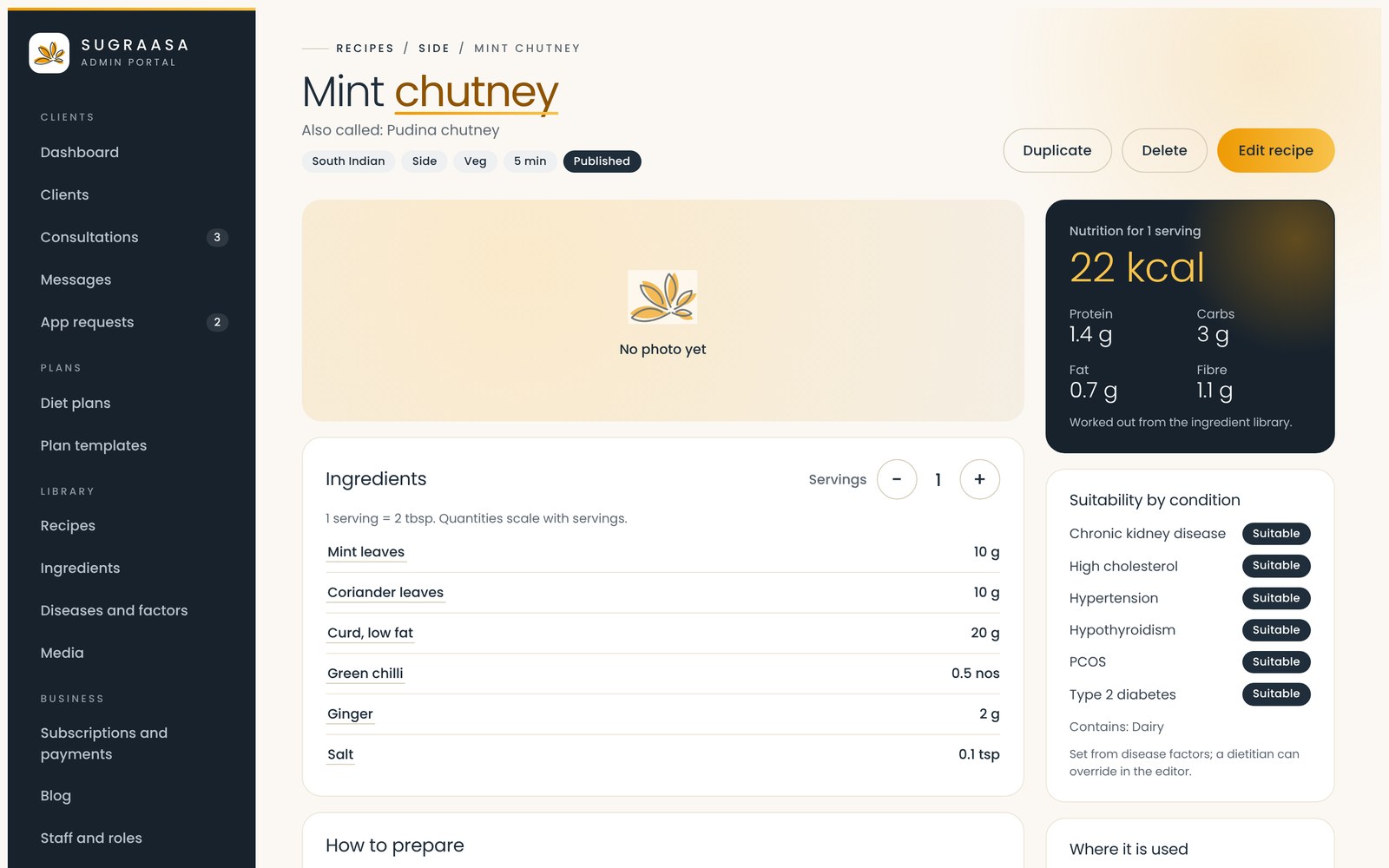
Plans start from templates such as diabetic South Indian, heart-healthy Kerala, PCOS or weight loss, each with its own calorie target. Editing a template never changes a plan already given to a client. Recipes carry regional names, servings and preparation steps, and their nutrition is worked out from the ingredient library, which holds calories, protein, carbs, fat, fibre and allergens for every ingredient.
Conditions that shape every recipe
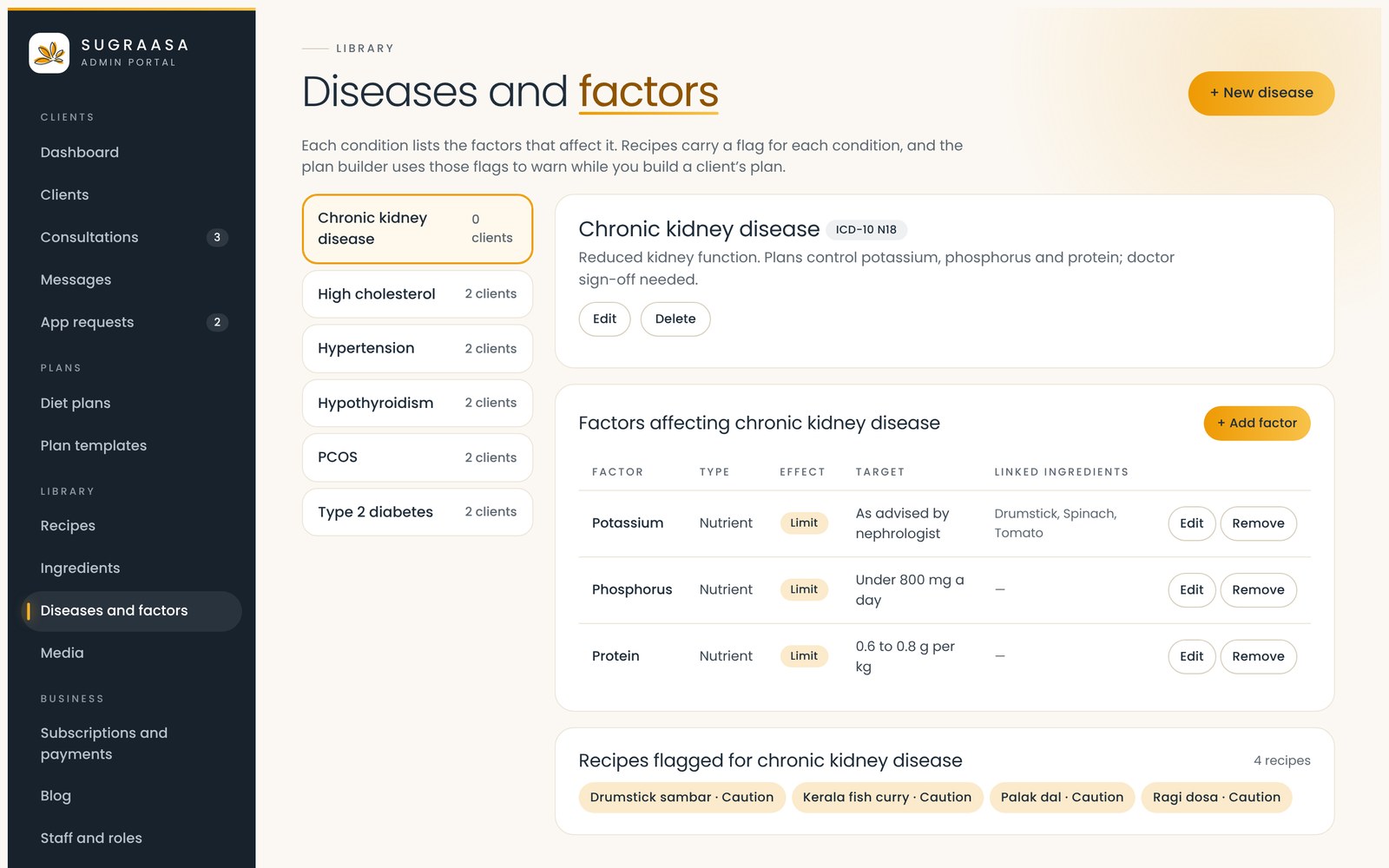
Each health condition lists the factors that affect it, such as potassium, phosphorus and protein for chronic kidney disease, with the limits the dietitian sets. Recipes are flagged automatically for every condition, so the plan builder warns the dietitian before a dish reaches the wrong client.
Subscriptions, payments and invoices
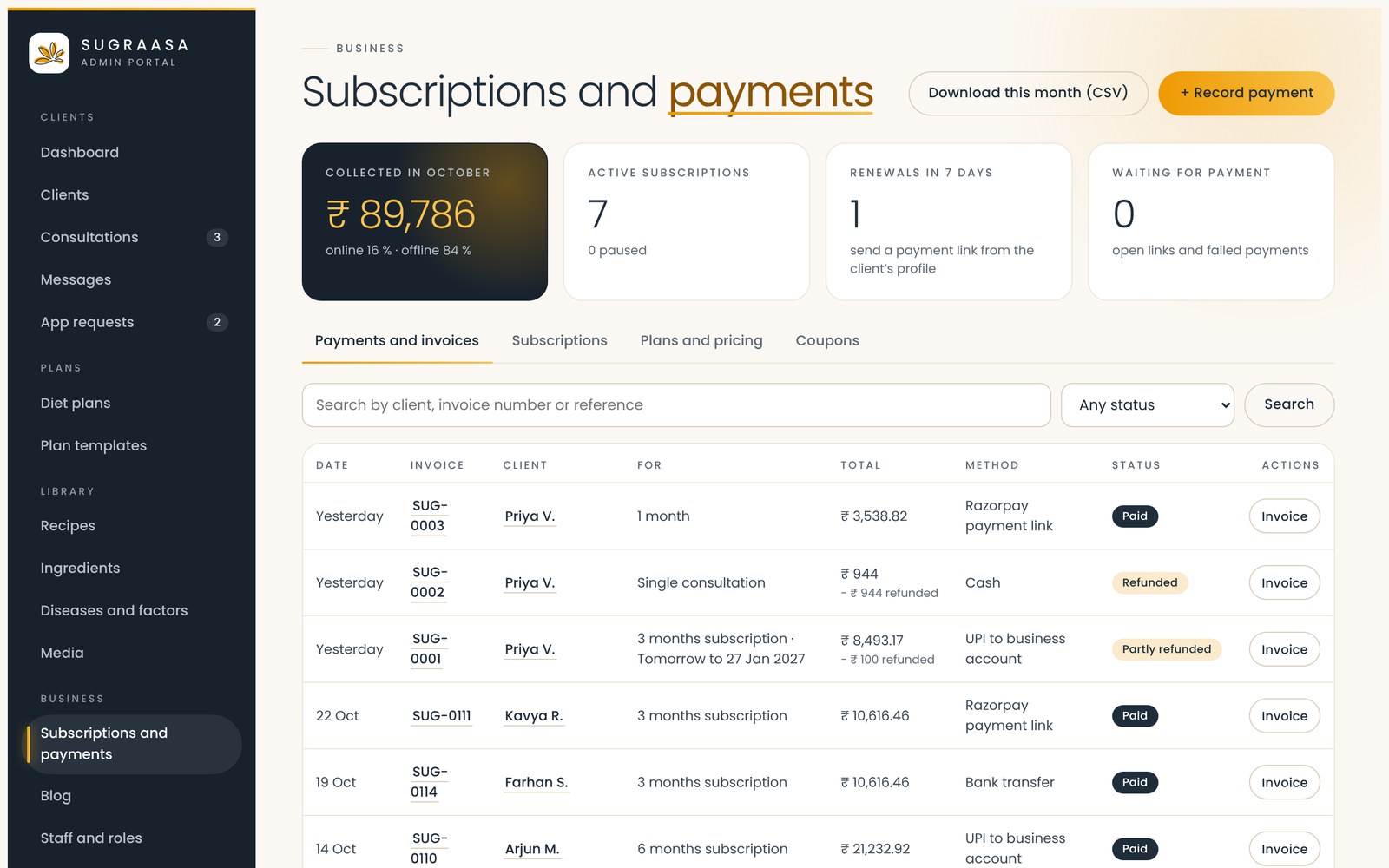
The team records subscriptions and payments by payment link, UPI, bank transfer or cash, with a GST invoice for each one. Renewals due in the next seven days and payments still waiting show up front.
Messages, requests and the blog
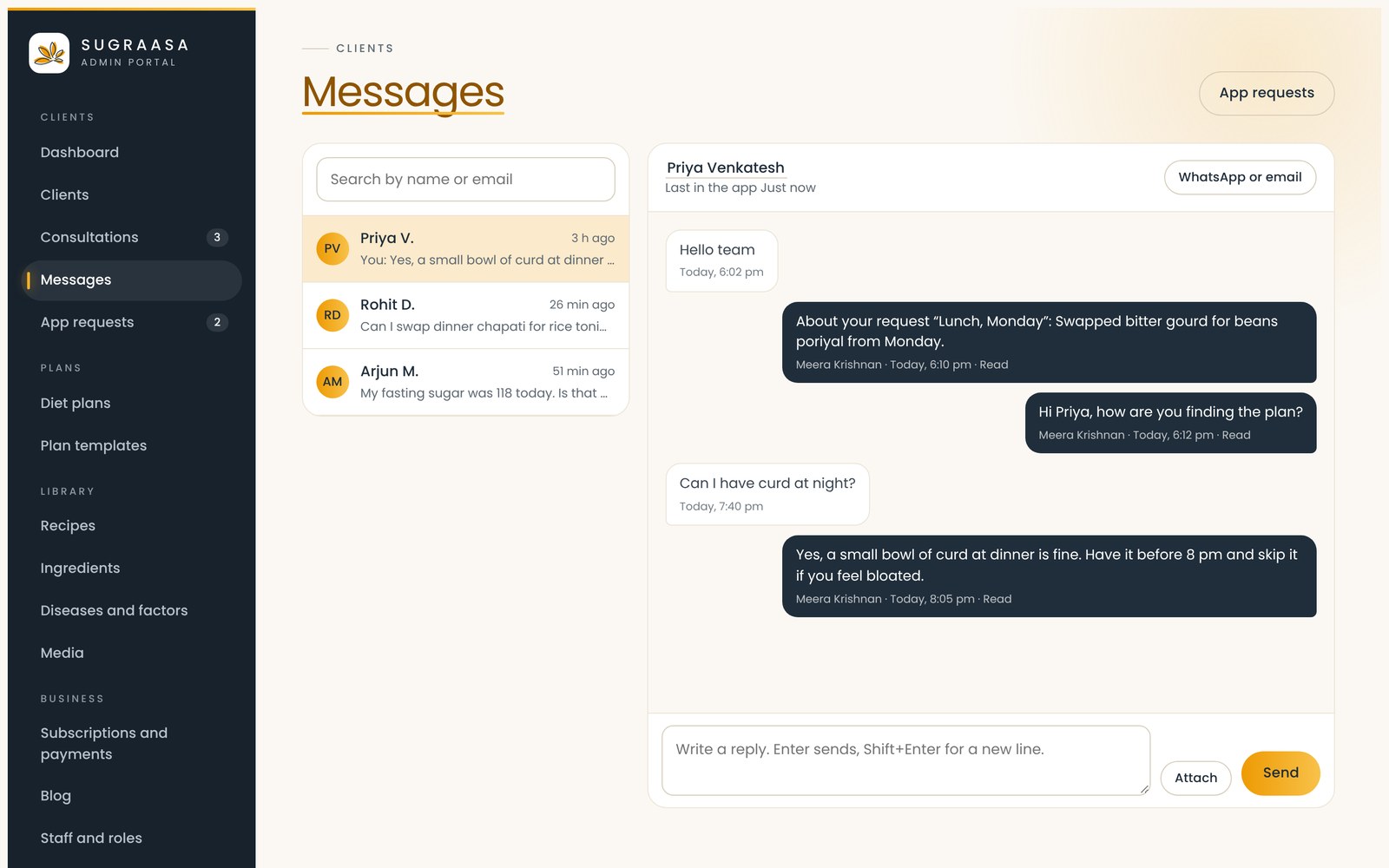
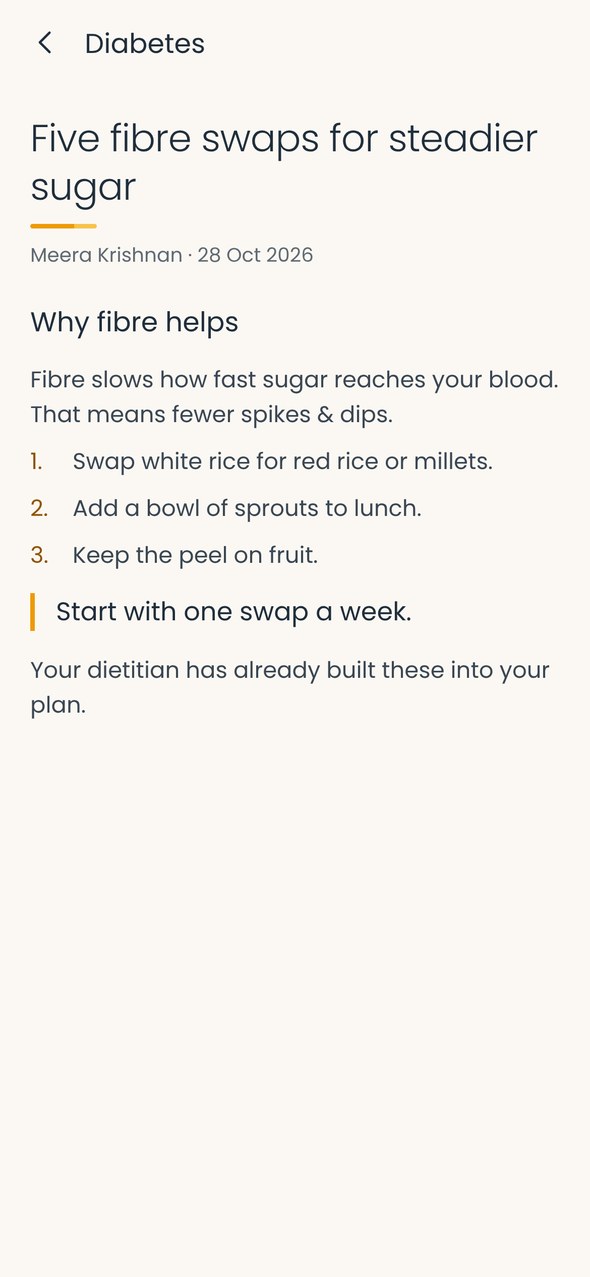
Clients message the team from the app, and requests such as a meal swap or a change in medication arrive as tasks to respond to. The blog feeds the Learn section of the app, with posts written, scheduled and published by the dietitians.
Staff, roles and settings
Dietitians and admins get their own logins and roles, with an activity log of who did what. Settings hold the business details printed on invoices and diet plan PDFs, GST, the team’s office hours shown in the app, and default meal times.
Works on the phone too
The whole portal works on a phone, in light or dark, so a dietitian can check a client or adjust a plan between consultations.
The client app
Today, meal by meal
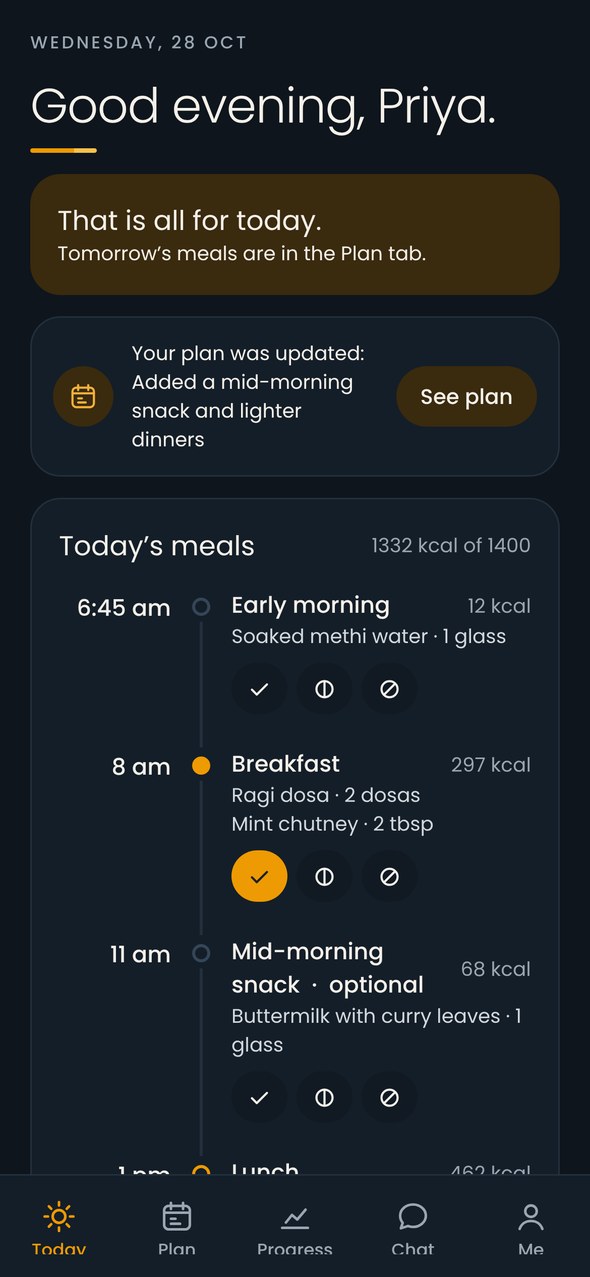
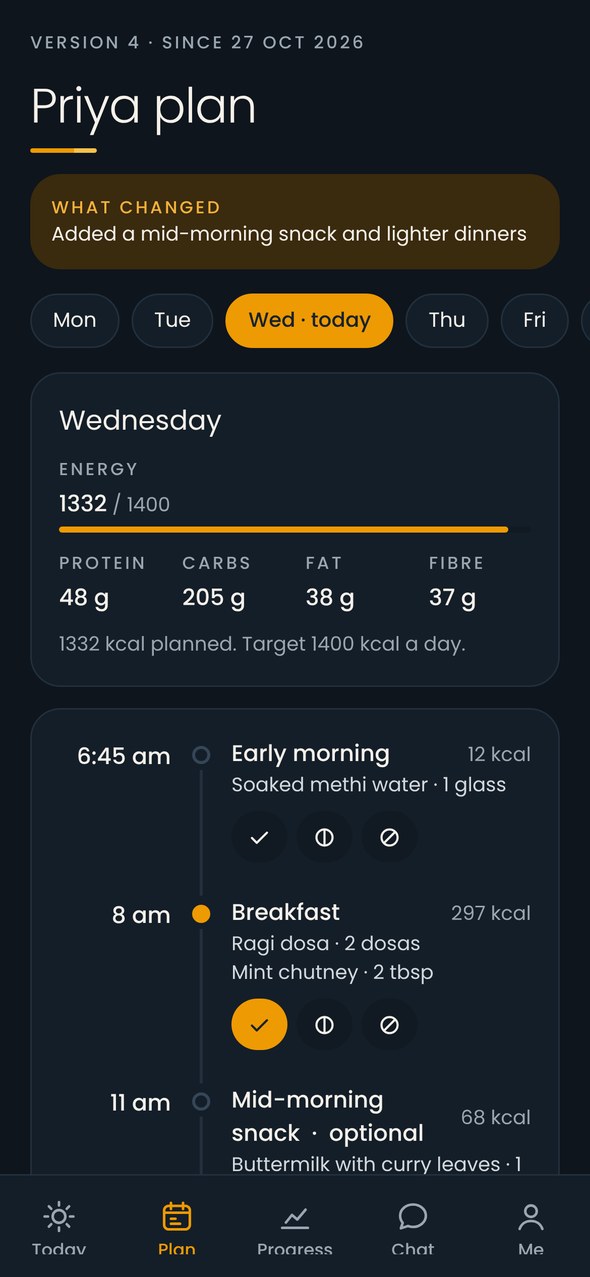
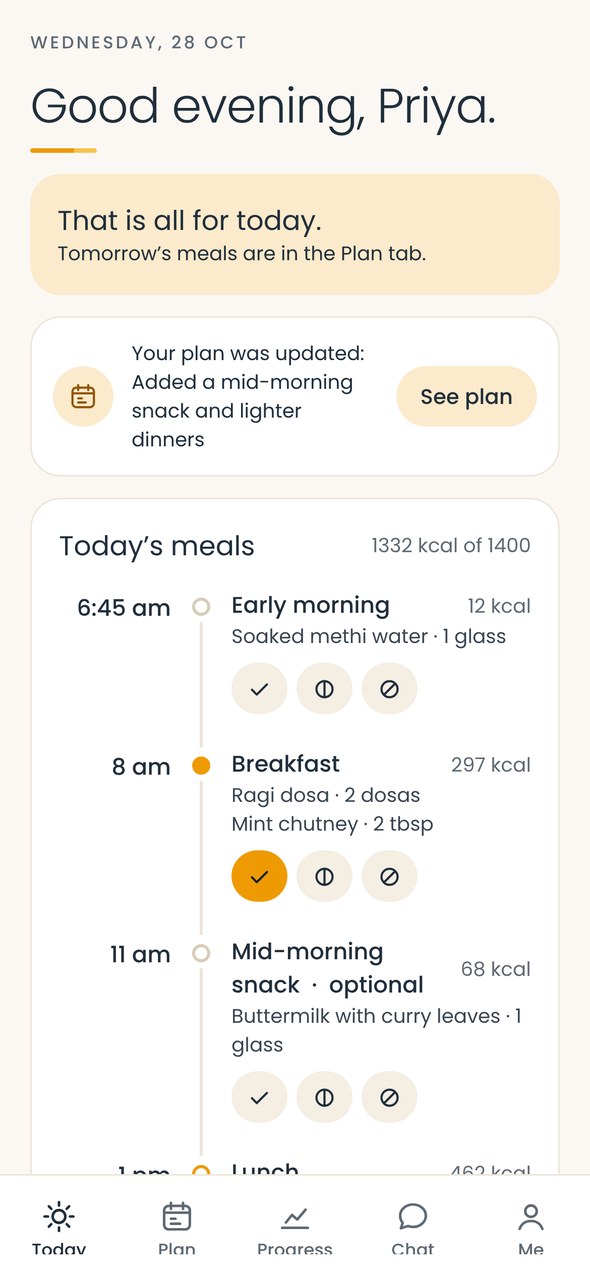
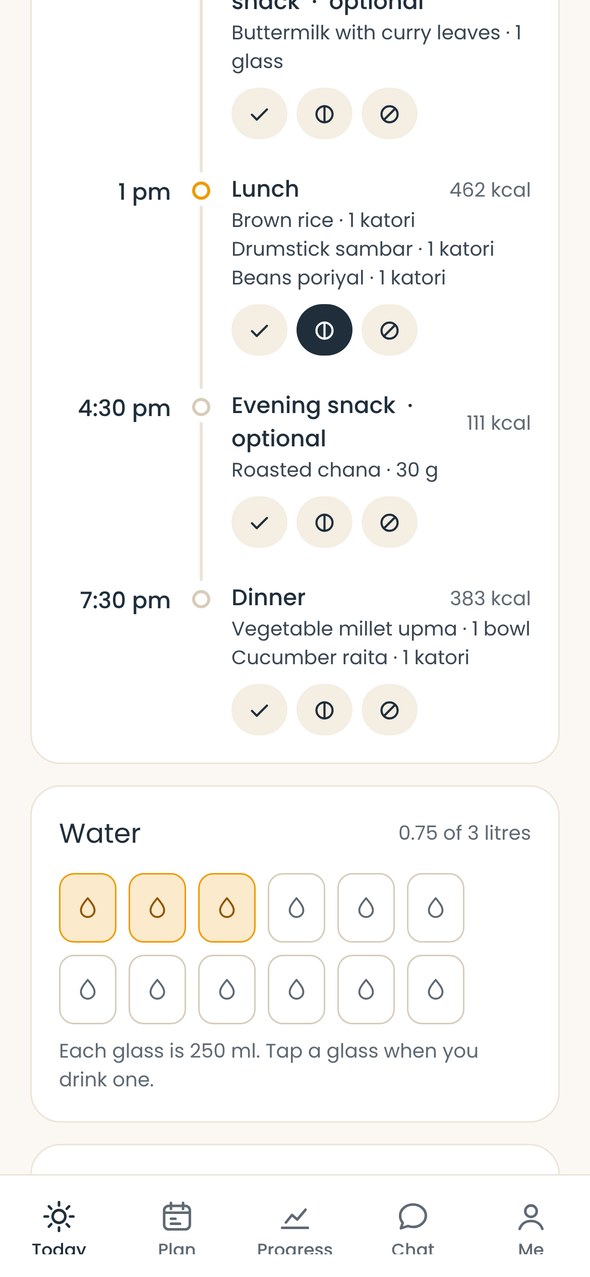
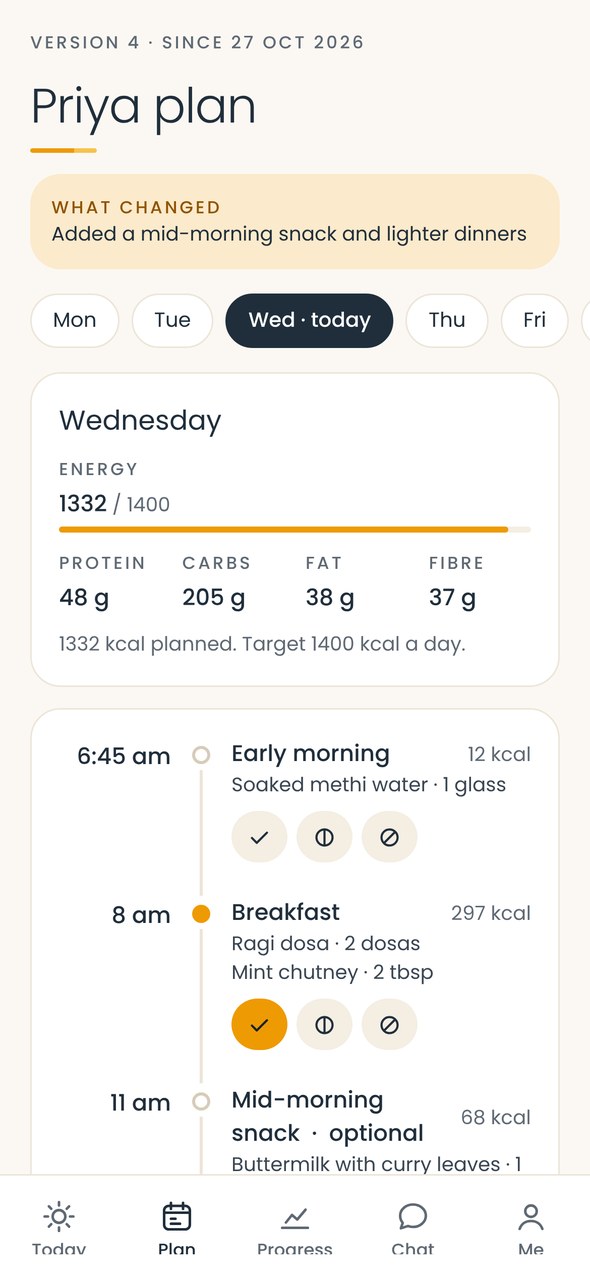
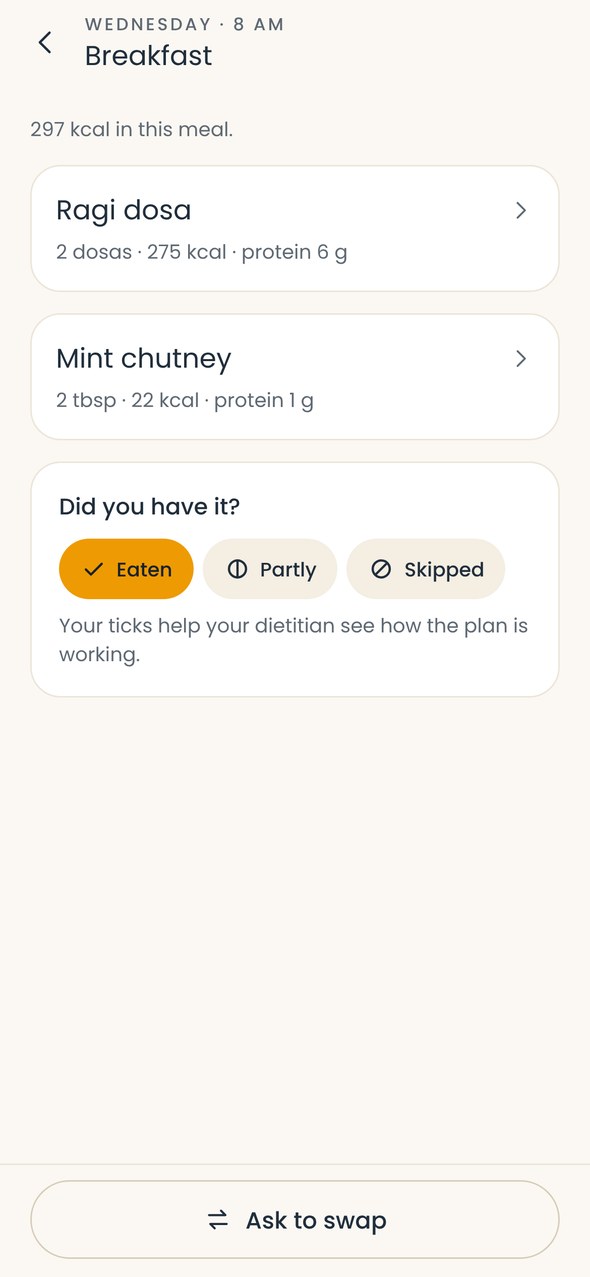
Clients sign in with the account the Sugraasa team creates when they subscribe. Today shows every meal with its time, dishes and calories. One tap marks a meal as eaten, partly eaten or skipped, and those ticks tell the dietitian how the plan is working. A water tracker counts glasses towards the day’s goal, and the plan tab shows the week, with a note on what changed in the latest version.
Recipes, progress and check-ins
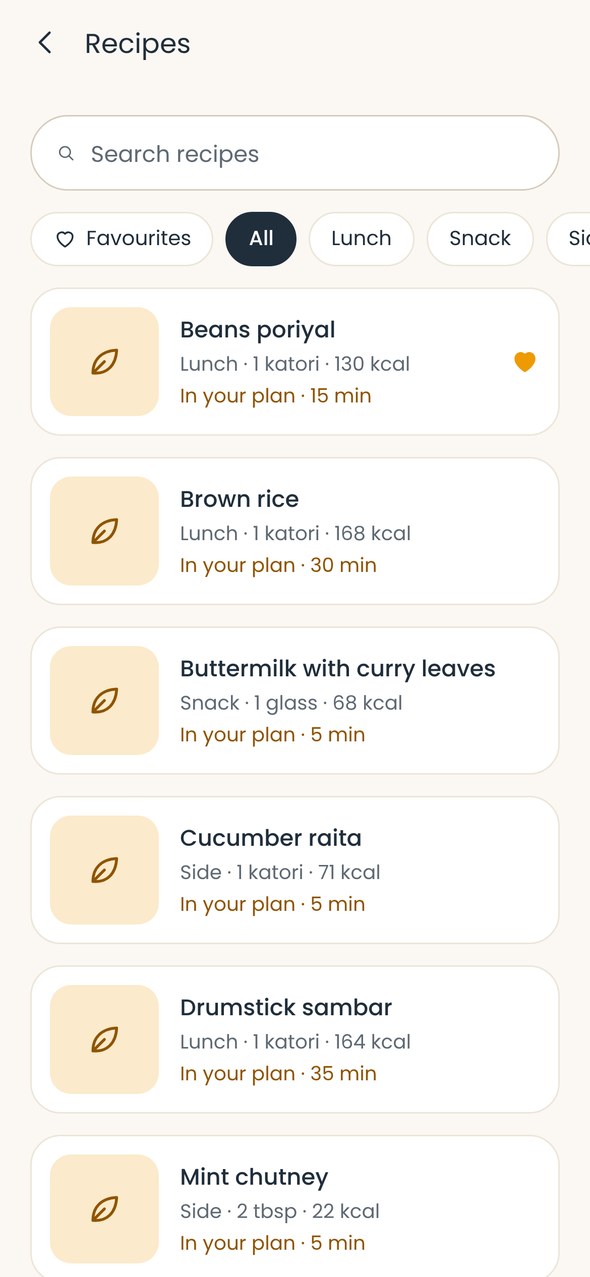
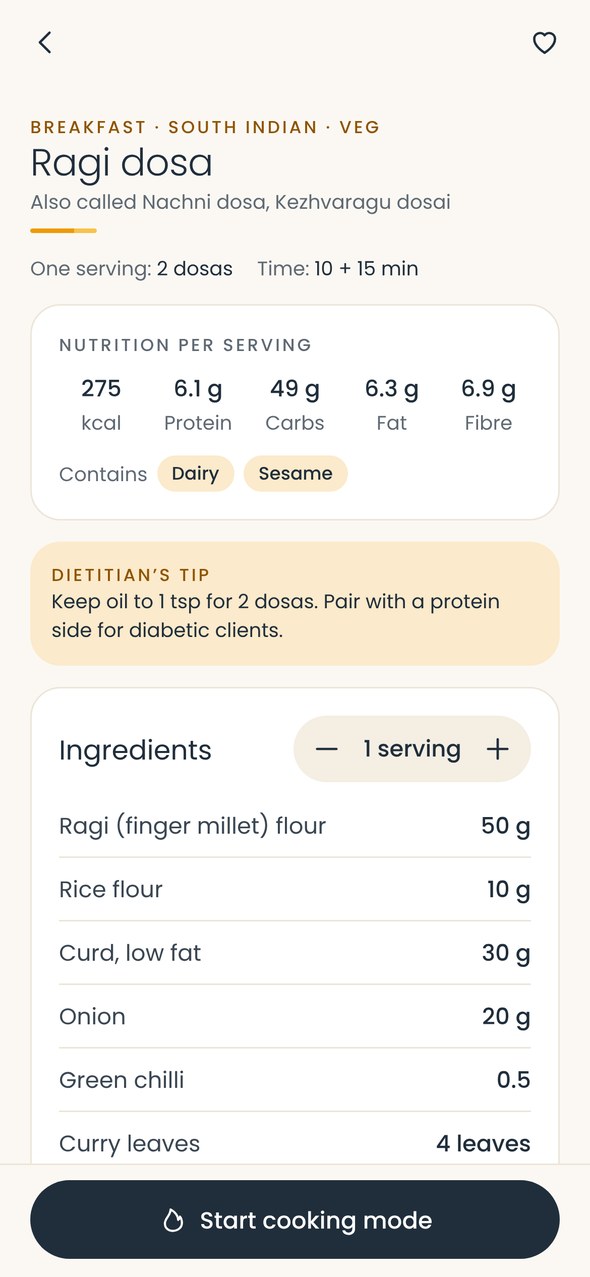
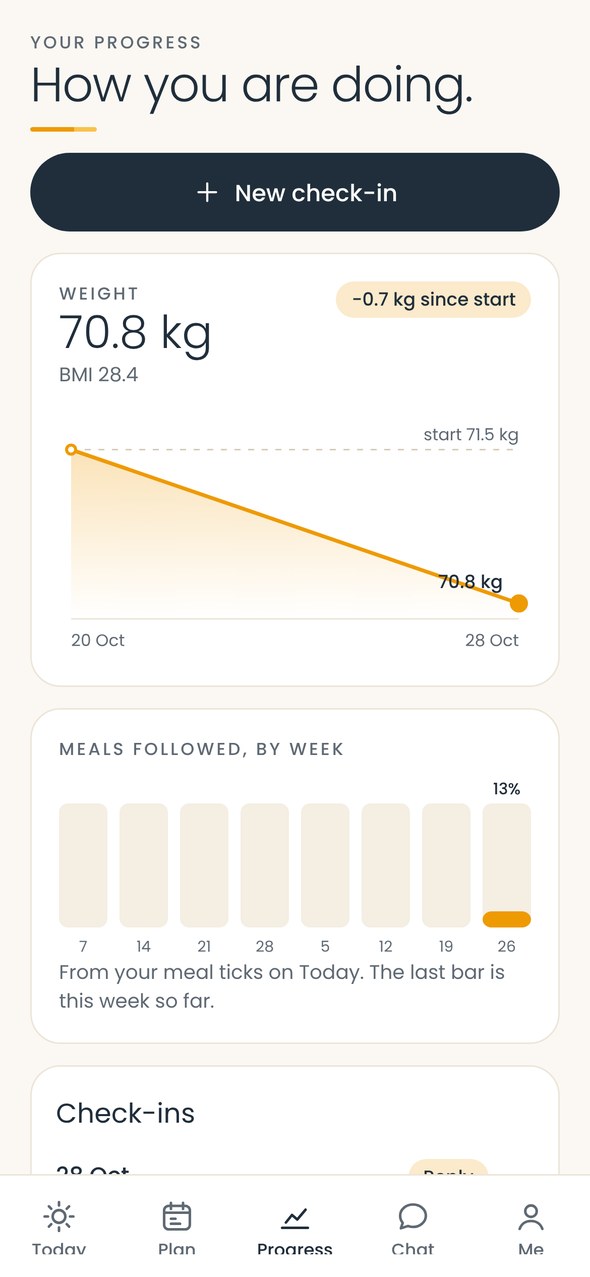
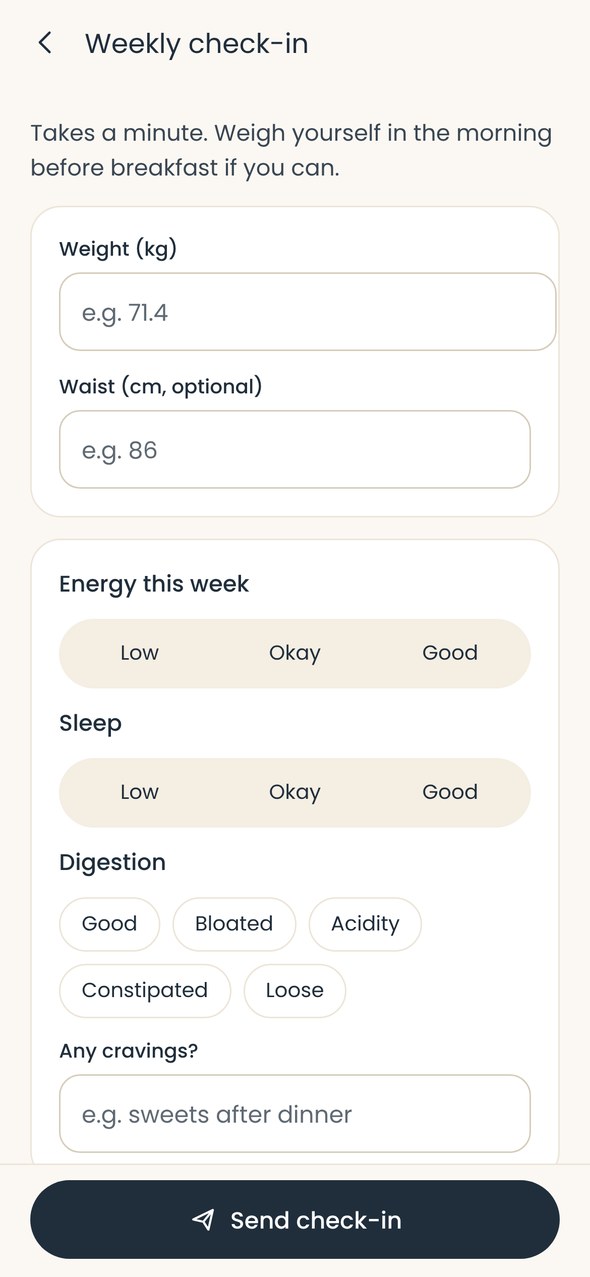
Every dish in the plan has a recipe with nutrition per serving, allergens, a tip from the dietitian, ingredients that scale with servings, and a cooking mode. Clients who don’t like a dish can ask for a swap. Progress shows weight against the starting point and the share of meals followed each week, and the weekly check-in takes a minute: weight, waist, energy, sleep, digestion and cravings.
Consultations and chat
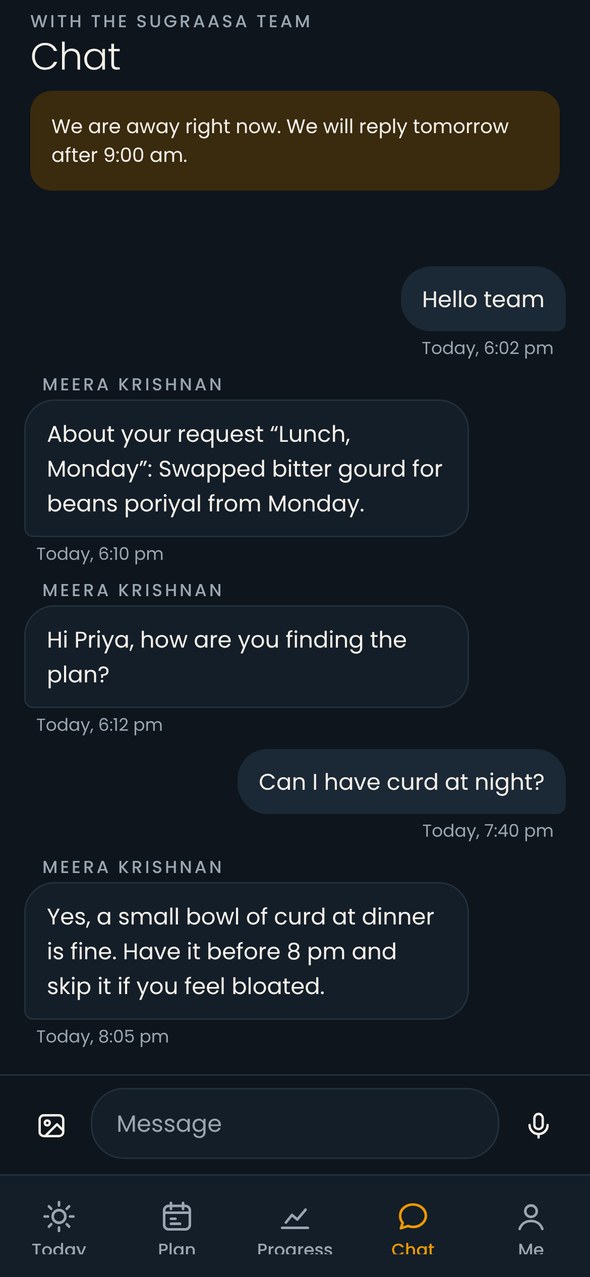
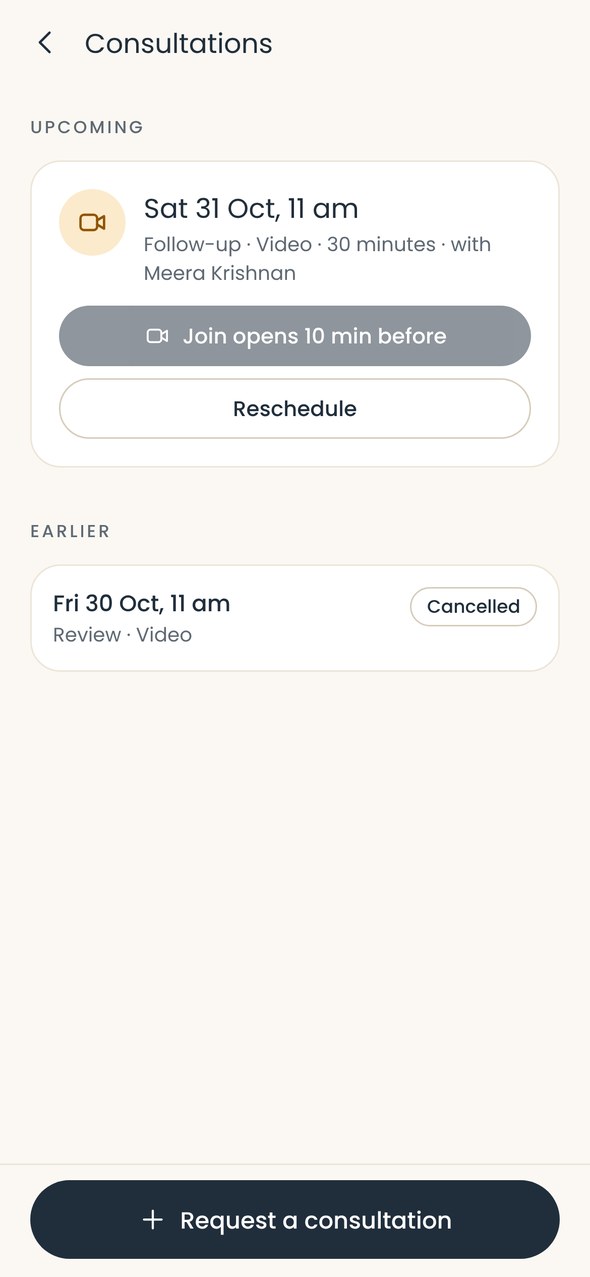
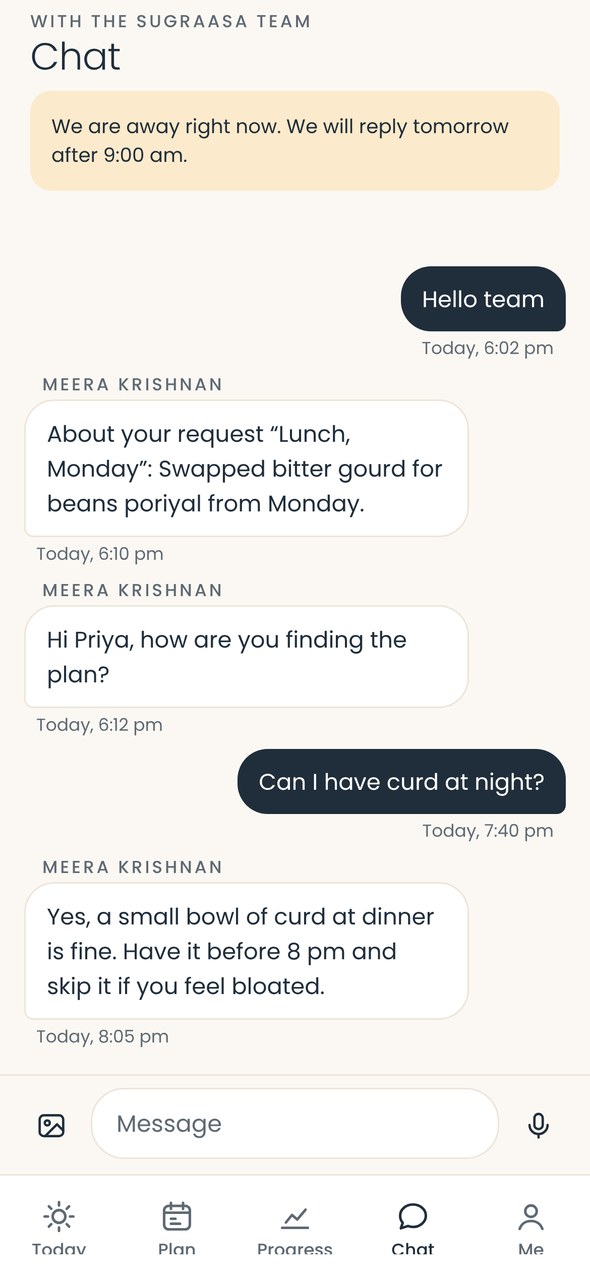
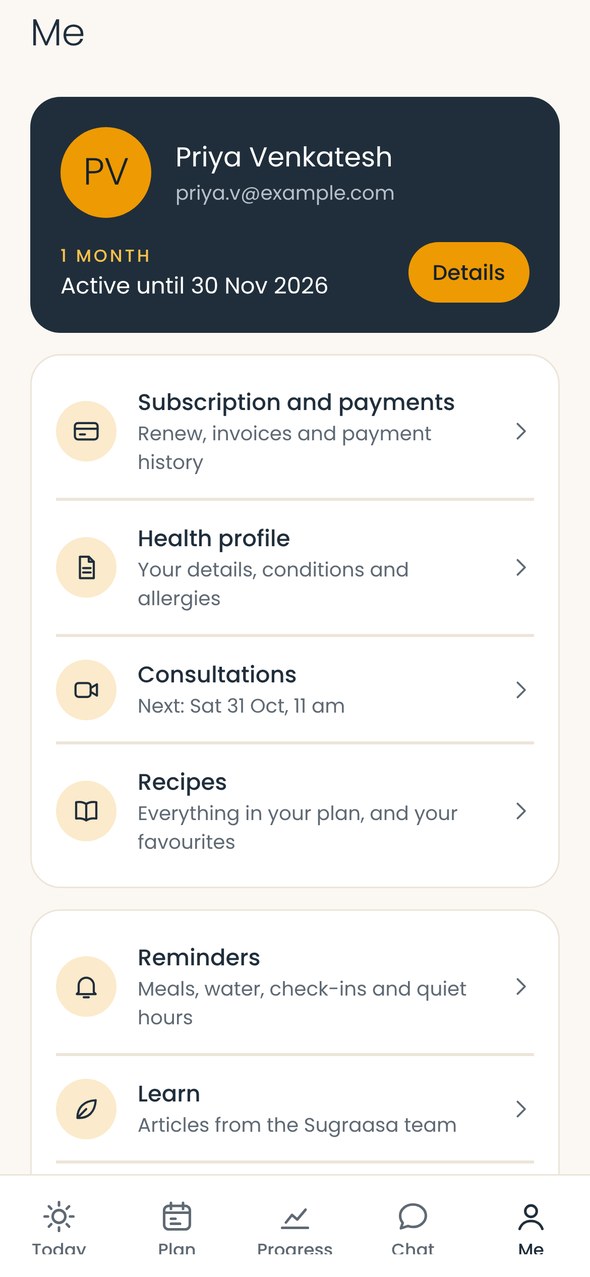
Upcoming video consultations open from the app ten minutes before they start, and can be rescheduled. Chat goes straight to the Sugraasa team, with an automatic note outside office hours saying when they will reply. The Me tab holds the subscription, health profile, consultations, favourite recipes, reminders and articles.
Subscription, reminders and settings
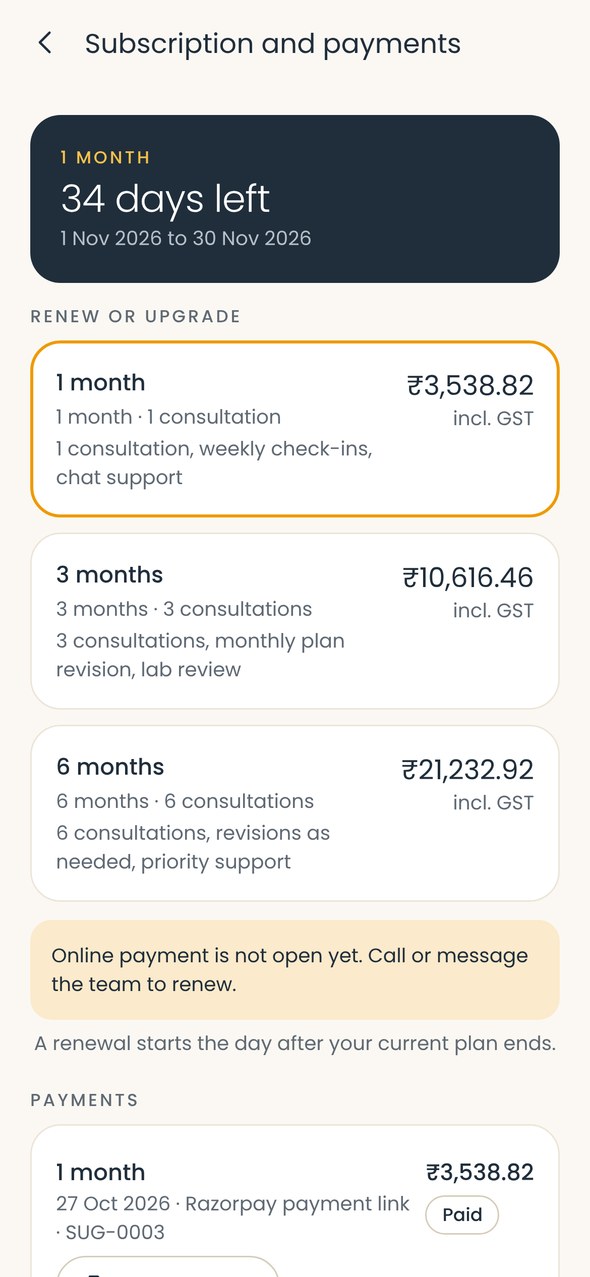
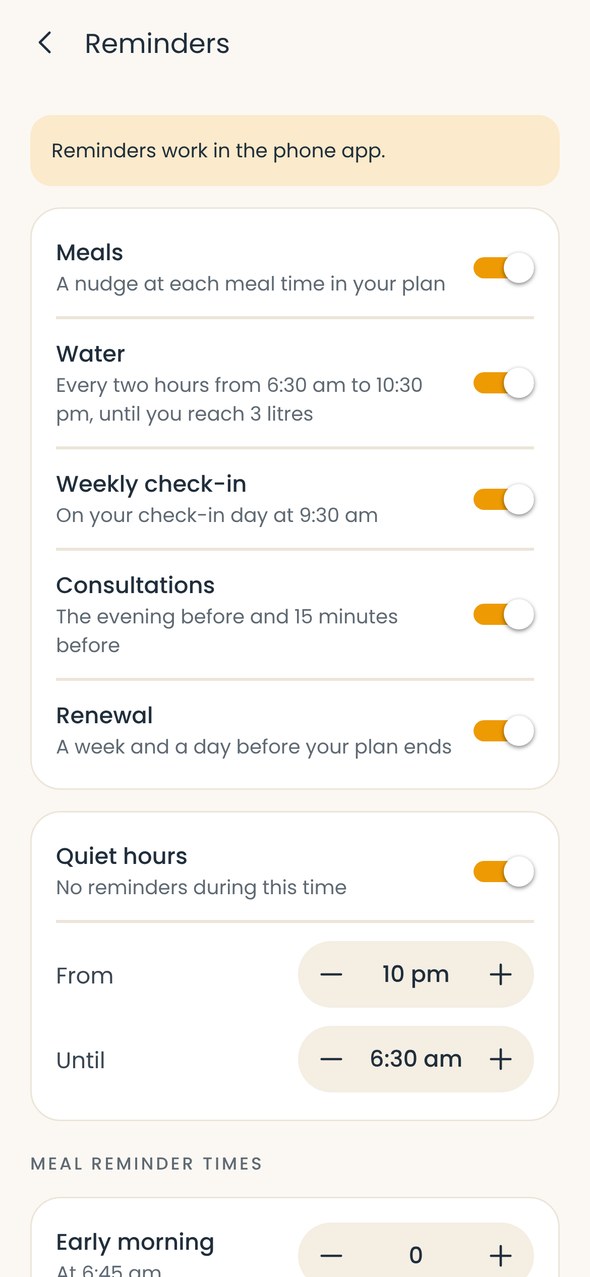
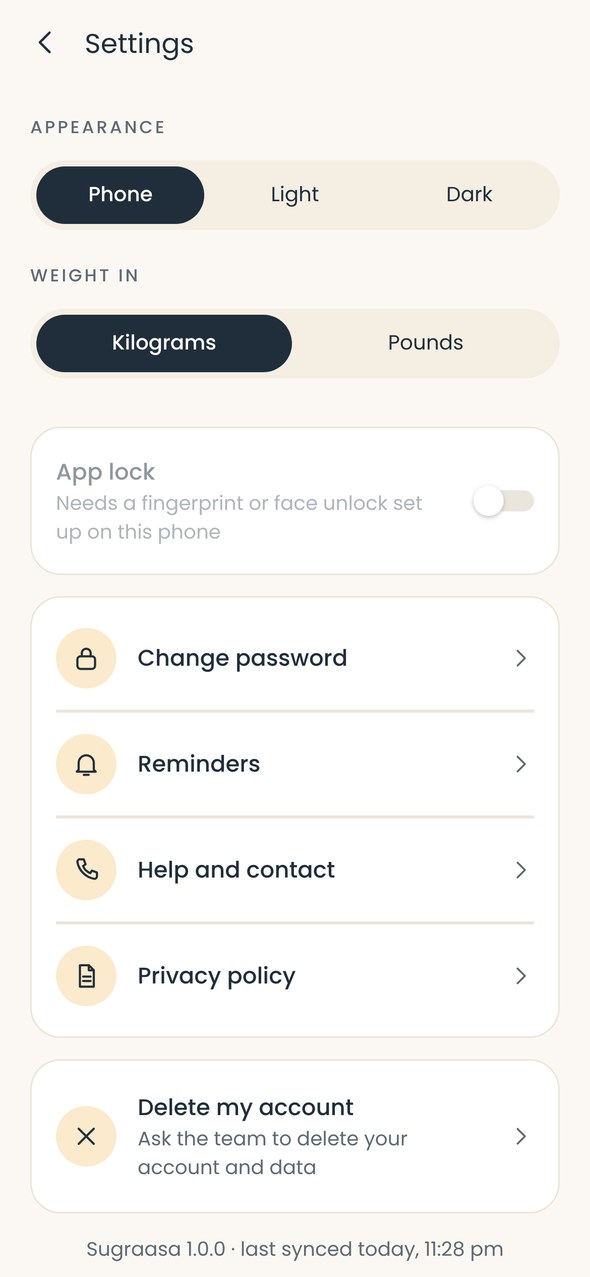
Clients see how many days are left on their plan and the renewal options. Reminders cover meals, water, check-ins, consultations and renewals, with quiet hours. Clients can lock the app with a fingerprint or face, choose kilograms or pounds, pick light or dark, and delete their account from the app. Articles from the dietitians sit in Learn.
Design
Warm, calm and easy to read, with one saffron accent for the action that matters. Both the app and the portal come in light and dark, and the app follows the phone’s setting.