Seven AI features worth adding to your app
The AI features that pay off solve a real step in your product. Seven that work, with examples from our concepts, and how to add them responsibly.

Short answer: the AI features that pay off solve a real step in your product: understanding a photo, searching in plain words, summarising long text, briefing your staff, checking prices or risk, drafting content and helping your support team. Start with one feature tied to a number you already track, such as bookings, support time or conversion.
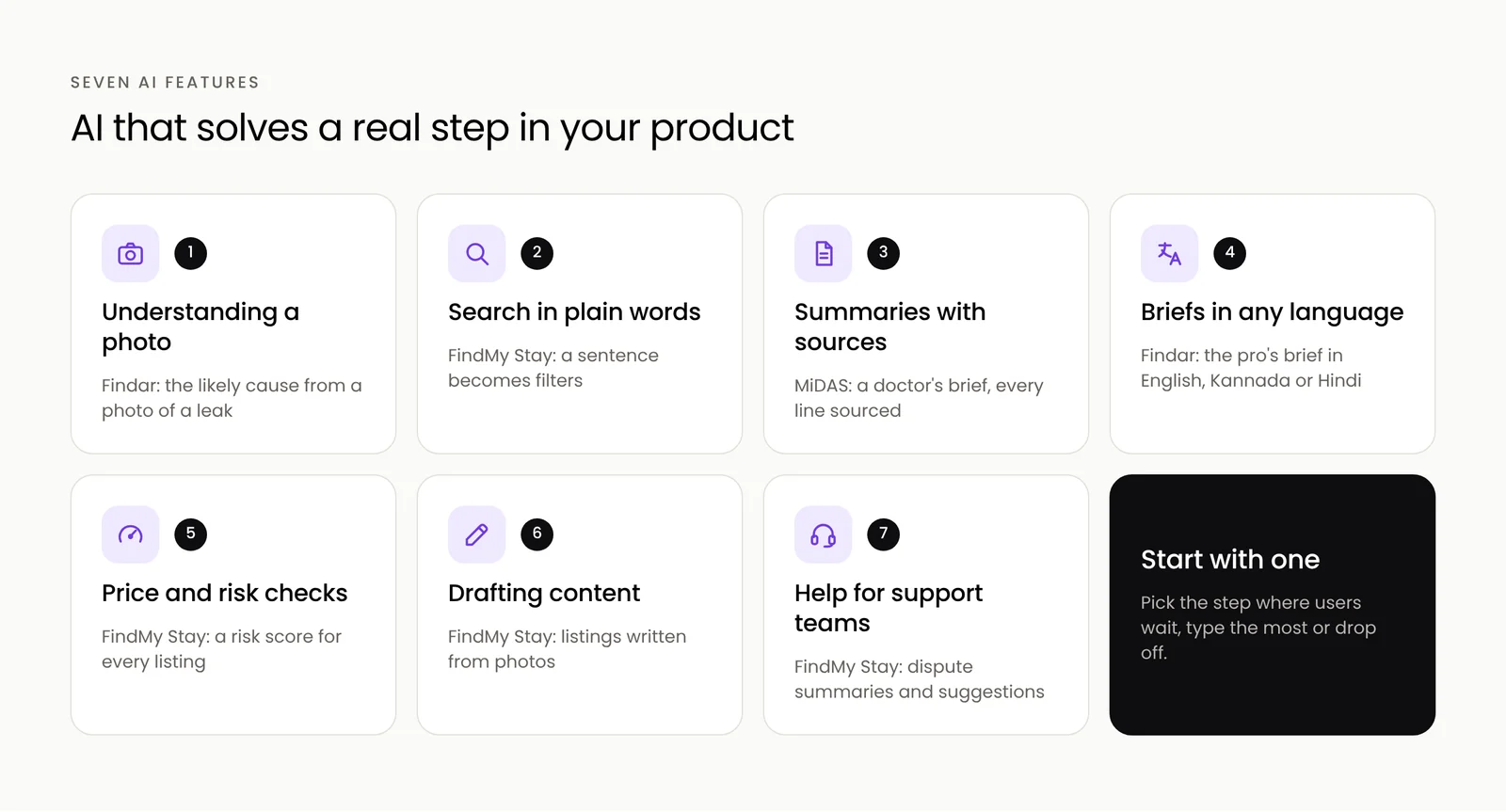
1. Understanding a photo
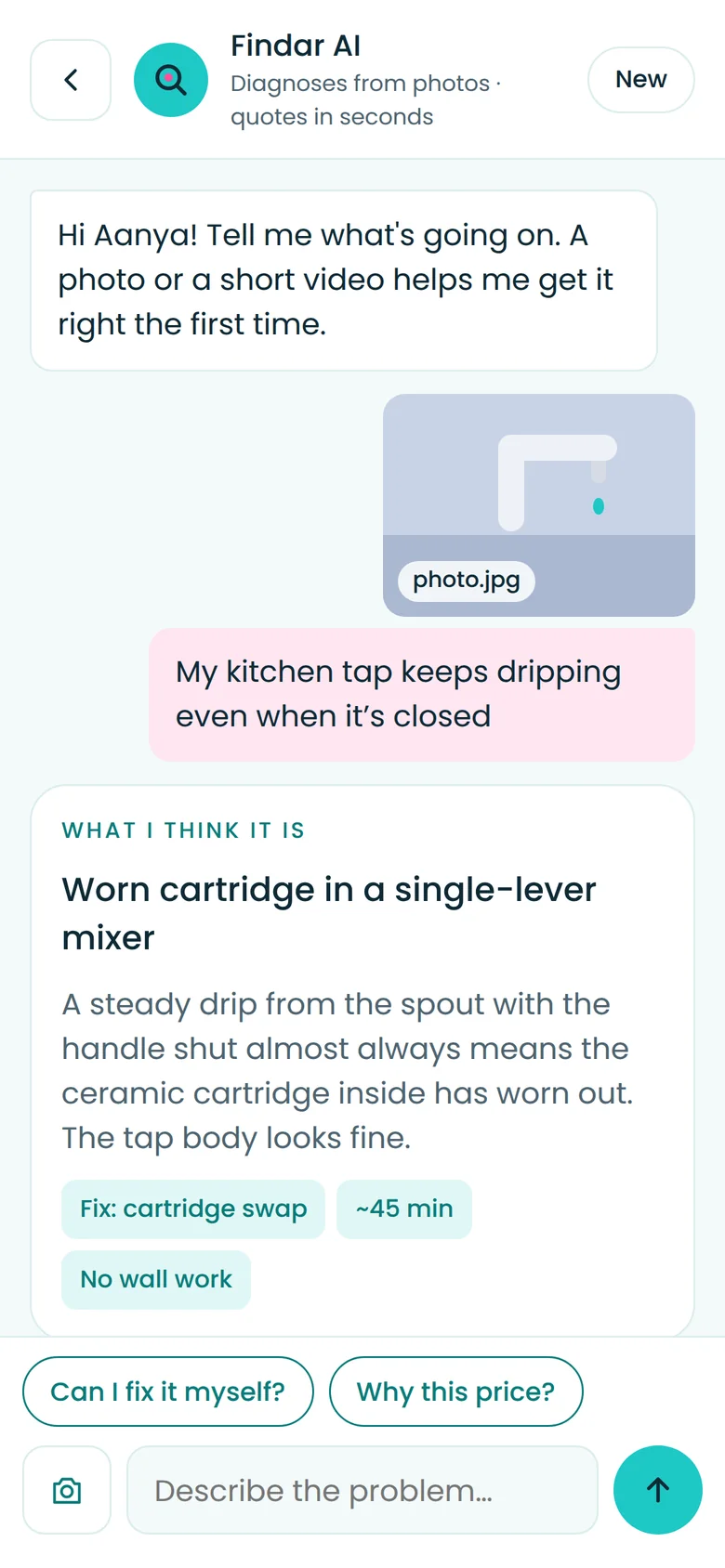
Let people show the problem instead of describing it. In our Findar home services concept, a customer photographs a dripping tap and Findar AI suggests the likely cause, the fix and an estimated cost before anyone visits.
2. Search in plain words
"A quiet villa in Coorg for four, good Wi-Fi, under our budget." AI search turns a sentence into filters and ranks results by how well they match, as Aurora does in our FindMy Stay concept.

3. Summaries that show their sources
Long reviews, medical histories or support threads become a few lines. In MiDAS, doctors get a brief before every call, and every line links to where it came from.
4. Briefs in your partner's language
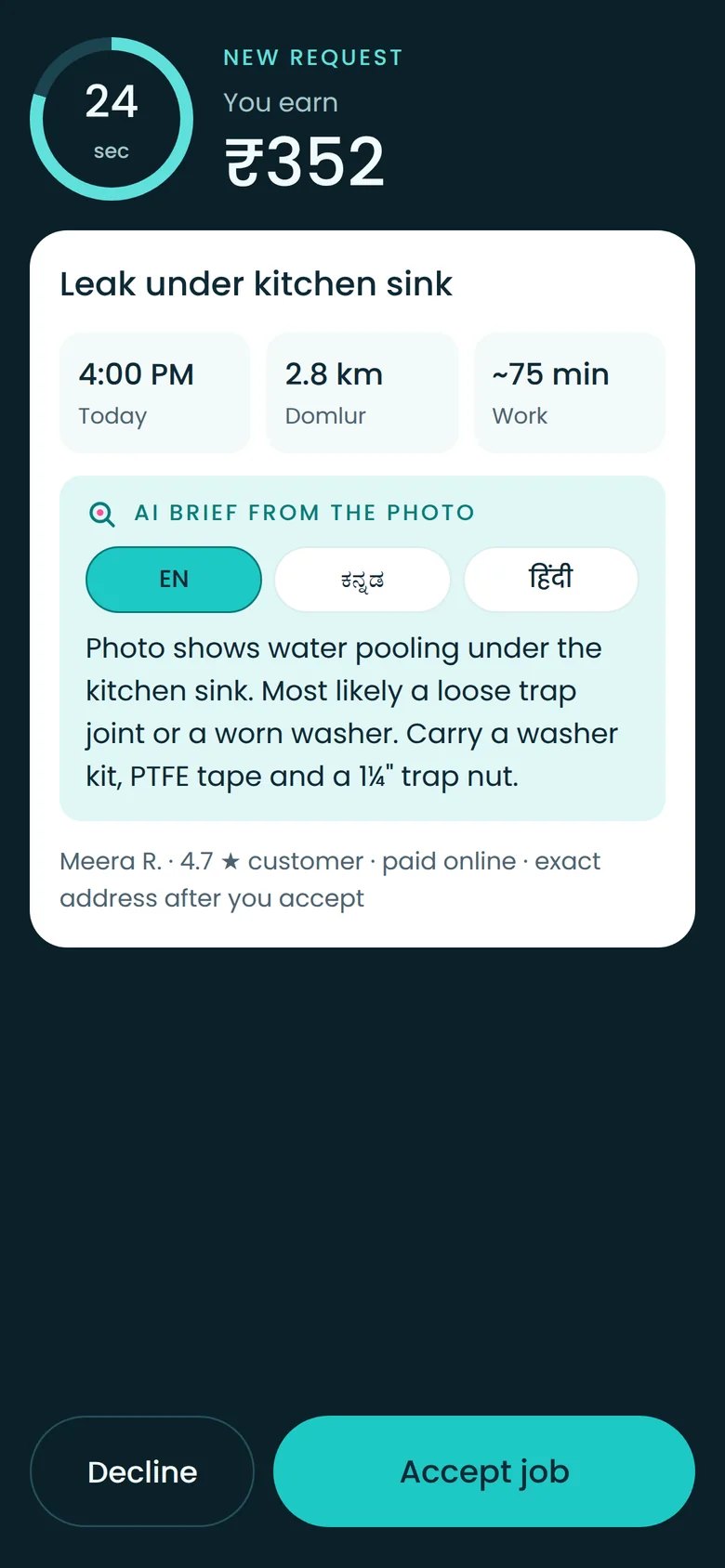
Field staff, drivers and pros work better with a short brief in their own language. Findar's partner app briefs the pro from the customer's photo in English, Kannada or Hindi.
5. Price and risk checks
AI can flag what looks wrong: a part priced above the usual range, or a new listing whose photos match another listing. People make the final call, faster.
6. Drafting content
Owners upload photos and the app drafts a listing title and description. Teams start from a good draft instead of a blank page.
7. Help for your support team
Case summaries, suggested replies and recommended resolutions, as in FindMy Stay's disputes console, cut the time to resolve each case.
How to add AI responsibly
- Keep people in charge of decisions that affect money, health or safety.
- Show sources and confidence, so users can check the answer.
- Send the minimum data to AI services, and cover it in your privacy notice.
- Control cost with limits, caching and the smallest model that does the job.
- Measure it. Compare the feature against the number it was meant to move.
Where to start
Pick the step in your product where users wait, type the most or drop off. That is usually where one AI feature makes the biggest difference. We build these features with AI-native development, and our concepts show them working in live demos.
Tell us about your app and we will suggest the first AI feature we would add.
Frequently asked questions
Which AI feature should I add first?
The one that removes the biggest friction in your product, where users wait, type the most or drop off, and that you can measure with a number you already track.
Is it expensive to add AI features to an app?
It depends on how often the feature is used and the model it needs. Limits, caching and using the smallest model that does the job keep running costs under control.
How do you keep AI features safe and accurate?
Keep people in charge of important decisions, show sources, test the feature on real examples before launch, send only the data that is needed, and monitor its answers after launch.


