What every marketplace admin console should include
The admin console is where your team runs the marketplace. The modules it needs, the design principles that make it fast, and mistakes to avoid.

Short answer: an admin console is where your team runs the marketplace: live orders or bookings, dispatch, onboarding and verification of partners, payouts, disputes and refunds, pricing, content and reports, with roles, approvals and an audit log. Plan it alongside the apps, not after them, because your operations team will use it all day.
The modules
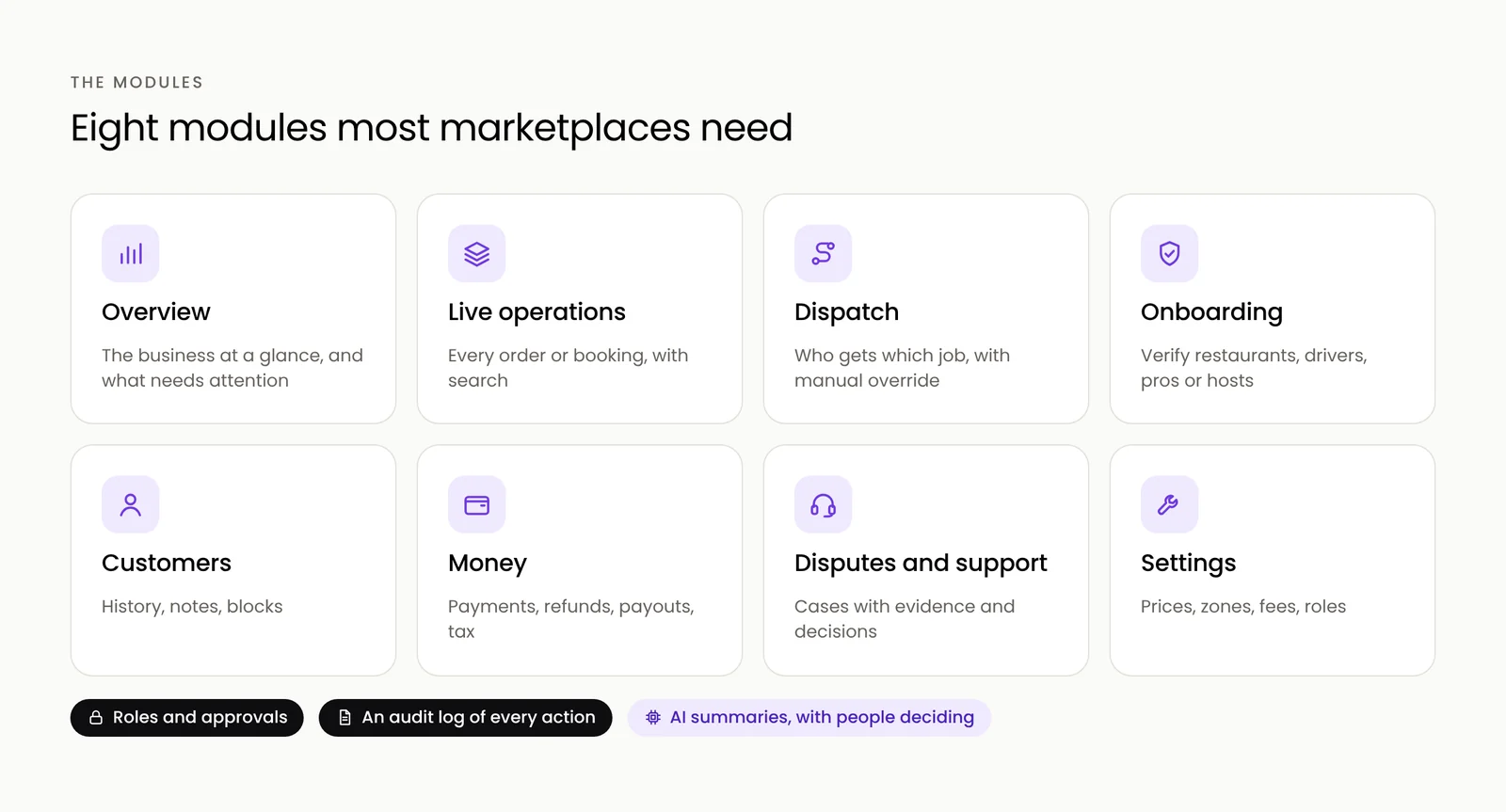
- Overview: the business at a glance, with what needs attention right now.
- Live operations: every order, booking or job with its status, filters and search.
- Dispatch or matching: who gets which job, with manual override.
- Supply onboarding and verification: restaurants, drivers, pros or hosts, with documents, checks and approvals.
- Customers: profiles, history, support notes and blocks.
- Money: payments, refunds, payouts, commissions and tax reports.
- Disputes and support: cases with evidence, decisions and messages to both sides.
- Settings: pricing, zones, fees, promotions, content and staff roles.
Design principles that make it fast
- Exceptions first. Lead with what needs a decision: delayed orders, verification past its deadline, disputes about to breach their deadline.
- One click to act. Call the rider, approve the listing, release the payout, without opening five screens.
- Search everything. By order ID, phone number, name or partner.
- Roles and approvals. Support staff should not be able to issue unlimited refunds.
- An audit log. Who did what, when, for every action that touches money or people.
- AI where it saves time. Case summaries, risk scores and suggested decisions, always with a person deciding.
Two examples from our concepts
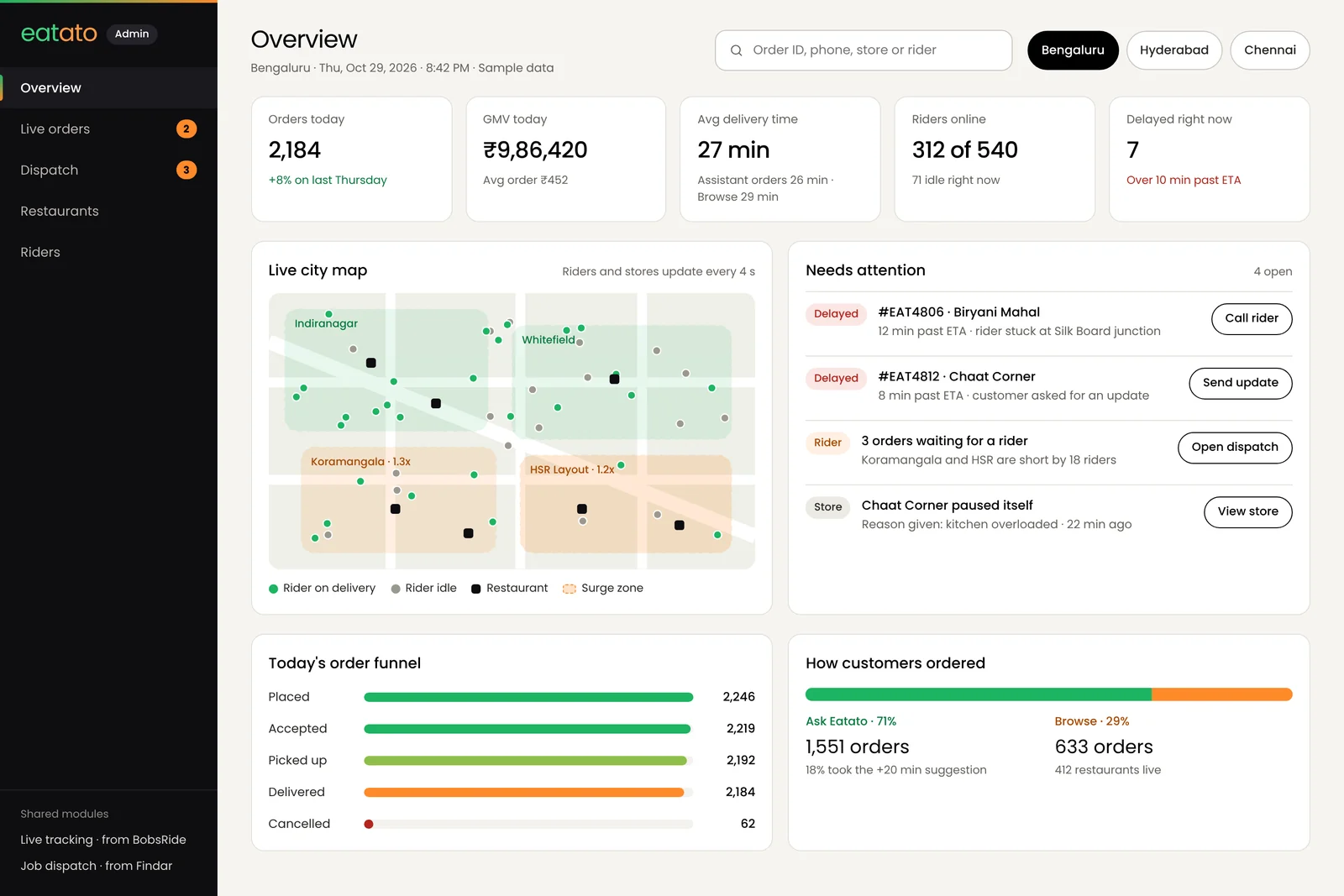
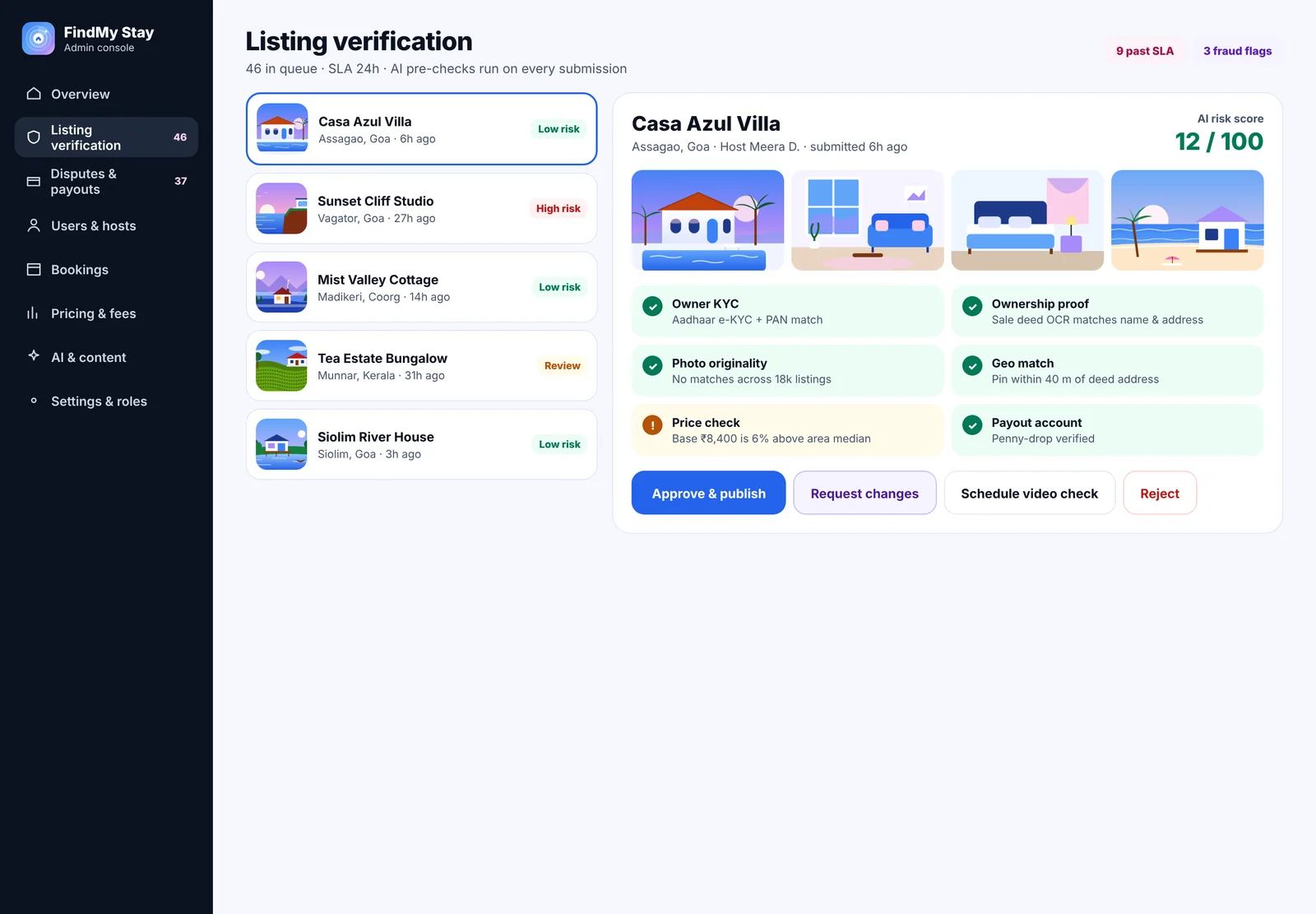
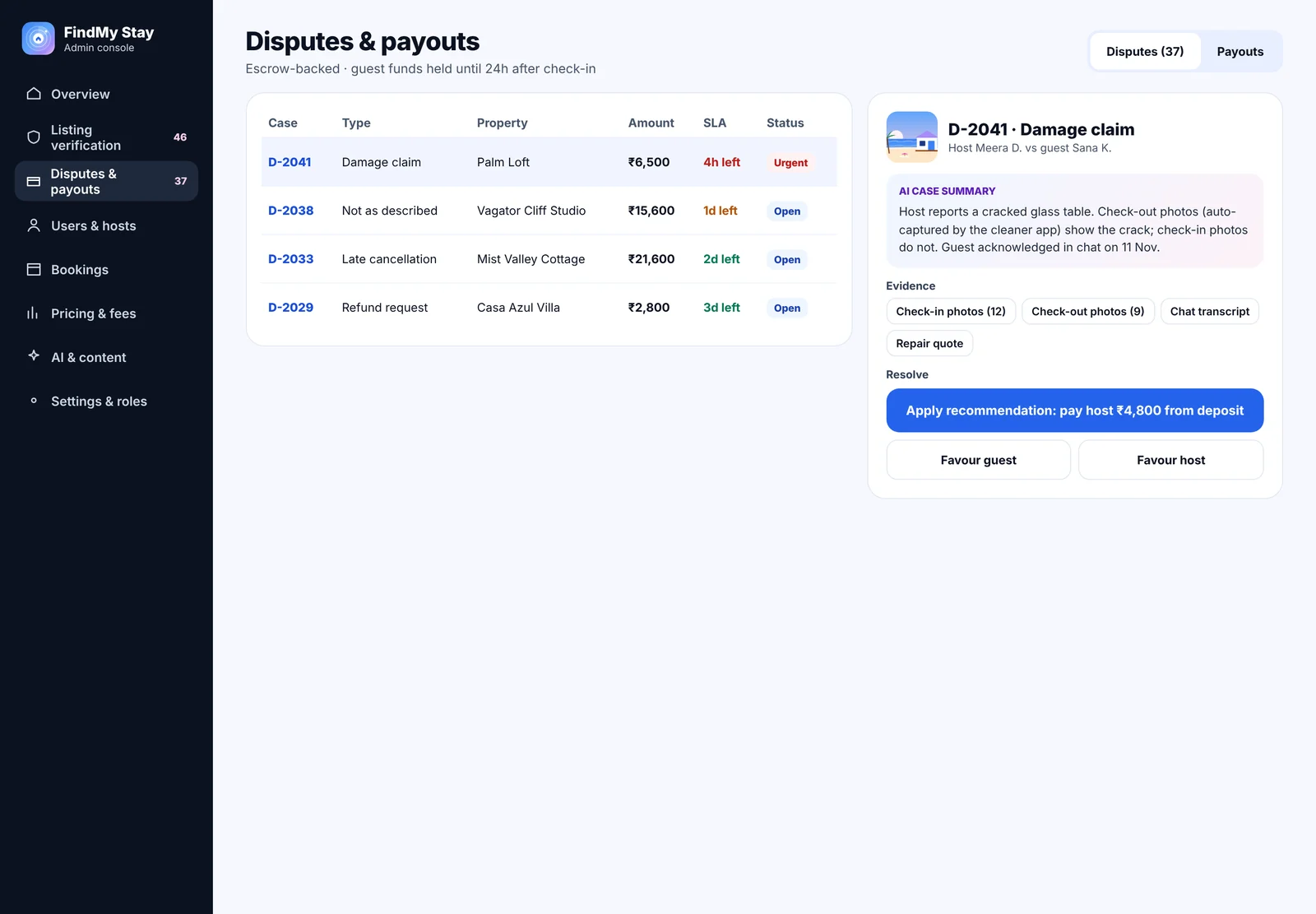
Our Eatato console runs a food delivery city: live orders, dispatch with the best riders ranked for each order, restaurants and riders. Our FindMy Stay console runs a stays marketplace: listing verification with an AI risk score, and disputes with AI case summaries and payouts backed by escrow. Both have live demos you can click through.
Mistakes to avoid
- Building it last. A console squeezed in after the apps leaves operations running on spreadsheets.
- Copying the database. Tables of raw records are not a console. Design around the tasks your team does every day.
- No permissions. Everyone with full access is a risk for money and privacy.
- No history. Without an audit log, you cannot answer "who changed this?".
Try the Eatato and FindMy Stay consoles or tell us what your team needs.
Frequently asked questions
Should the admin console be a web app or a mobile app?
A web app. Operations teams work at desks with large screens, tables and many tabs. Field staff may need a small mobile view for a few tasks.
When should the admin console be built?
Alongside the customer and partner apps. Operations need it from the first day of launch, for verification, support, refunds and payouts.
What technology do you use for admin consoles?
We usually build admin consoles in Angular on top of the same APIs that the apps use, with roles, approvals and an audit log built in.


