Adding UPI to your app: payments, refunds, AutoPay and split payments
How UPI payments work inside an app, why the server must confirm every payment, and how to handle refunds, subscriptions and split payments.

Short answer: most apps add UPI through a payment gateway. Your app creates an order, the customer approves the payment in their UPI app with their PIN, and your server confirms the payment with the gateway before marking the order paid. Since 1 October 2025, person-to-person "collect" requests are no longer allowed on UPI, so design checkout around flows the customer starts: opening their UPI app from yours, or scanning a QR code.
How a UPI payment flows
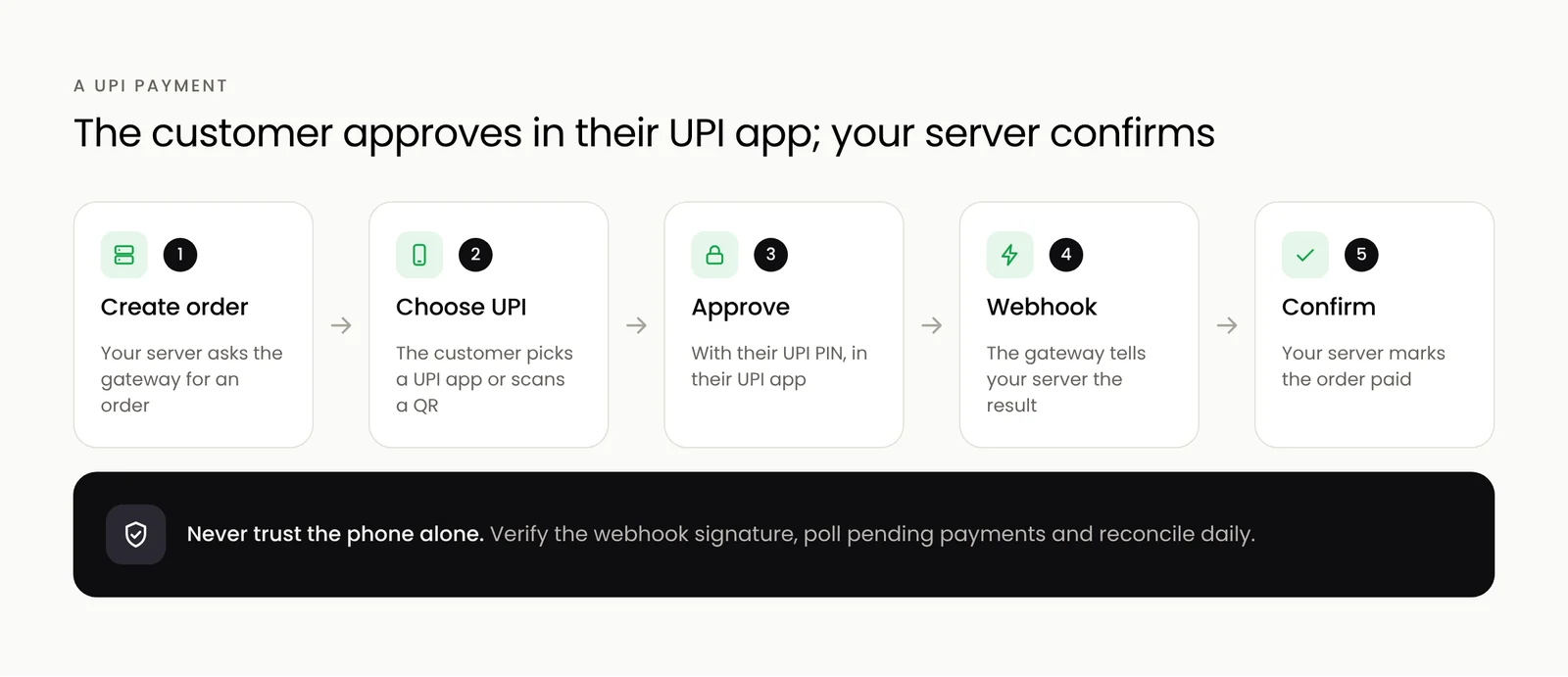
- Your server creates an order with the payment gateway for the exact amount.
- The customer chooses UPI and picks their UPI app, or scans a QR code on another device.
- They approve the payment in their UPI app with their PIN.
- The gateway tells your server the result, through a webhook.
- Your server marks the order paid and the app shows the confirmation.
Never trust the phone alone
The app may say a payment succeeded, but only your server's check with the gateway is final. Phones lose connection, people close apps mid-payment, and some payments stay pending for a while. Always:
- Confirm every payment from the gateway's webhook, and check its signature.
- Poll the payment status if the webhook is late.
- Make order updates idempotent, so the same confirmation arriving twice does not create two orders.
- Reconcile daily against the gateway's settlement report.
Design for pending and failed payments
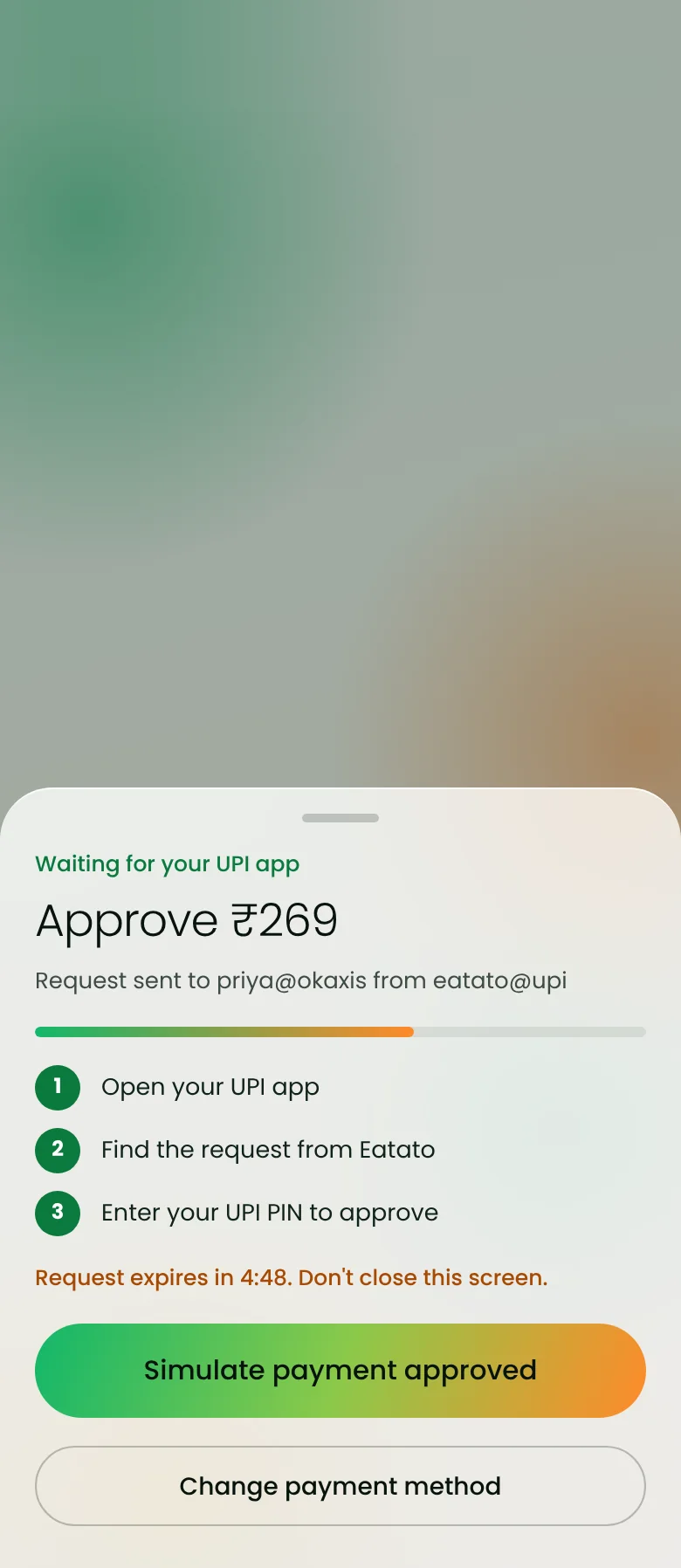
Show clear states: waiting for approval, paid, failed, and pending with "we will update you". Let people retry with another UPI app or another method, and never take money twice.
Refunds
Refunds go back through the gateway's refund API, in full or in part, to the customer's original account. Build them into your admin console with reasons and approvals, and tell customers when to expect the money.
Subscriptions with UPI AutoPay
For memberships, plans and recurring bills, UPI AutoPay lets the customer approve a mandate once in their UPI app; later charges are collected automatically within the limits they agreed, with notifications before each debit. Check with your gateway which categories and amounts are supported.
Split payments mean two different things
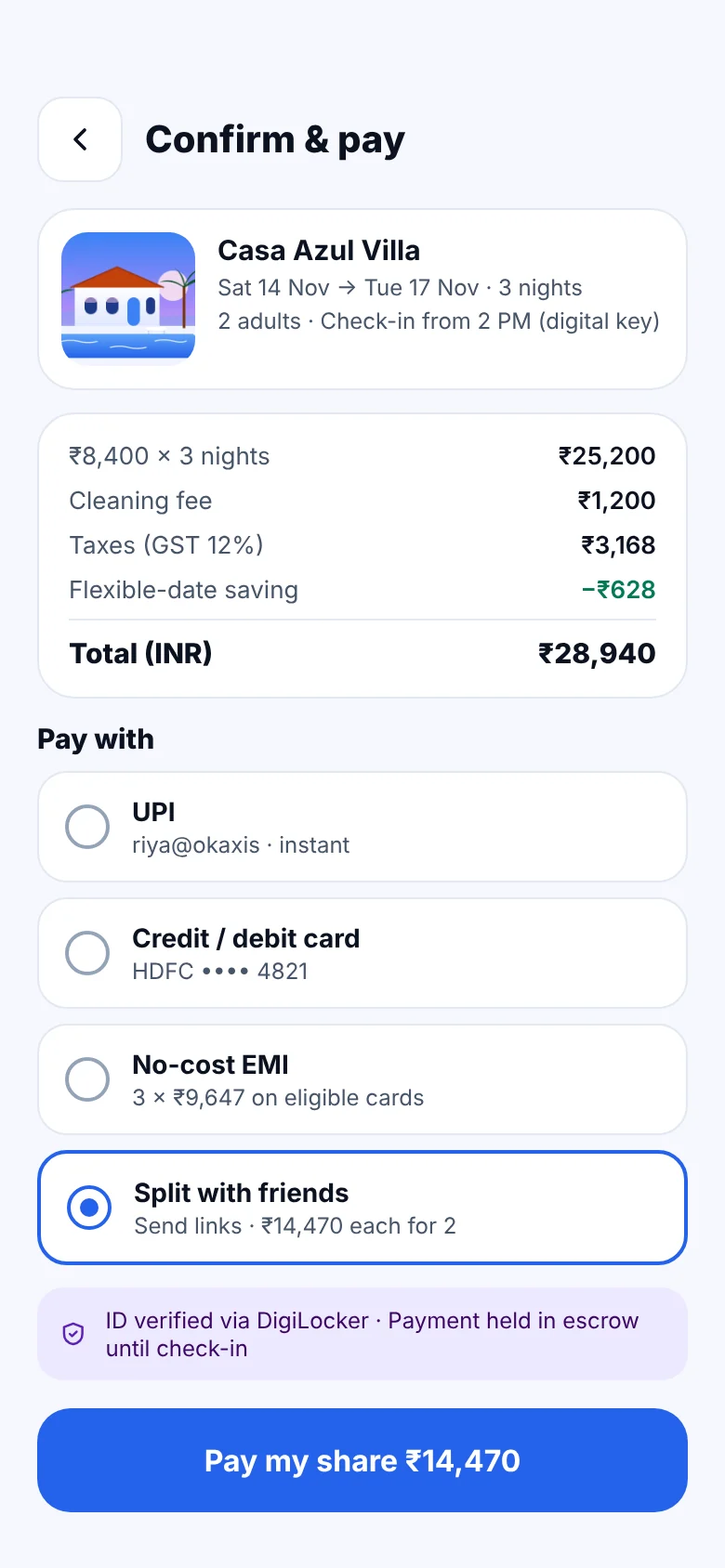
- Splitting a bill between friends: each person gets their own payment link or request for their share, and the booking is confirmed when all shares are paid or the organiser covers the rest.
- Splitting money between parties: in a marketplace, one customer payment is divided between the platform and the restaurant, driver or host. Gateways offer route or split settlement features for this, with your commission kept automatically.
Merchant collect, intent and QR
The October 2025 change ended collect requests between people. Merchant collect requests for genuine businesses continue, but payments started by the customer, by opening their UPI app or scanning a QR code, are now the norm and the safest experience for your users.
UPI checkout, refunds and payouts are built into our Eatato and FindMy Stay concepts. Talk to us about payments in your app.
Frequently asked questions
Do I need a payment gateway to accept UPI in my app?
For most businesses, yes. A gateway handles the UPI connection, payment confirmation, refunds and settlement to your bank account, and usually supports cards and wallets too.
Are UPI collect requests still allowed?
Person-to-person collect requests ended on 1 October 2025. Merchant collect requests for genuine businesses continue, but customer-initiated payments, by opening a UPI app or scanning a QR code, are now the standard.
Can I charge customers every month with UPI?
Yes, with UPI AutoPay. The customer approves a mandate once, and later payments are collected automatically within the limits they agreed, with a notification before each debit.


