How live tracking works in delivery and ride-hailing apps
From the rider's GPS to the moving marker on your map: how live tracking works, and how to get accuracy, battery life and cost right.

Short answer: the rider's or driver's phone sends its location to your server every few seconds. The server keeps the latest position, works out the route and the arrival time, and pushes updates to the customer's app, which moves the marker on the map. The engineering is in doing that accurately, without draining batteries or running up map bills.
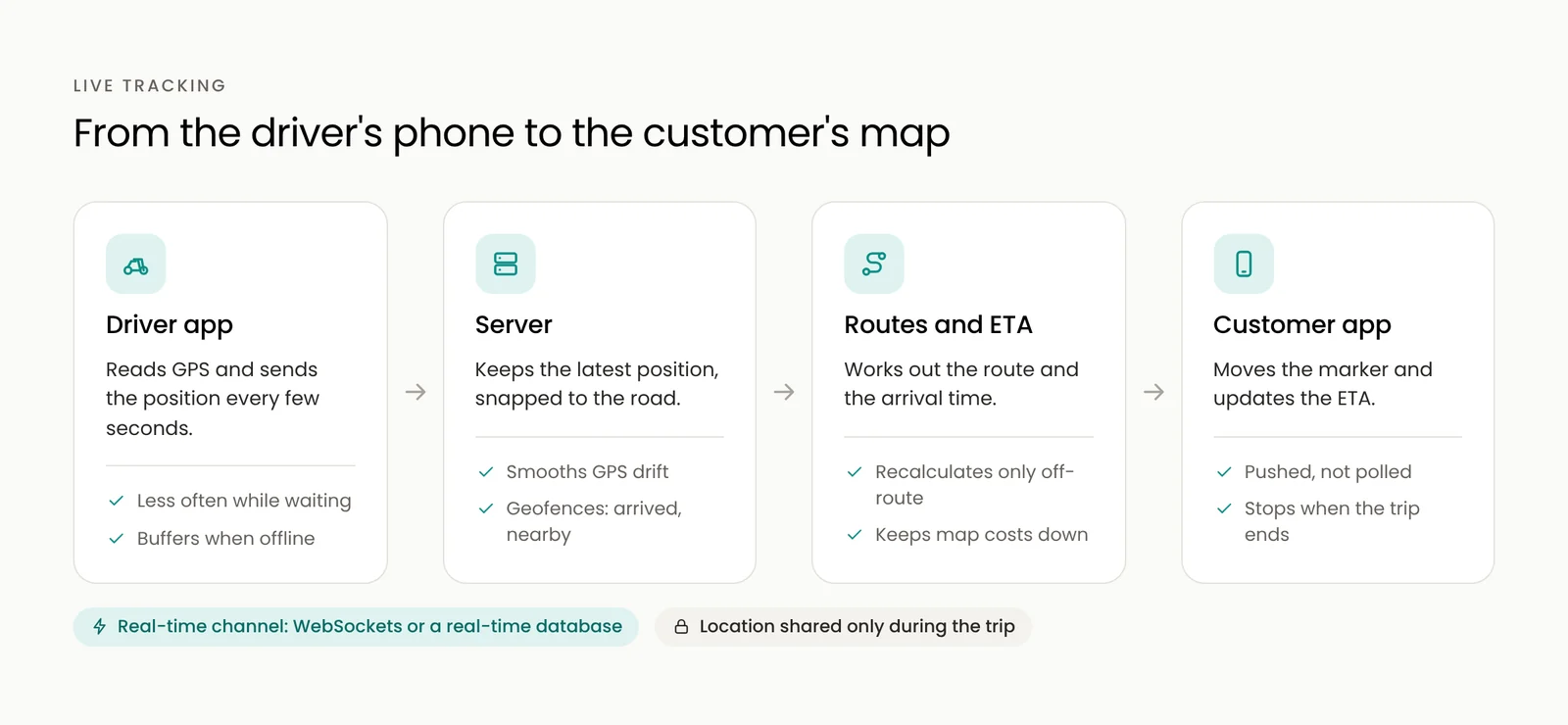
The five parts
1. Location from the driver's app
The driver app reads the phone's location and sends it to the server, more often while moving and less often while waiting. It keeps working in the background during a trip, which needs the right permissions on Android and iOS.
2. A real-time channel
Updates travel over a connection that stays open, such as WebSockets or a real-time database like Firebase, so the customer sees movement within a second or two instead of refreshing the page.
3. Maps and roads
GPS points drift. Snapping them to the road network keeps the marker on the street instead of floating through buildings.
4. Routes and arrival times
A directions service turns the current position and destination into a route and an estimated time. Recalculate when the driver leaves the route, not on every update, to keep costs down.
5. Events that matter
Geofences mark moments such as "arrived at the restaurant" or "two minutes away", which trigger notifications and update the order status.
The hard parts
- Accuracy. Tall buildings and tunnels confuse GPS. Combine snapping, smoothing and sanity checks so the marker does not jump.
- Battery life. Sending a location every second all day drains a phone. Adjust the frequency to speed and trip stage.
- Background rules. Android and iOS limit background location for good reasons. Ask for permission clearly and only during trips.
- Patchy networks. Buffer locations on the phone when the signal drops and send them when it returns.
- Map costs. Map loads, routes and arrival times are usually billed per request. Cache what you can and recalculate only when needed.
- Privacy. Share the driver's location only during an active trip, and stop the moment it ends.
One module, many apps
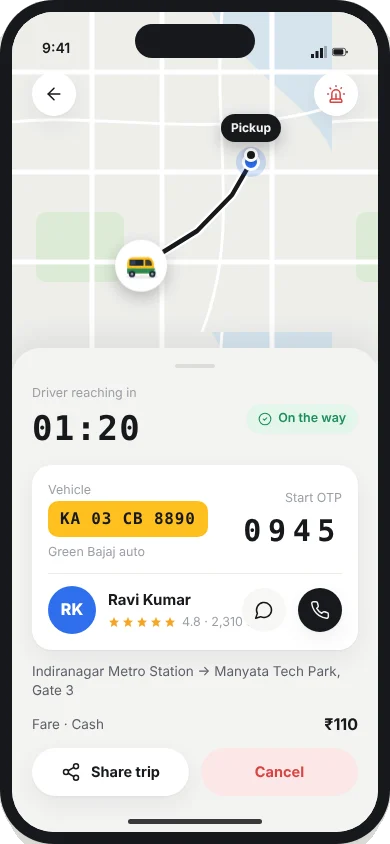
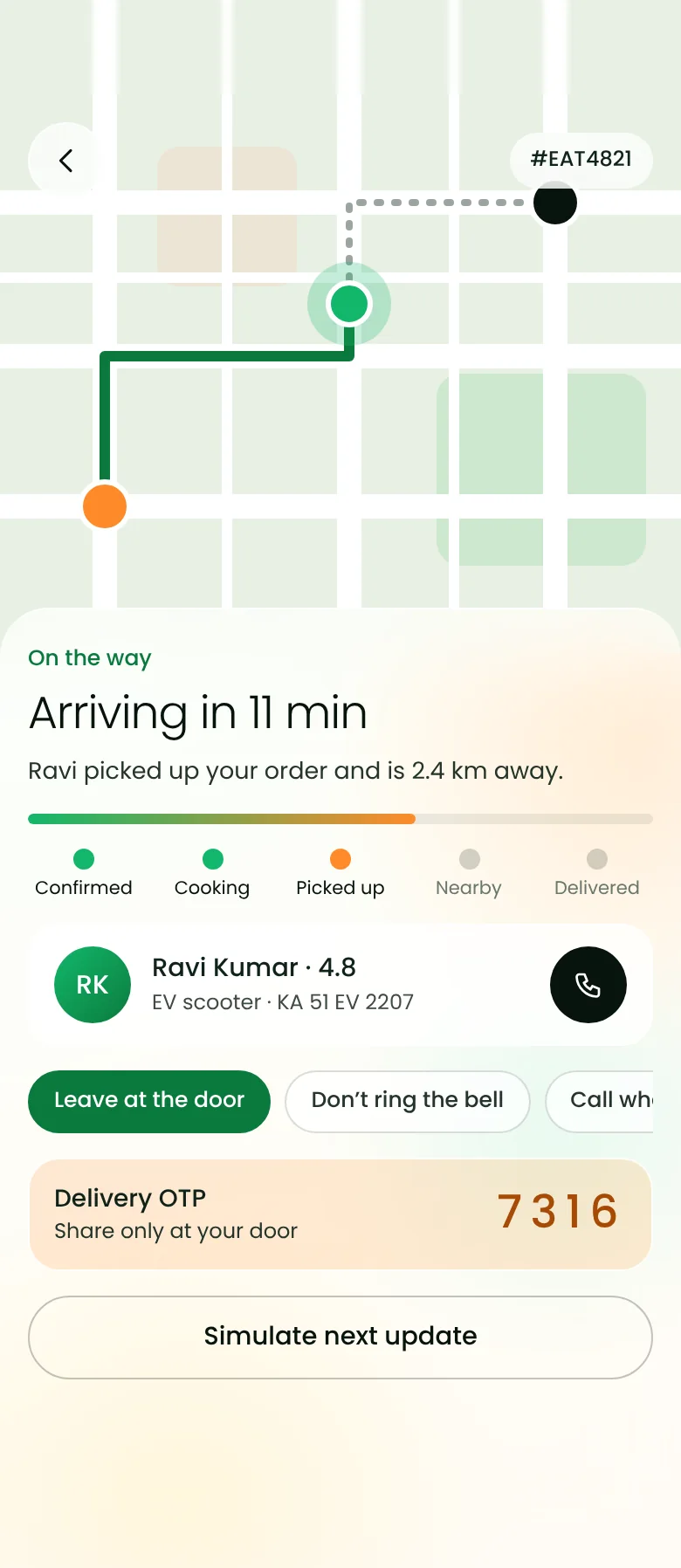
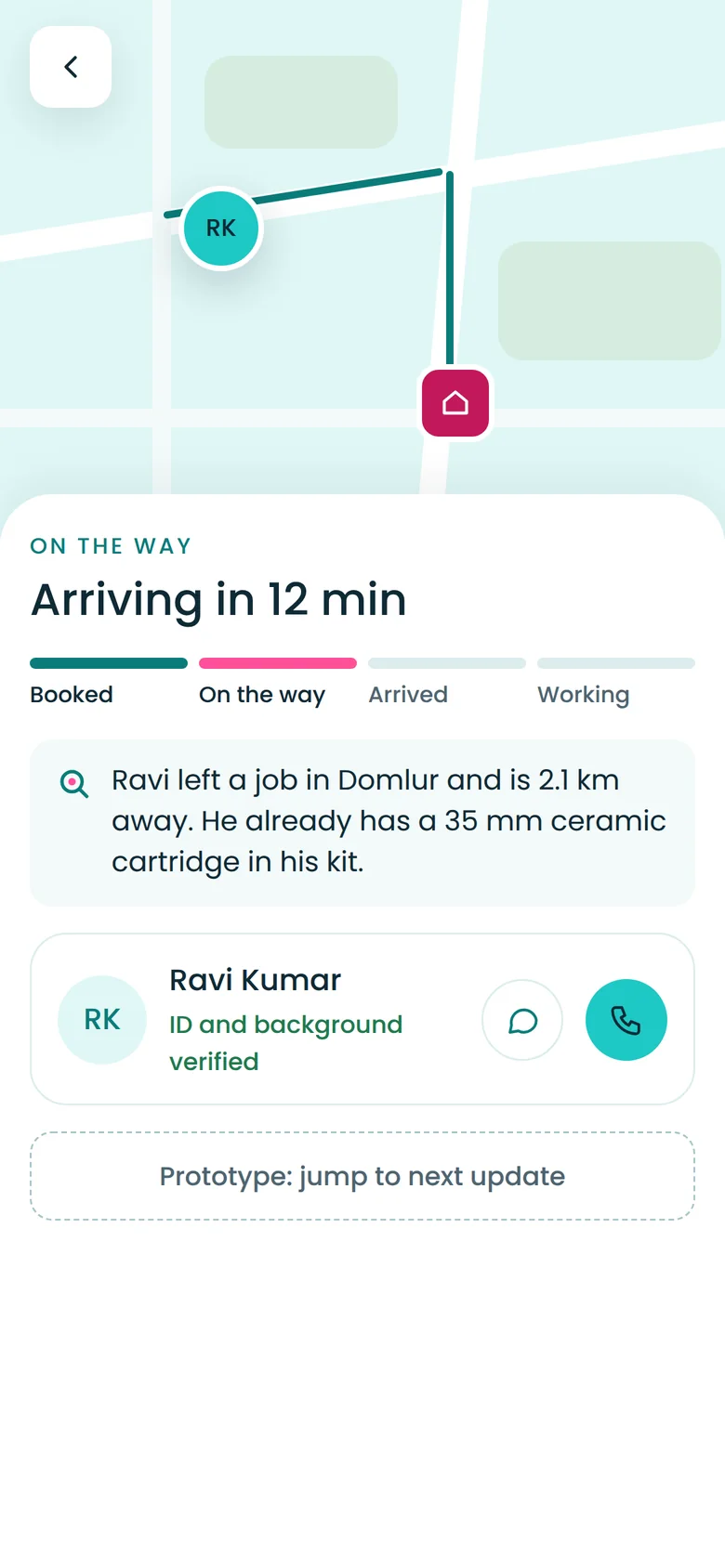
Live tracking works the same way for a cab, a food delivery or a plumber on the way. We built and operated it for ride-hailing platforms, and reuse the same module in our BobsRide, Eatato and Findar concepts, so the hardest part of a delivery app is already designed and tested.
Talk to us about adding live tracking to your app.
Frequently asked questions
How often should a driver app send its location?
Every few seconds while moving is typical, and less often while waiting. Adapting the frequency to speed and trip stage balances smooth tracking with battery life.
Does live tracking drain the phone battery?
It can if done carelessly. Adaptive update frequency, batching and stopping tracking as soon as the trip ends keep the battery impact modest.
Do I have to use Google Maps for live tracking?
No. Google Maps Platform is common, but Mapbox and providers built on OpenStreetMap data also offer maps, routing and arrival times. The choice usually comes down to coverage, features and cost in your cities.


